
Using Crochet Bobble Offline, Getting Updates, and Backing Up Your Projects
Crochet Bobble keeps working with no signal, updates itself while you use it, and backs up your work. Here is what the Reload card means, how offline works, and how to download a copy of everything you made.
Crochet Bobble saves your work to your account as you go, so it's there on every phone and computer you sign in on. This guide covers the three things that keep it safe: updates, working offline, and your own copies.
What "Crochet Bobble just updated" means
Crochet Bobble gets fixes and new features often. When a new version is ready, a card pops up at the bottom of the screen:
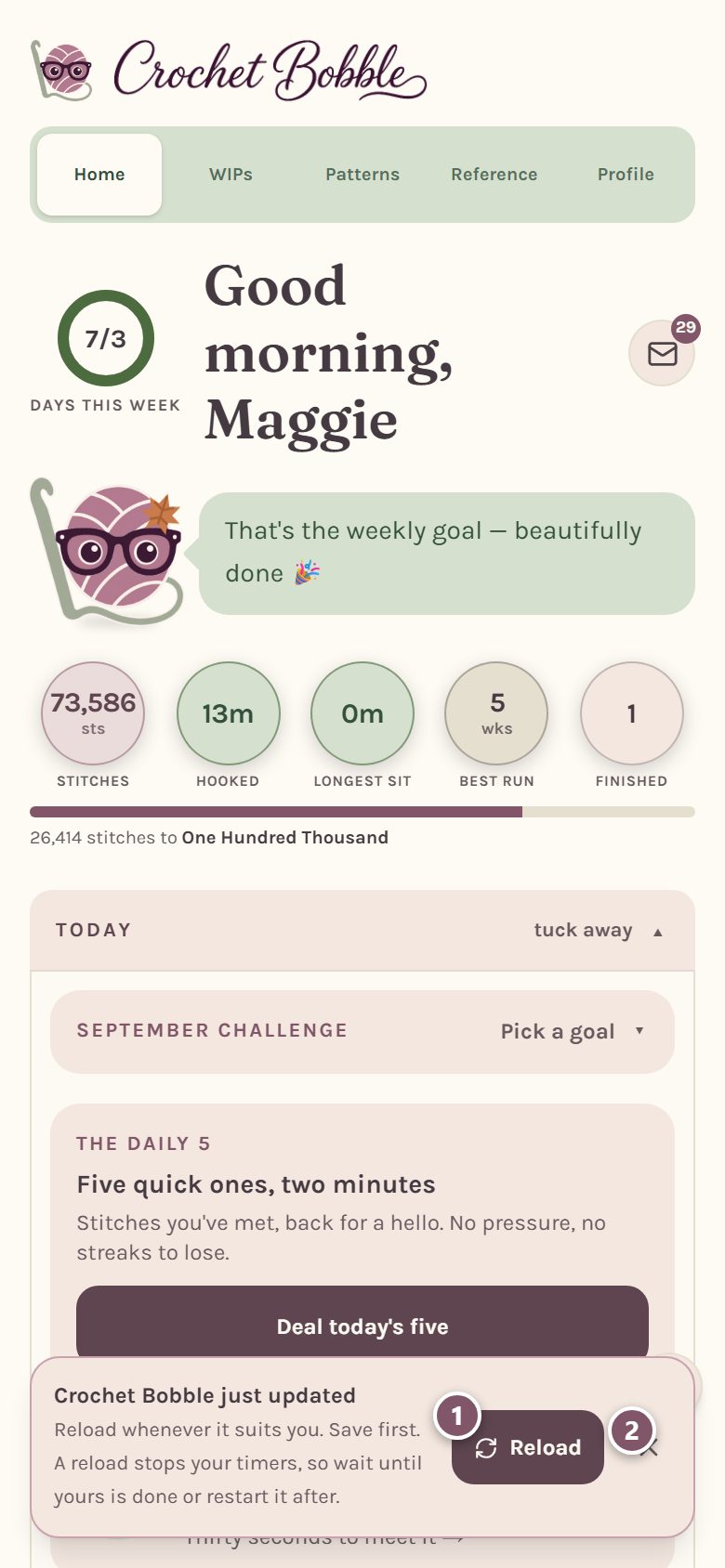
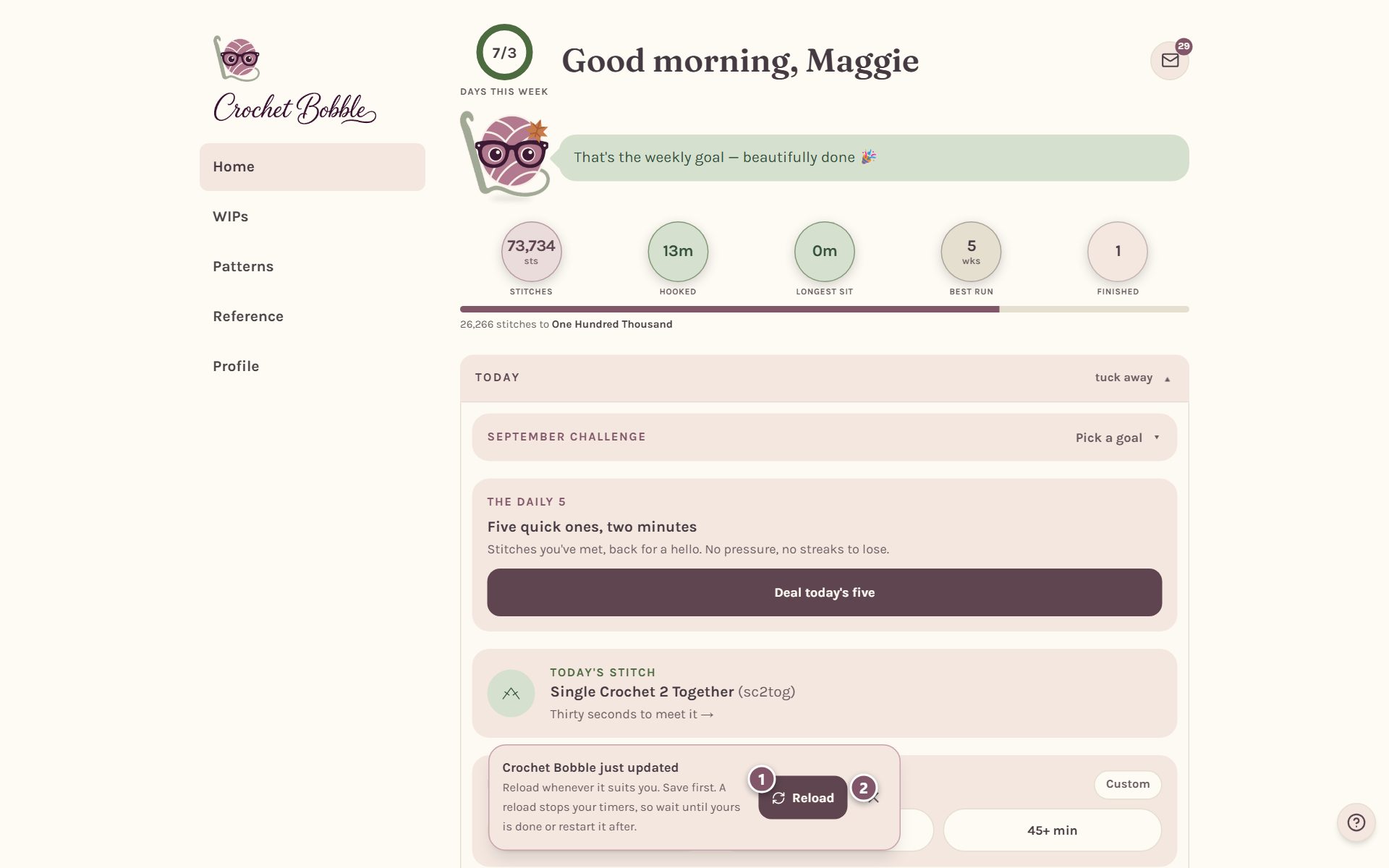
- Tap Reload to switch to the new version. Do it whenever it suits you. There's no rush.
- Not a good moment? Tap the ✕. The card comes back the next time you open the app, so you won't miss it.
You shouldn't lose anything when you reload, but we can't promise that every time, so save anything you're working on first. A reload also stops your WIP timer and any countdown. Either wait to reload until your timer is done, or start it again afterward. Your WIP timer saves your time every minute, so at most you lose the minute you were in.
Tip: Crochet Bobble never reloads by itself. If you're in the middle of a row, finish it first. The update will wait for you.
Crochet with no internet
You can keep going with no signal. When you're offline, a strip across the top of the screen says so:
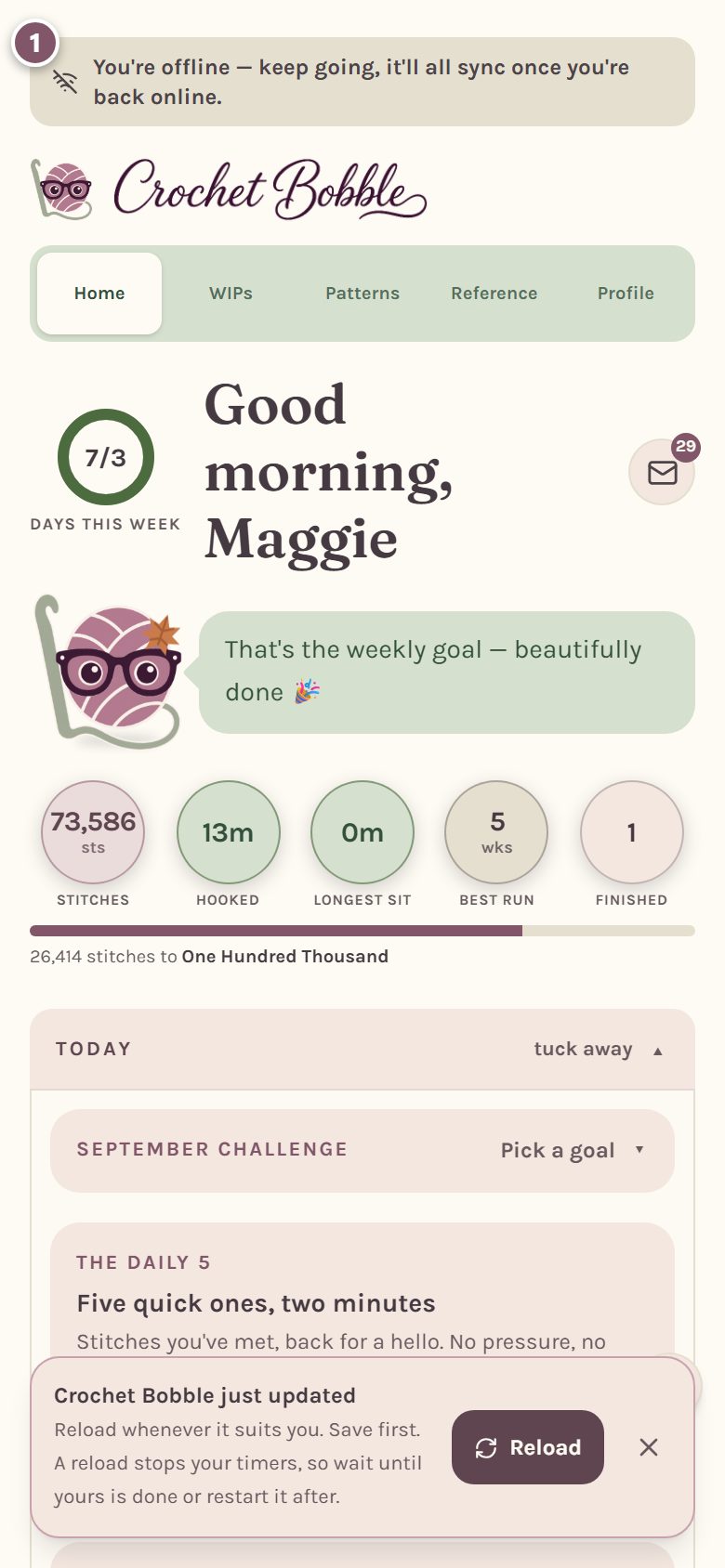
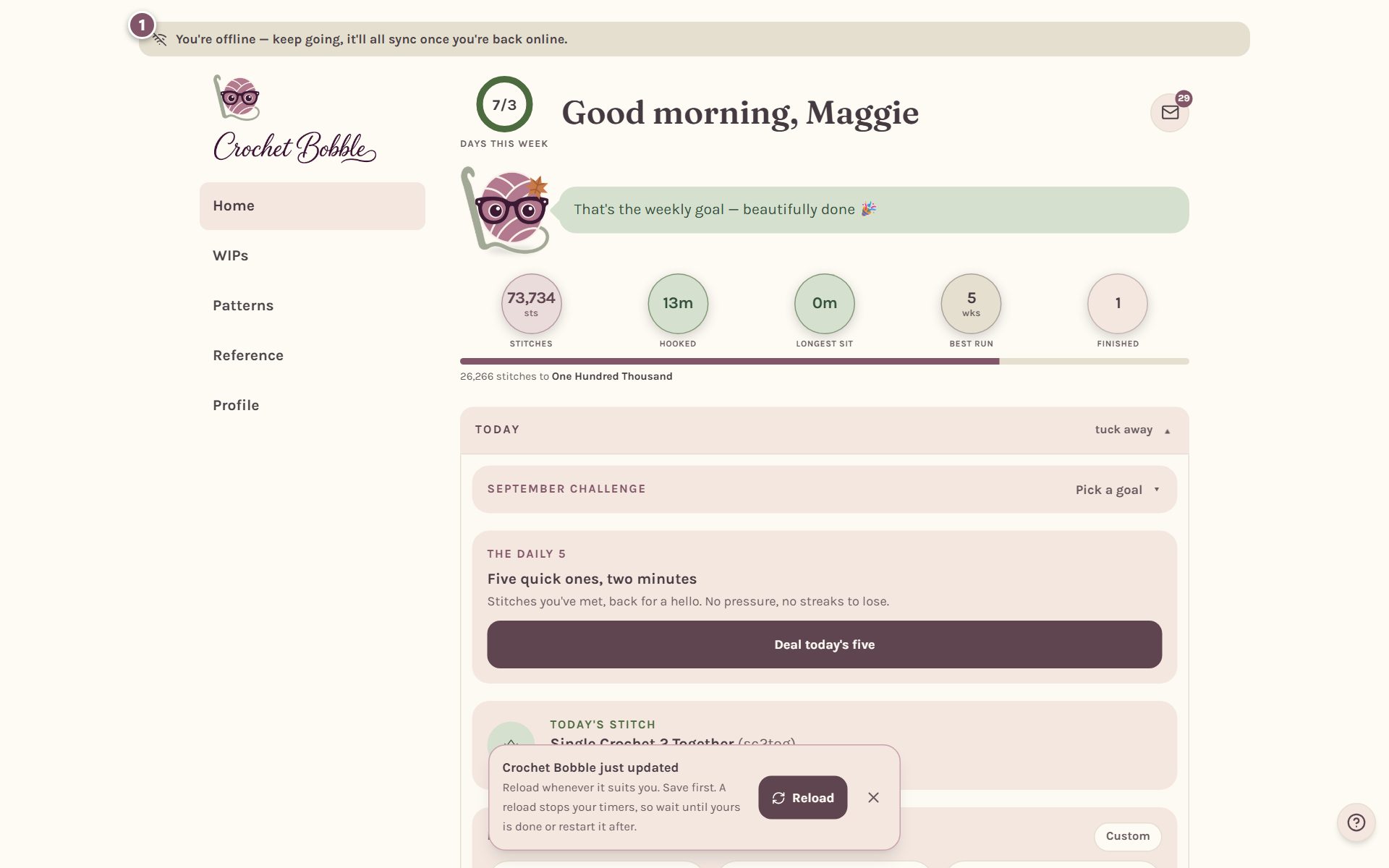
Patterns, blankets and row counters you've opened keep working offline for up to a week. Anything you tick off while you're offline is saved on your device and sent to your account as soon as you're back online.
Save the stitch guide for a trip
If you know you'll be somewhere with no signal, like a plane or a cabin, you can save the stitch guide to your device ahead of time. Go to Profile, tap Offline downloads, then tap Download next to what you want.
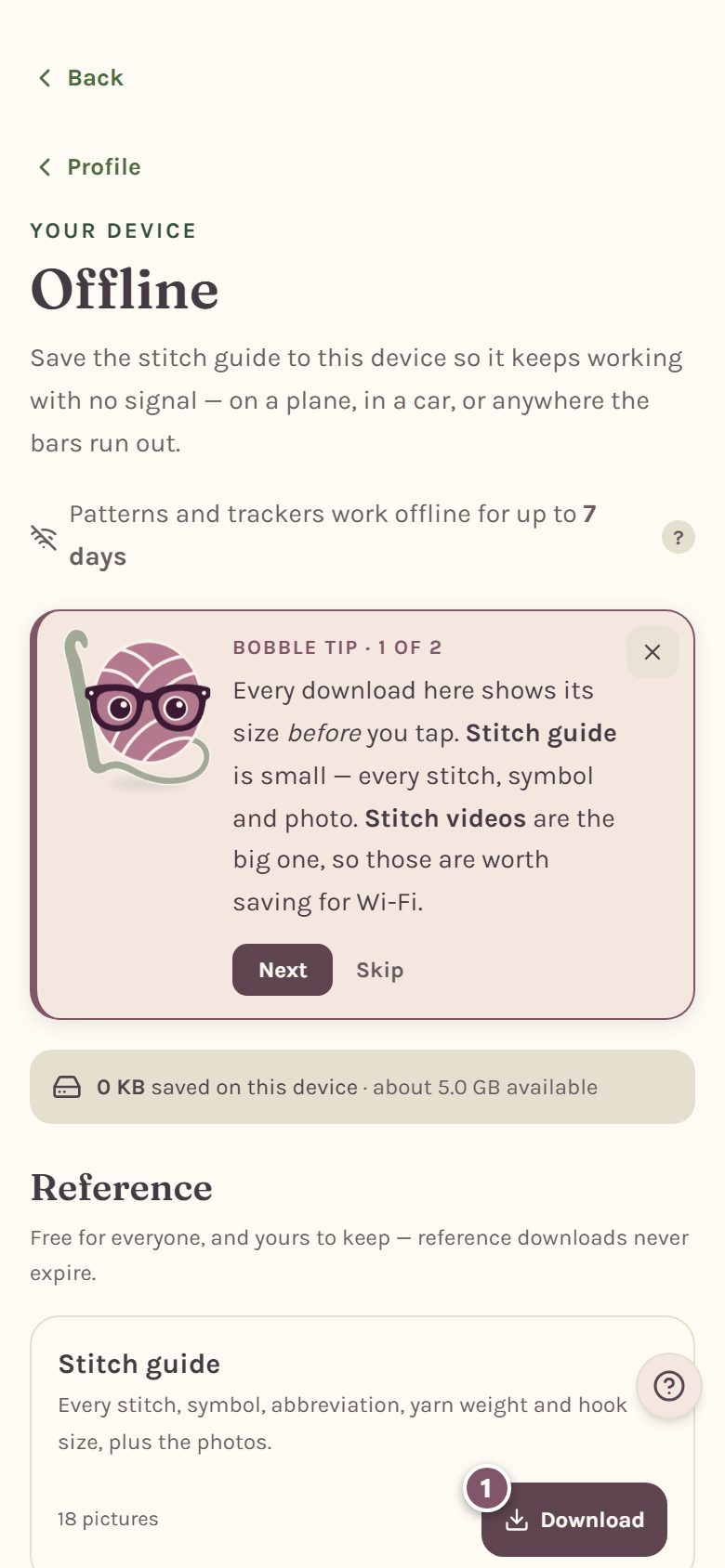
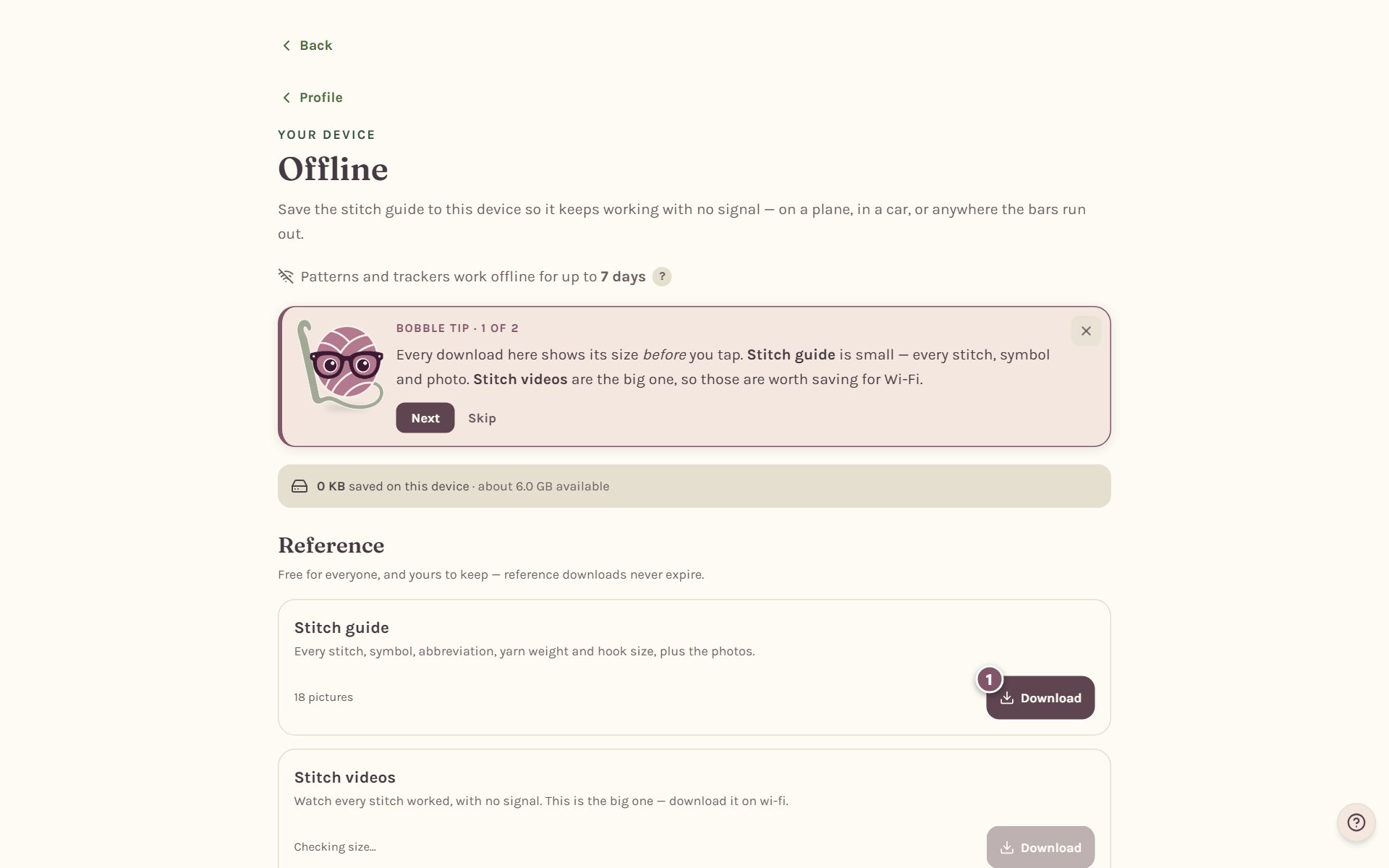
Tip: on an iPhone, open Crochet Bobble from its home screen icon before you download. Apple clears saved files for websites that are only open in a browser tab.
Download a copy of everything you made
Your work is saved to your account and backed up automatically, but it's yours, and you can take a copy anytime. Scroll to the bottom of Profile:
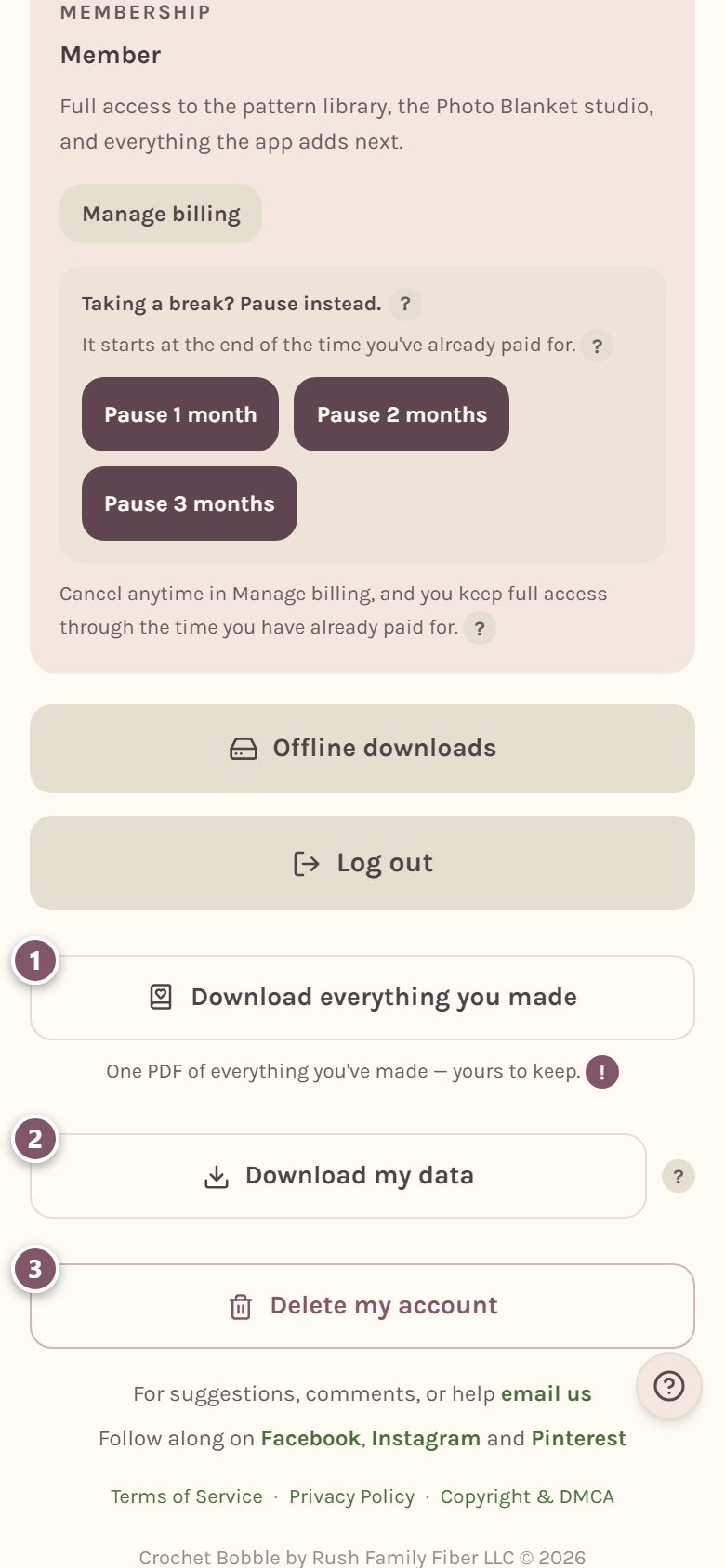
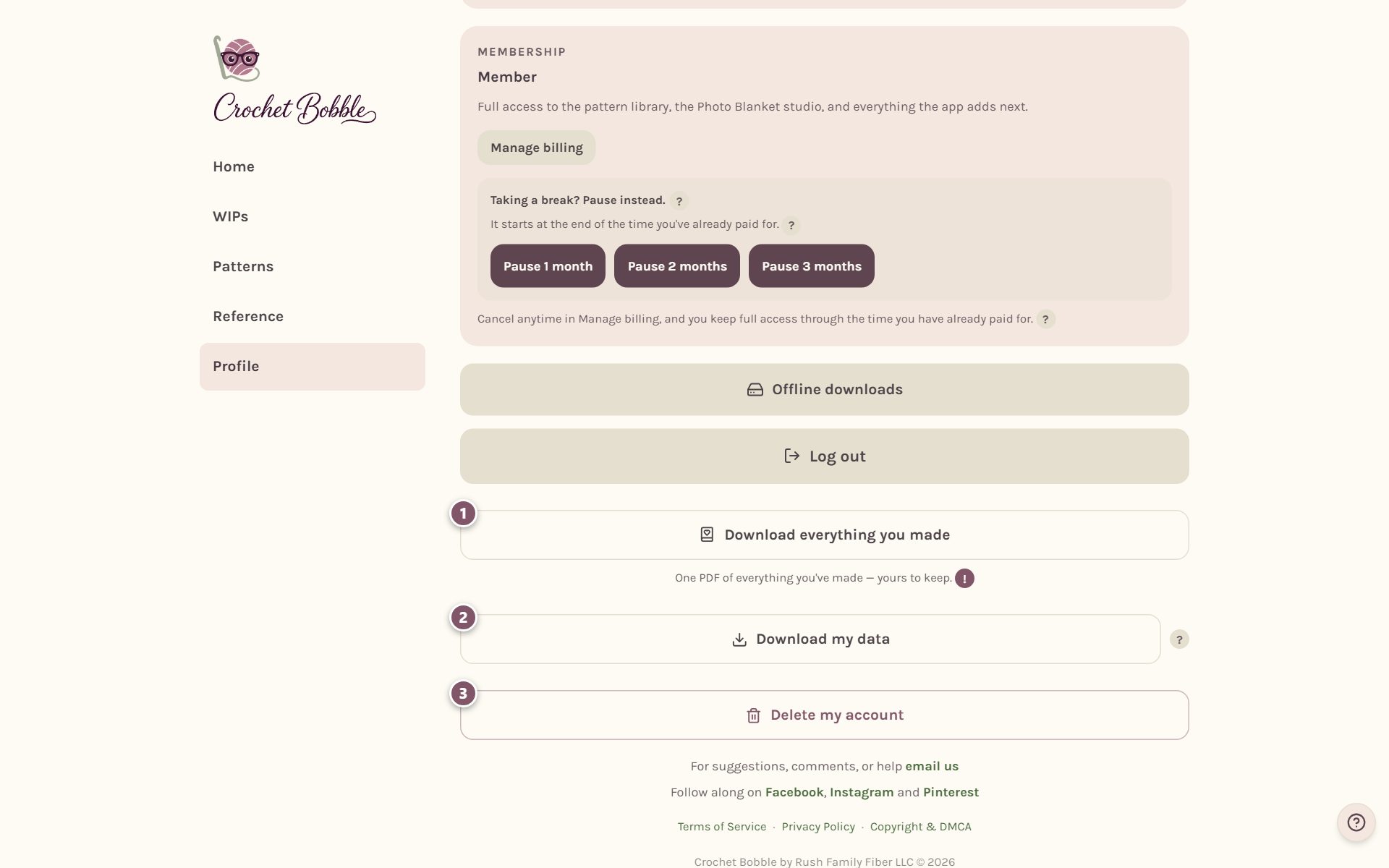
- Download everything you made saves one PDF with every pattern you've finished or designed, ready to print or keep.
- Download my data saves a file with everything in your account: your progress, projects, notes and more.
- Delete my account removes your account for good. You'll be asked to type DELETE and your password first, and deleting it also cancels your membership.
Frequently asked questions
Will I lose my place if I reload? No. Your place in every pattern and blanket is saved to your account as you go.
What if my phone breaks or I get a new one? Sign in with the same email on the new phone and everything is there.
I think something went missing. What should I do? Tap ?, then Ask us a question, and tell us what's gone. We can often put it back.
Ready to try it? Crochet Bobble opens right in your browser, on a phone or a computer.
Open Crochet Bobble