
Crochet Yarn Stash App: Keep Track of Every Skein You Own
Keep your whole yarn stash in your pocket. Add each yarn with its brand, weight, yardage, dye lot and fiber, weigh your leftover balls to see how many yards are left, and use what you own in your next project.
Your yarn stash in Crochet Bobble is a list of every yarn you own, with the details you usually have to dig out of a bin: the brand, the weight, how many yards, the dye lot and the fiber. Keep it up to date and you'll know what you have while you're standing in the yarn store, and what you can make when you're at home.
What you need
- The yarn, and its label if you still have it. The label has the yardage, weight and dye lot.
- A kitchen scale, if you want to count your leftover balls.
Open your yarn stash
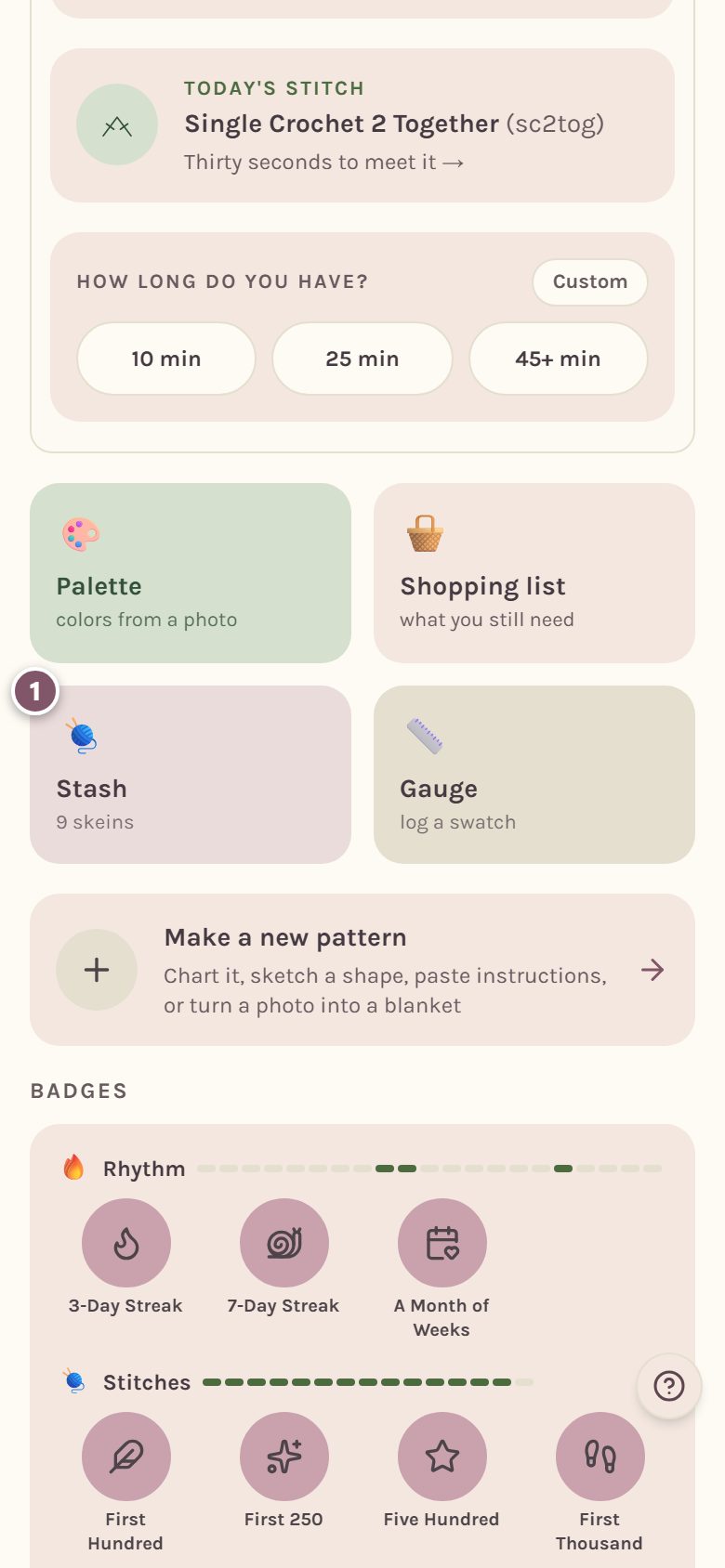
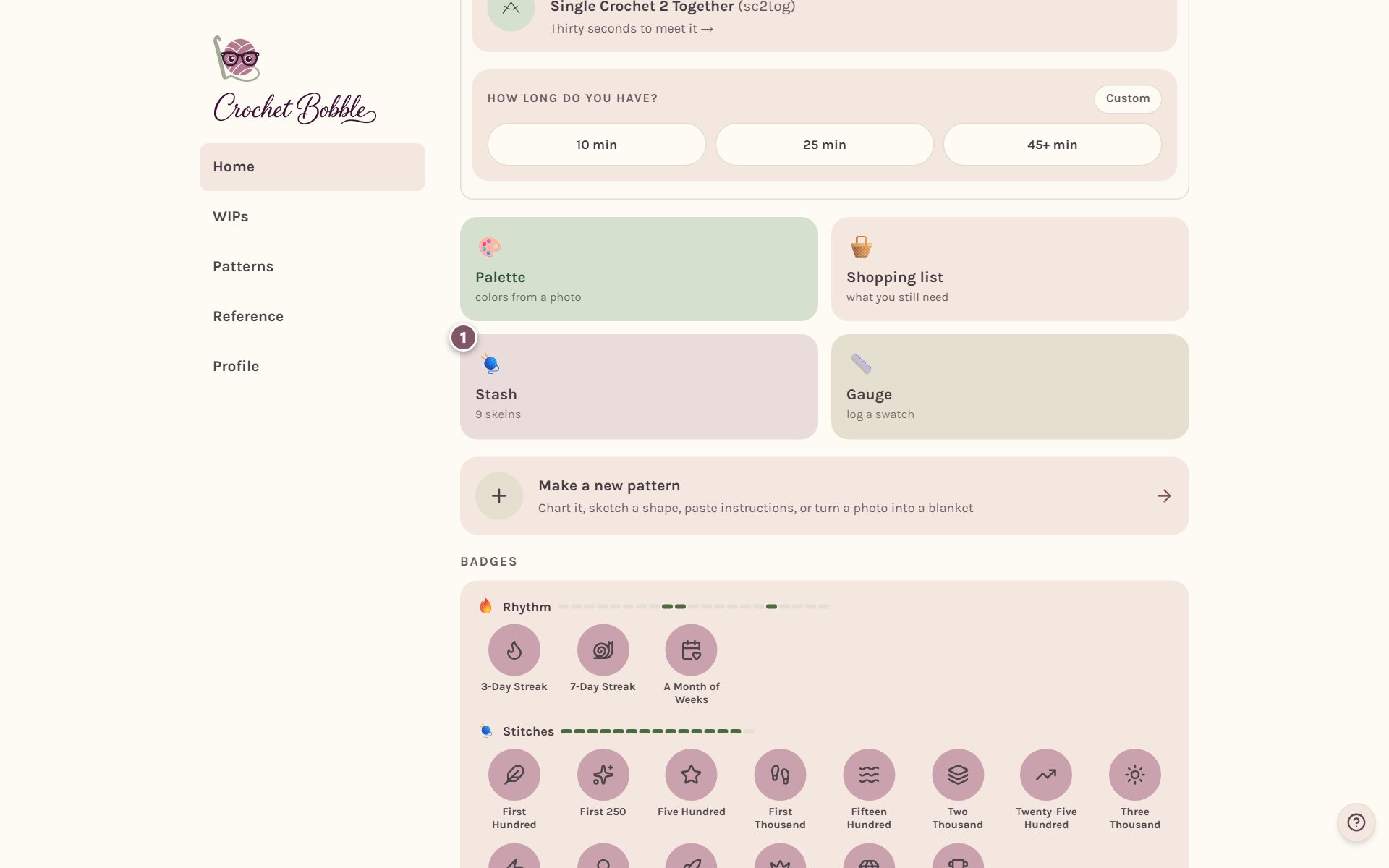
On Home, tap the Stash tile. It shows how many skeins you have.
Add a yarn to your stash
Tap + Add yarn and fill in what you know. Only the color name is required, so you can add a yarn in a few seconds and fill in the rest later.
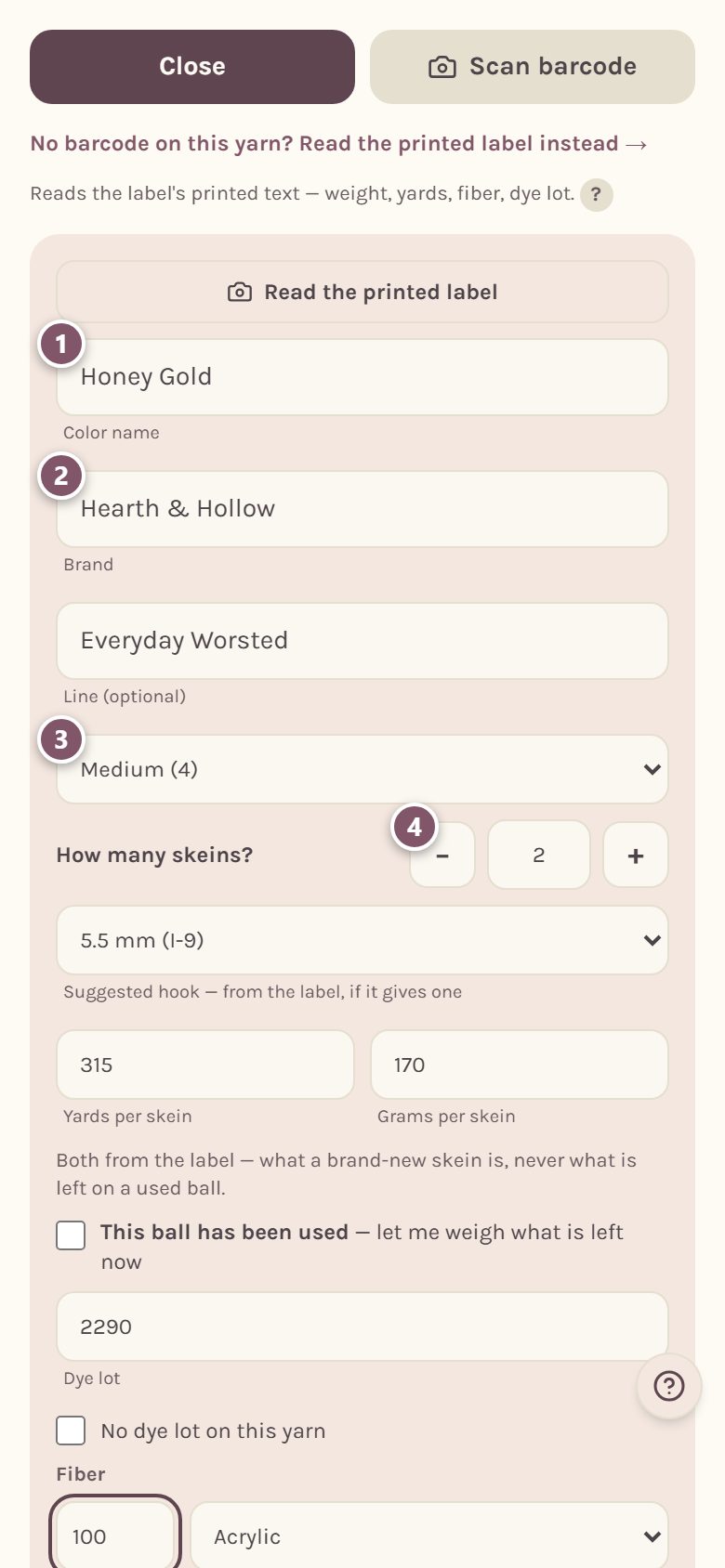
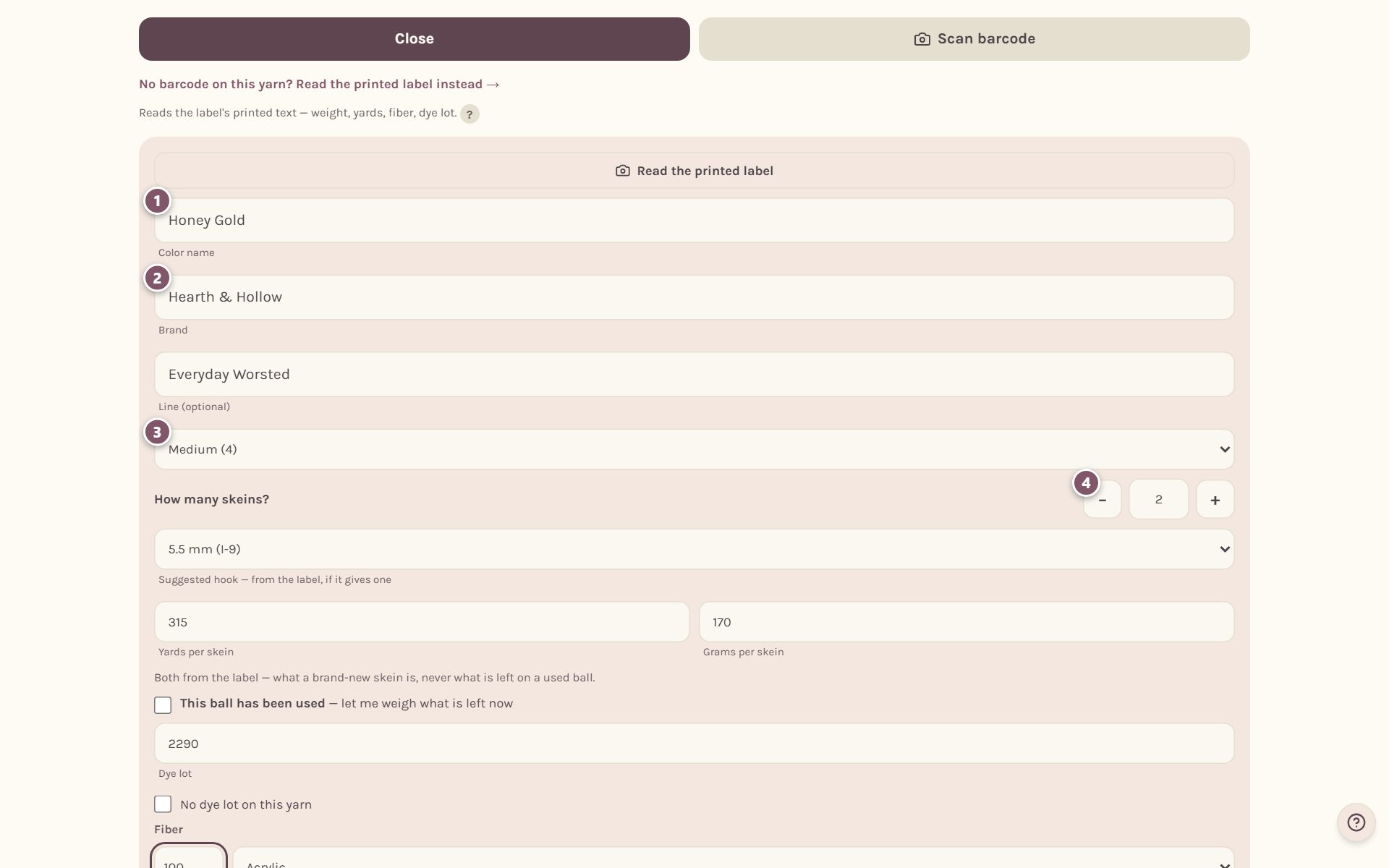
- Color name. What the label calls this color, like "Dusty Rose".
- Brand, and the Line under it if the brand makes more than one yarn. The app suggests brands and lines as you type, including the ones already in your stash.
- Weight. Pick the yarn weight from the list, like Medium (4).
- How many skeins? Tap − or +, or type a number. Count only full, unused skeins here.
Under the skeins you can also pick the Suggested hook, if the label gives one.
Tip: if the ball still has its label, tap Scan barcode instead of typing. See scanning a yarn label.
Add the yardage, dye lot and fiber
Keep scrolling to fill in the rest.
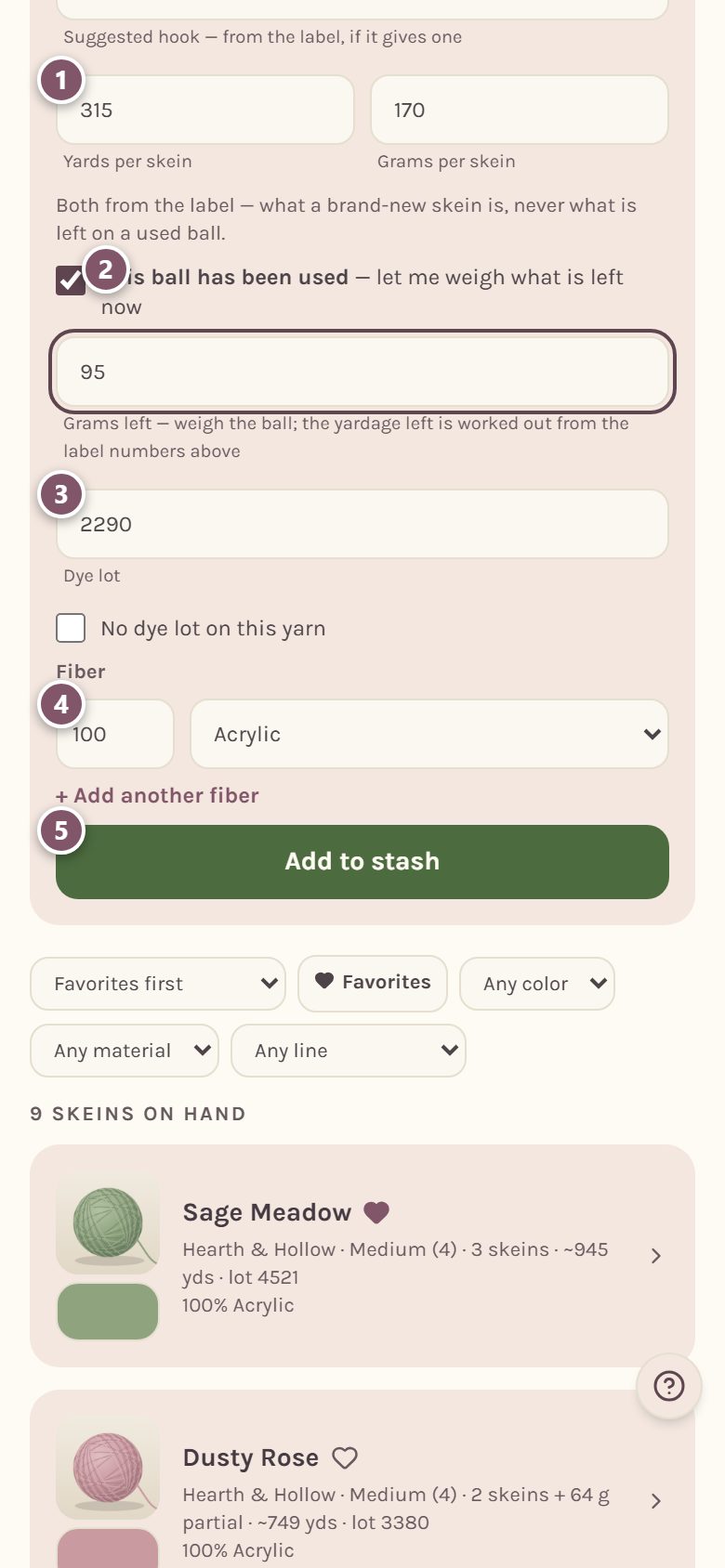
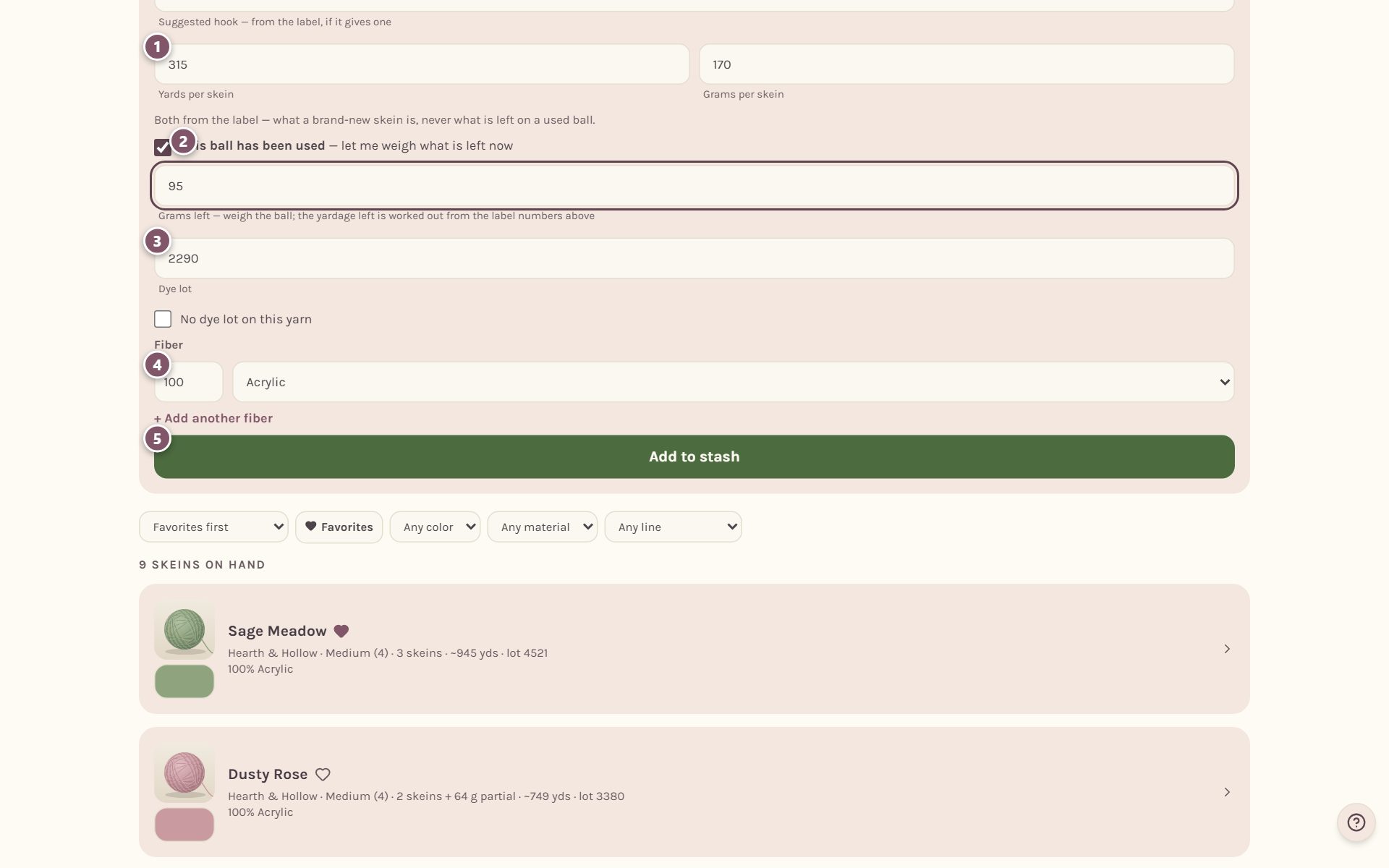
- Yards per skein and Grams per skein. Copy both from the label. They describe a brand-new skein, never a ball you've already used.
- This ball has been used. Tick this if you've started one of the balls, then type what it weighs on your kitchen scale. The app works out how many yards are left from the label numbers above. The skeins question then asks How many full skeins, besides the used ball?, and you can set it to 0 when the started ball is all you have.
- Dye lot. If the label says the yarn has no dye lot, tick No dye lot on this yarn instead. Leaving the box empty just means nobody checked.
- Fiber. Type the percentage and pick the material. For a blend, tap + Add another fiber.
- Tap Add to stash.
Add a photo and the yarn's color
A photo helps you find the right ball, and the color lets the app match your yarn to a photo or a blanket chart.
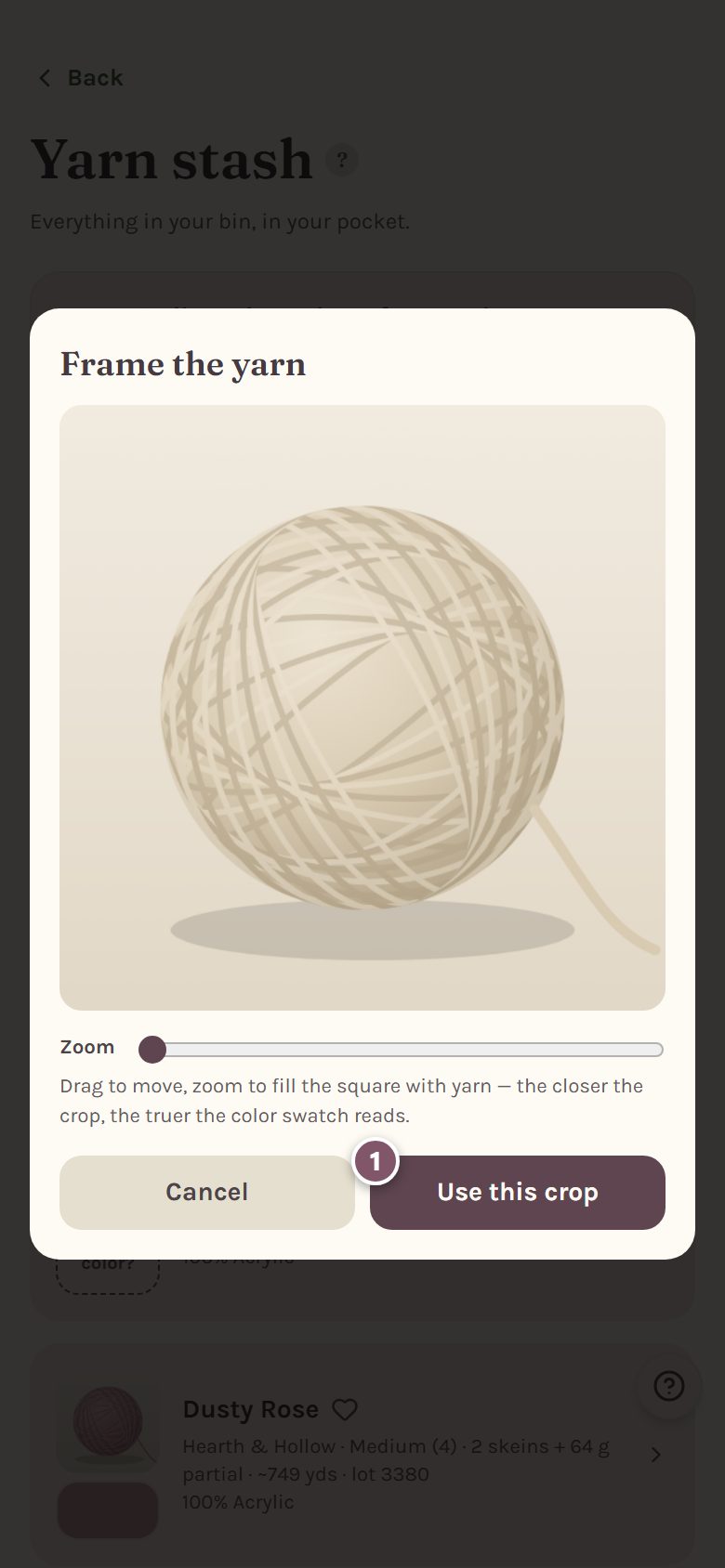
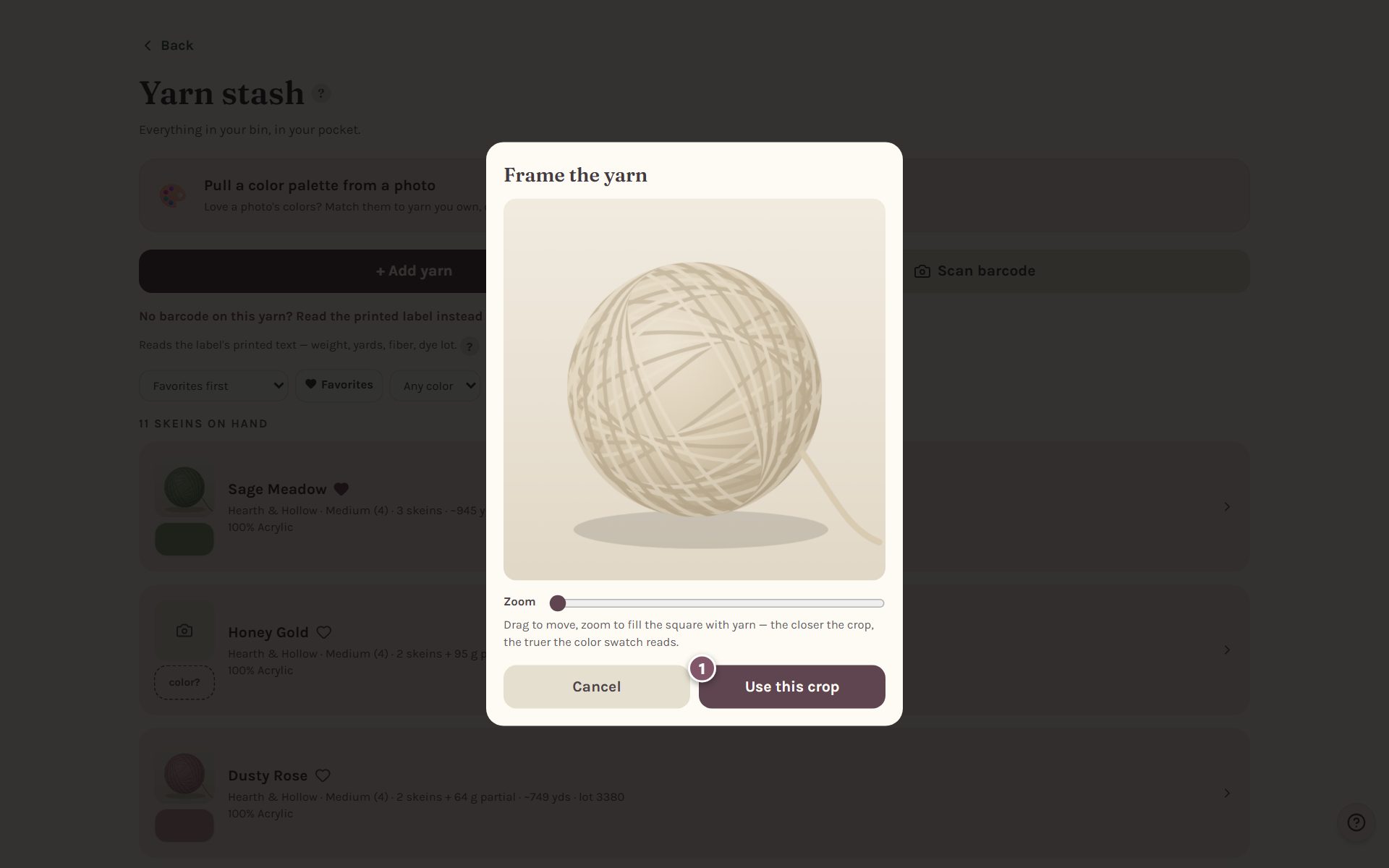
Tap the square with the camera on a yarn's card, then pick Take a photo or Choose from gallery. Move and zoom the photo so the yarn fills the square, then tap Use this crop.
The app picks the yarn's color from your photo and opens Yarn color so you can check it. Tap the yarn where the color looks truest, or move the Color, Saturation and Lightness sliders. For a variegated or self-striping yarn, tick Multi-colored yarn. Then tap Save color.
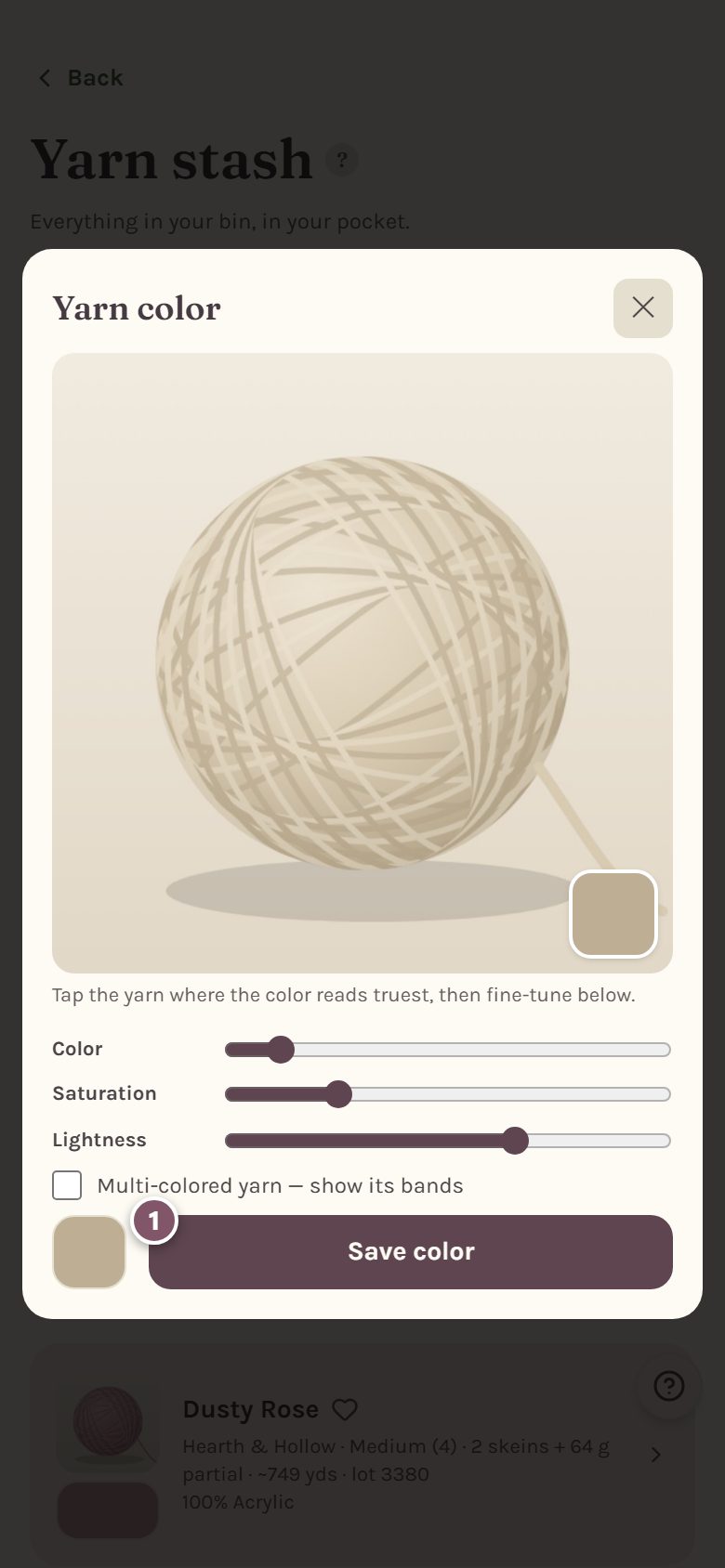
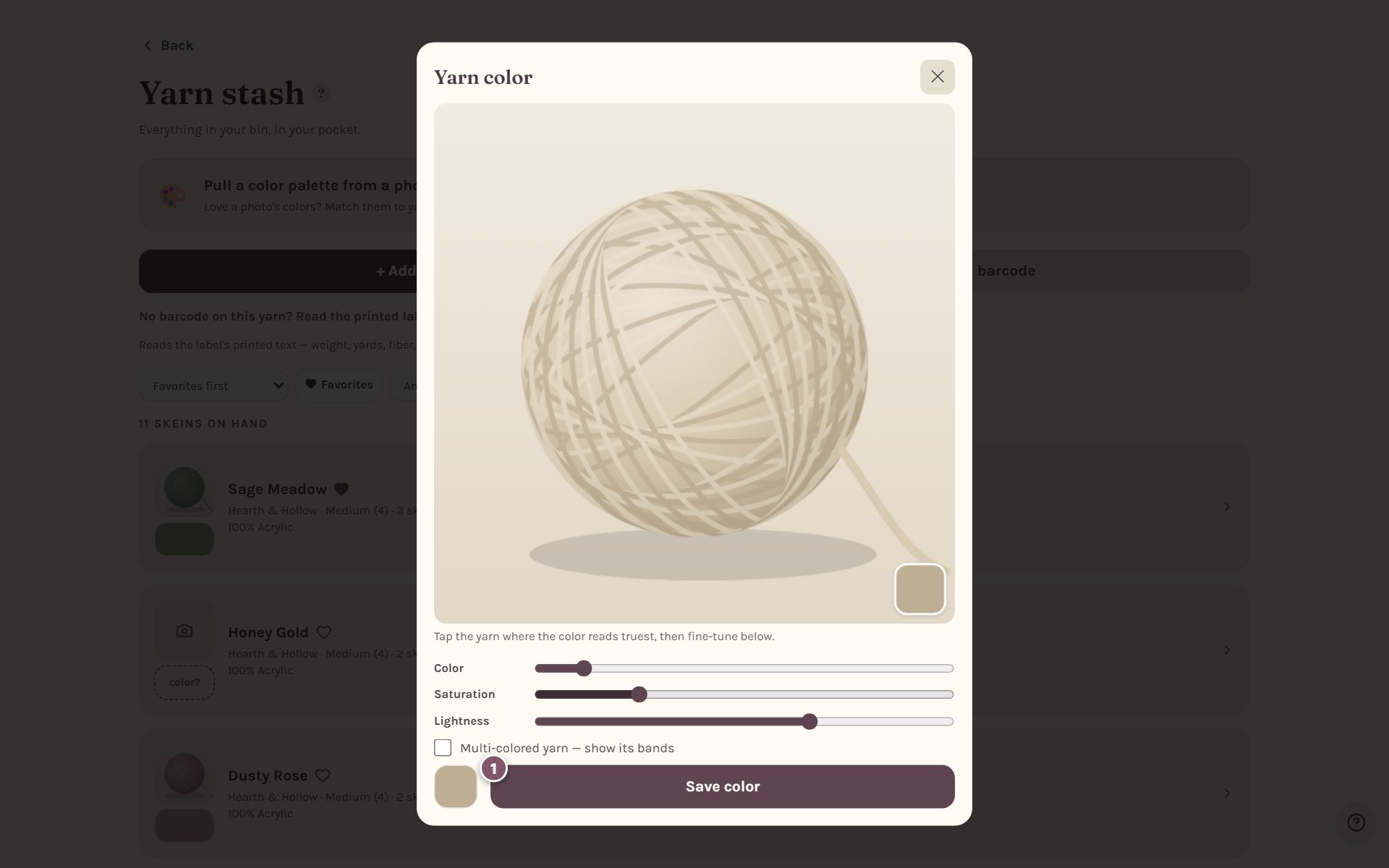
No photo? Tap the dashed color? box under the camera square and set the color with the sliders.
See your whole stash at a glance
Each yarn gets a card.
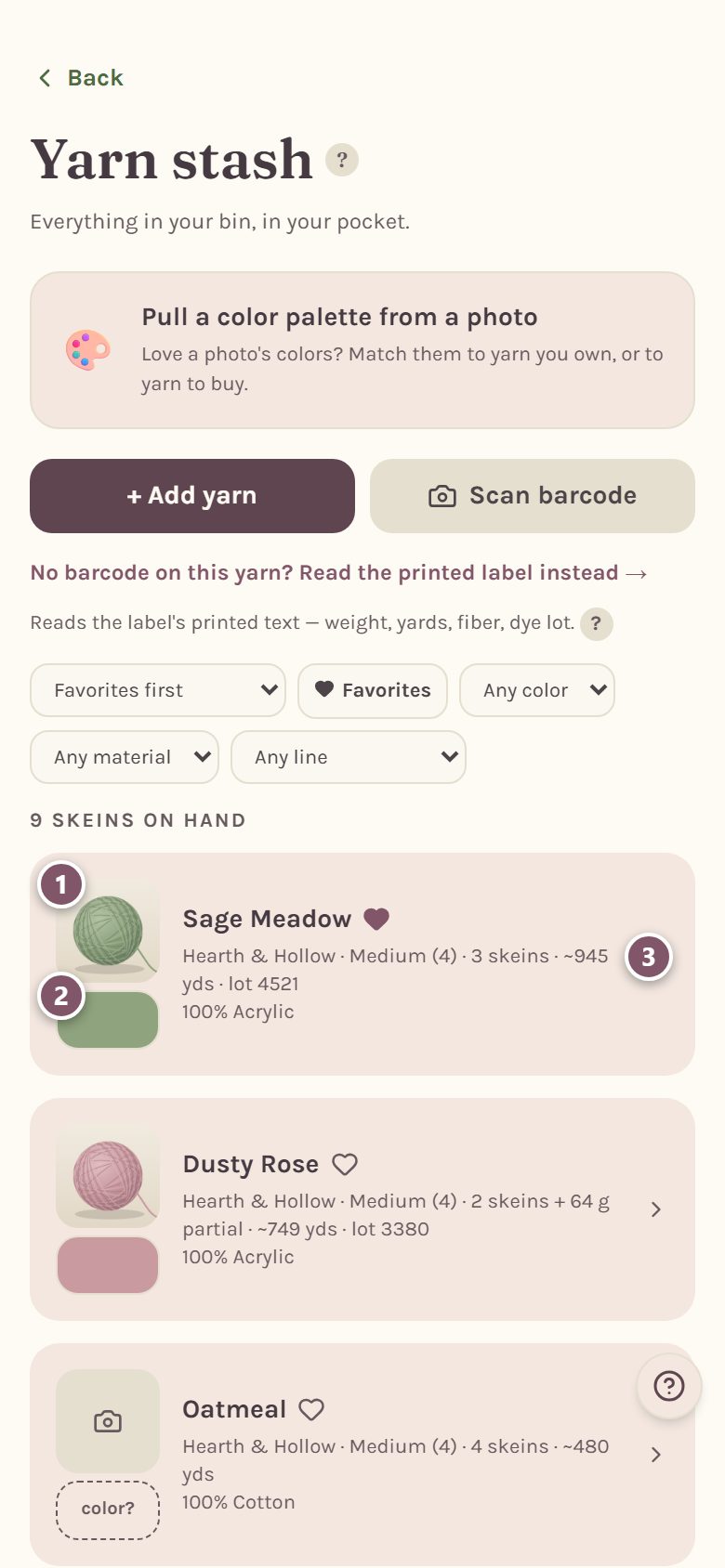
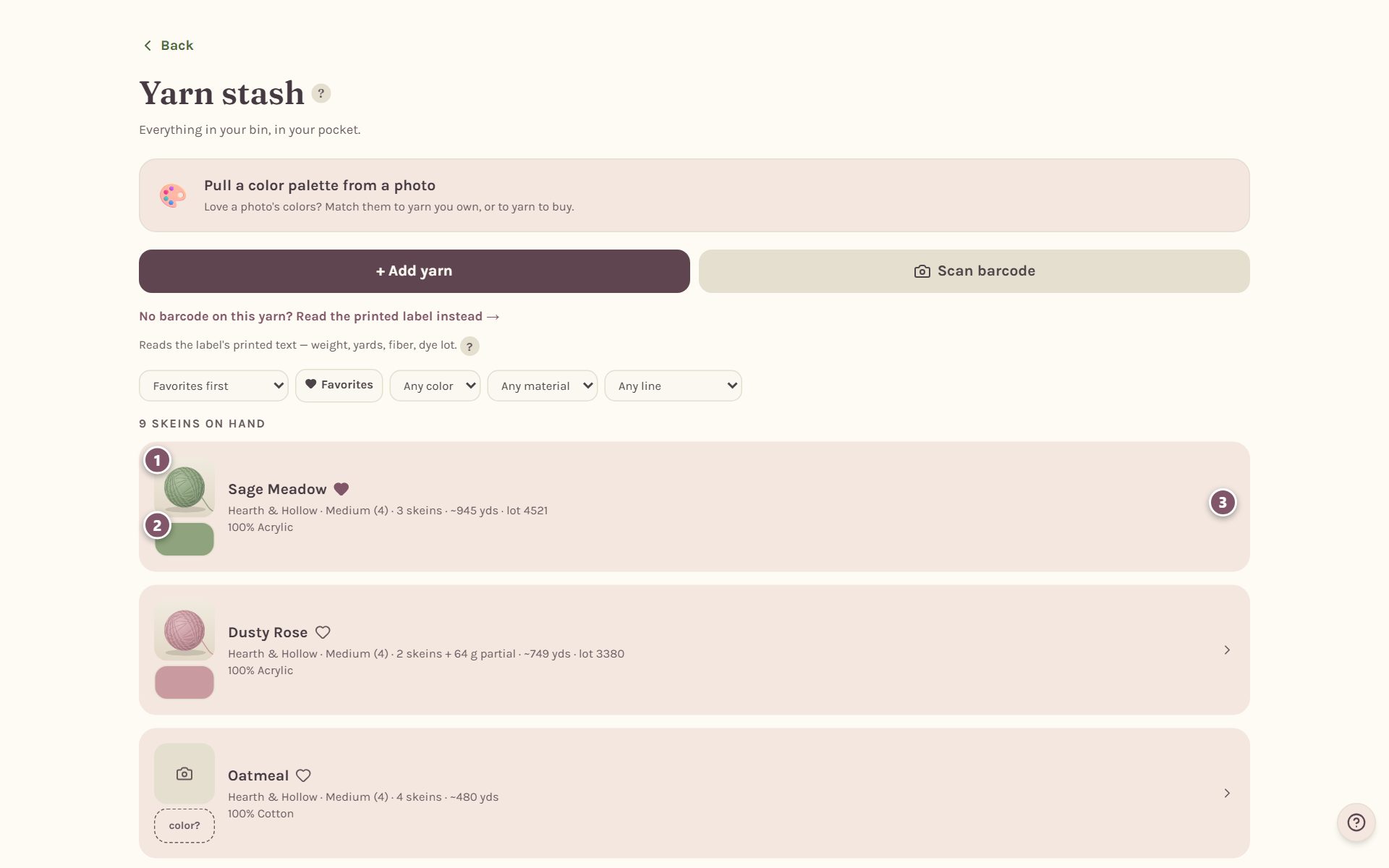
- The photo. Tap it to take a new one.
- The color. Tap it to fix the color.
- The arrow opens the yarn's details, where you can change anything you typed.
The line under each name shows the brand, the weight, the number of skeins, about how many yards you have in all, and the dye lot. Tap the heart next to a name to make it a favorite. Favorites go to the top of your stash, and the blanket maker picks them first when two yarns match a color equally well.
Once your stash has a few yarns, you can sort it and narrow it by weight, color, material, brand or line.
Weigh a leftover ball to see how much yarn is left
Half-used balls are real yarn, and weighing is the easiest way to count them. Open a yarn's details with the arrow, put the ball on a kitchen scale, and type the grams into Partial skein — weigh it.
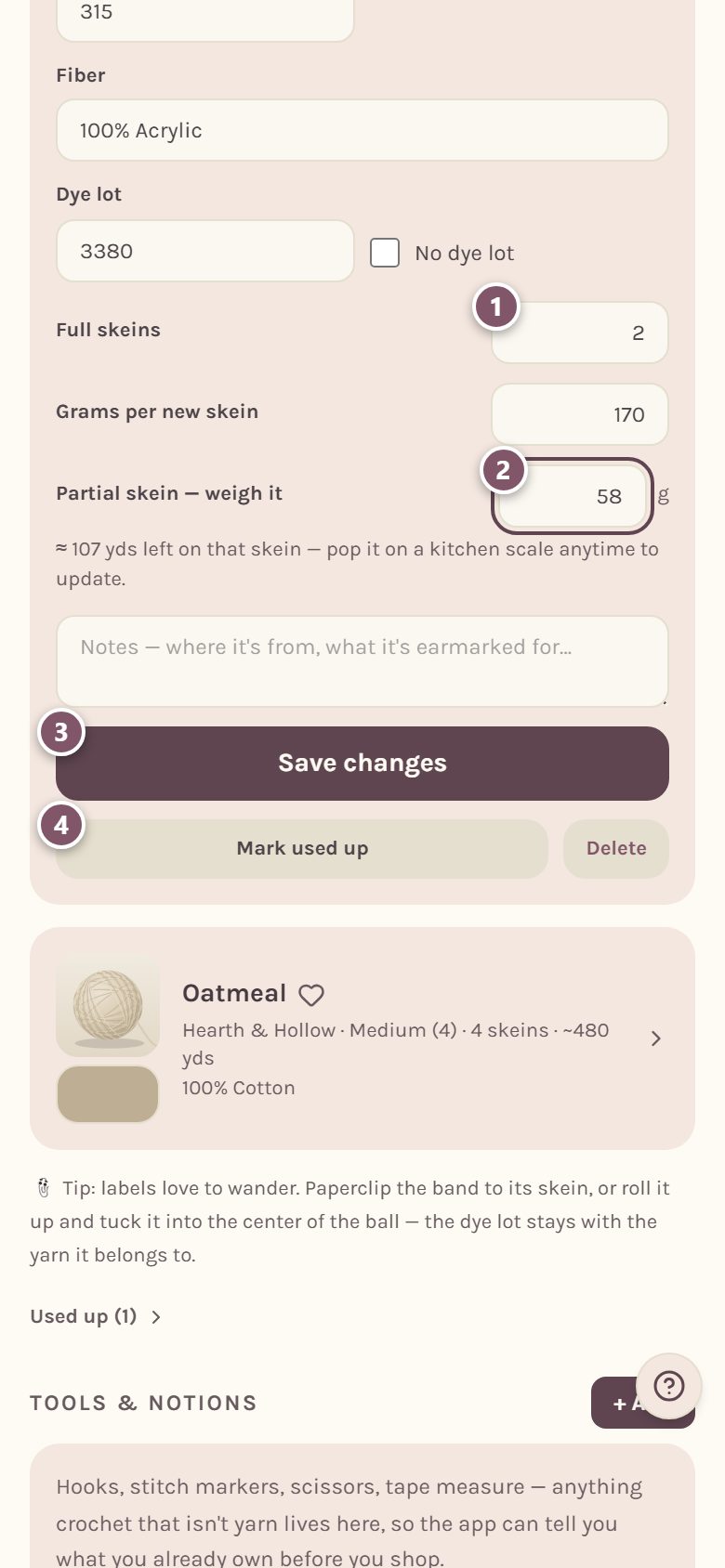
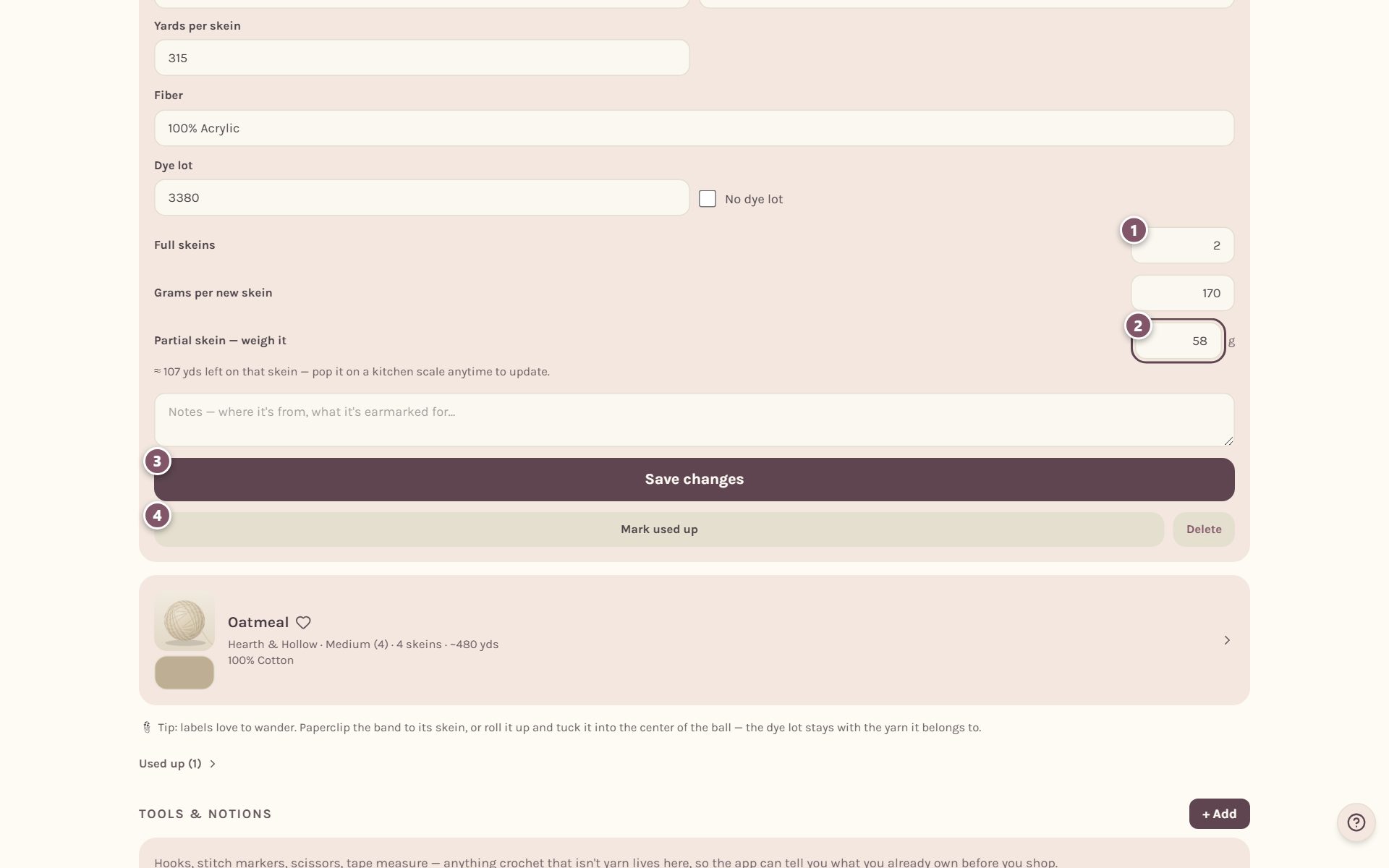
- Full skeins is how many unused skeins you have.
- Partial skein — weigh it is what the started ball weighs. The app shows about how many yards are left on it. It needs Grams per new skein and Yards per skein to do the math.
- Tap Save changes.
- Mark used up is for when the yarn is gone (see below).
Tip: if the started ball is the only one you have, set Full skeins to 0, so the app counts just the leftover.
Mark a yarn used up
When you've used the last of a yarn, open its details and tap Mark used up. It moves to Used up at the bottom of your stash, with its brand, color and dye lot kept, so you can buy the same yarn again.
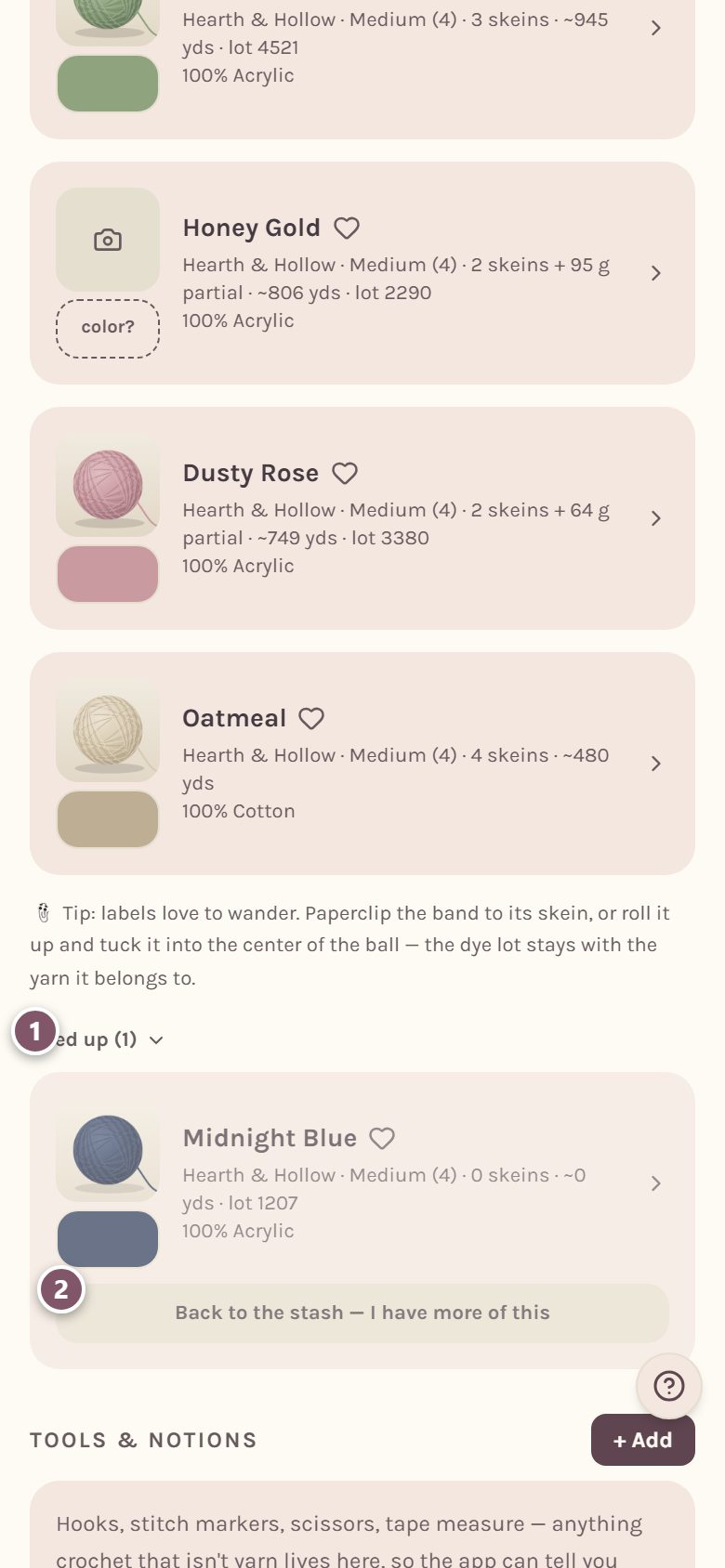
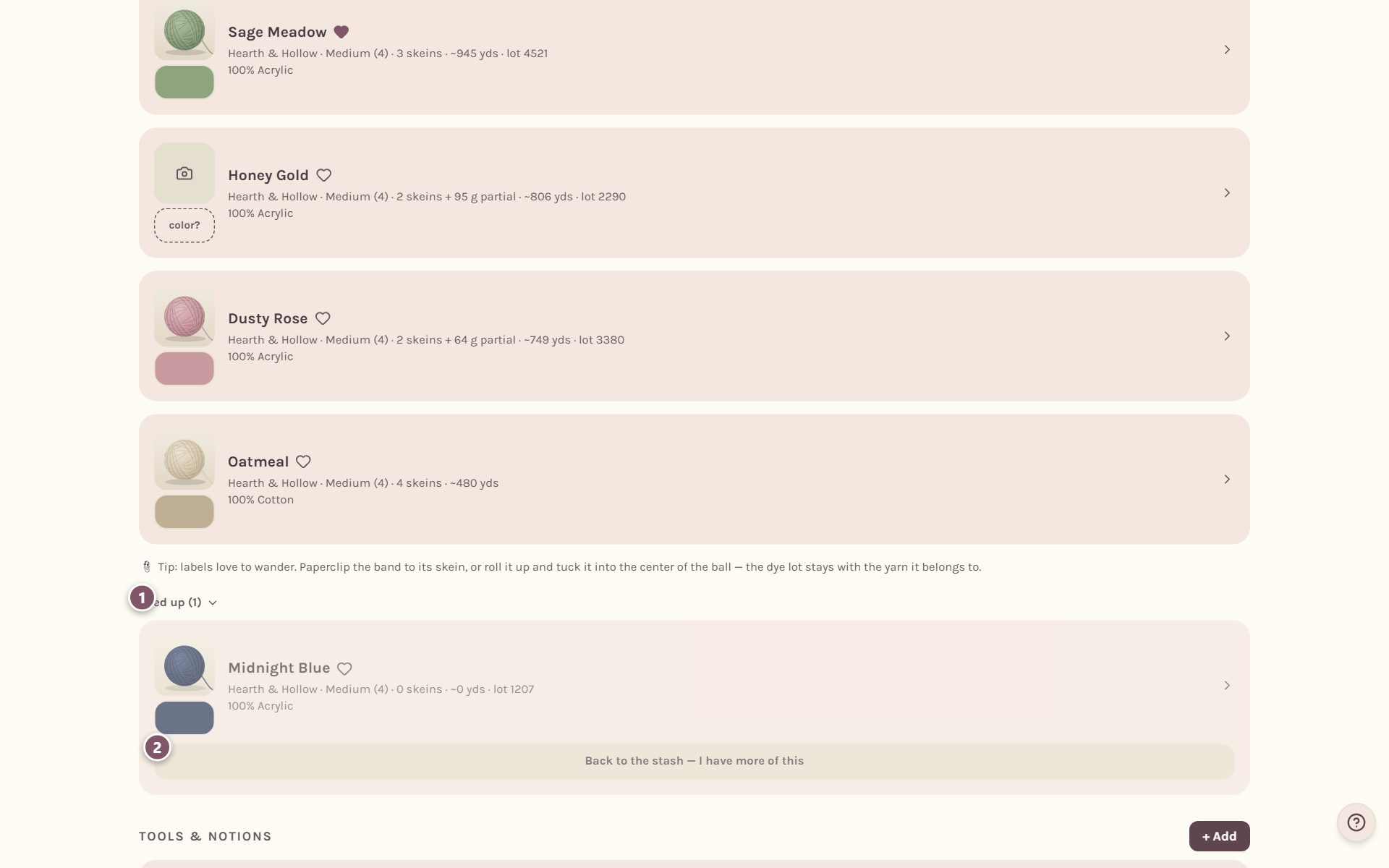
Bought more? Tap Back to the stash — I have more of this.
To remove a yarn for good, open its details and tap Delete. That removes its photo and notes too, and it can't be undone.
Keep your hooks and tools in your stash too
Under your yarn is Tools & notions, for hooks, stitch markers, scissors and anything else. Tap + Add and pick what it is. For hooks you can add One hook or A whole set at once: pick the smallest and largest size, then untick any you don't have.
Use your stash in your next project
Your stash isn't just a list. The app reads it in other places:
- The color palette. Pull the colors out of a photo, and your own yarns come up as matches first. See color palette from a photo.
- Photo blankets. When you pick yarn for each color, your stash is shown first. See picking yarn for a blanket.
- Your shopping list. When you add a pattern's materials, anything you already own is left unticked, and yarn you buy can go straight into your stash. See the shopping list.
- Gauge swatches. Log a swatch with the yarn from your stash. See tracking your gauge.
Frequently asked questions
Can I work out yardage from the weight alone? No, and the app won't guess. How far a gram of yarn goes depends on the fiber and how it's spun. Once the app knows the yarn's yards and grams per skein from the label, it can turn the weight of any leftover into yards.
Why does it keep the dye lot? Two skeins of the same color from different dye lots can look slightly different side by side. Keep the dye lot and you can match it when you buy more. Paperclip the label to its skein, or tuck it into the middle of the ball, so it stays with the yarn it belongs to.
Is my stash private? Yes. Nobody else can see your stash or your yarn photos. The one thing that is shared: when you save a yarn you scanned by its barcode, the barcode and the yarn's label details go into a shared yarn library, without your name, so the next person who scans that yarn gets the details filled in.
Ready to try it? Crochet Bobble opens right in your browser, on a phone or a computer.
Open Crochet Bobble