
How Much Yarn for a Crochet Blanket? Pick Yarn, Hook and Border
Match every color in your photo blanket to a real yarn, see how many skeins and grams to buy, estimate the finished size from your hook and gauge, add a border, and send it all to your shopping list.
Once your blanket chart looks right, the photo blanket maker helps you shop for it. It matches each color to real yarn you can buy, or to yarn already in your stash, works out how much of each you need, and tells you how big the finished blanket will be.
This guide starts in the photo blanket maker with a chart already made. If you haven't made one yet, see how to turn a photo into a crochet blanket pattern.
Estimate the finished size from your hook and yarn
The Finished size (estimate) card sits right under the size, above the chart.
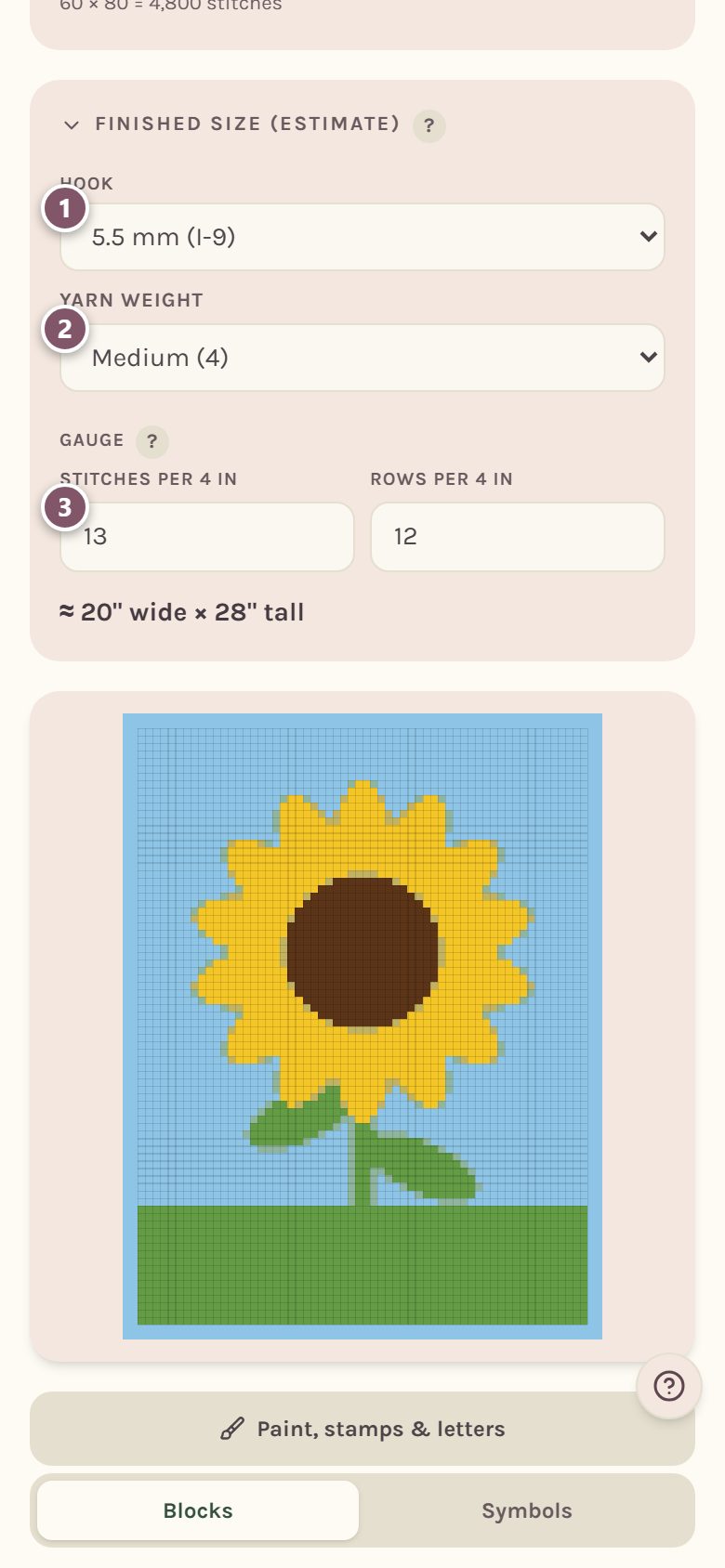
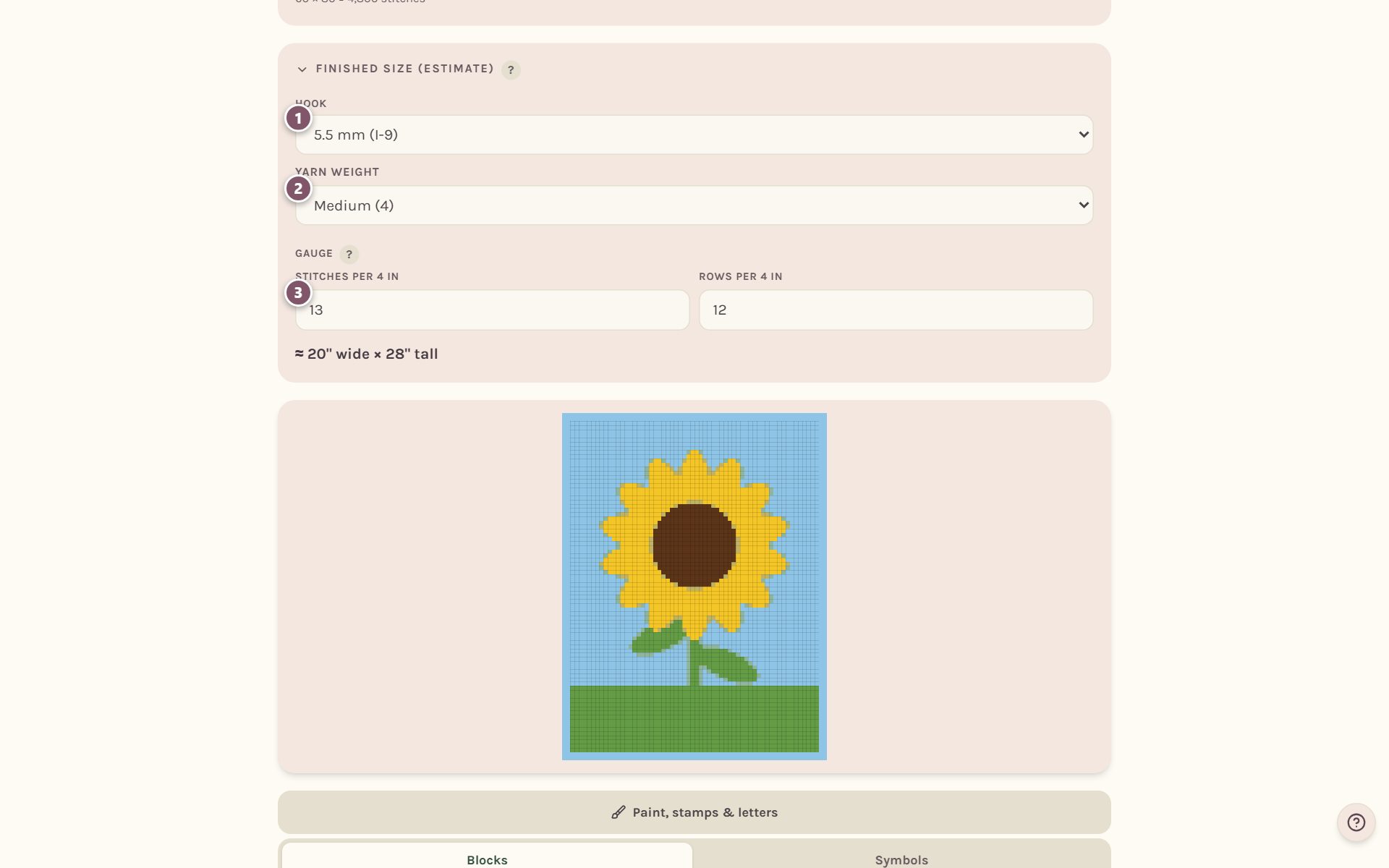
- Pick your Hook. Sizes are shown in mm first, like 5.5 mm (I-9).
- Pick your Yarn weight, like Medium (4).
- The Gauge boxes fill in from the usual gauge for that hook and yarn: how many stitches and rows fit in 4 inches. If you've crocheted a swatch and measured it, type your own numbers over them. A measured swatch always beats an estimate.
The last line shows the finished size, including the border. It follows your Profile setting for inches or centimeters.
Tip: Tap the heading Finished size (estimate) to fold the card away. The size stays on the heading, so you can still see it while you work.
Choose your yarn weight
Scroll down to Yarn colors. The yarn weight you picked for the finished size is already filled in here.
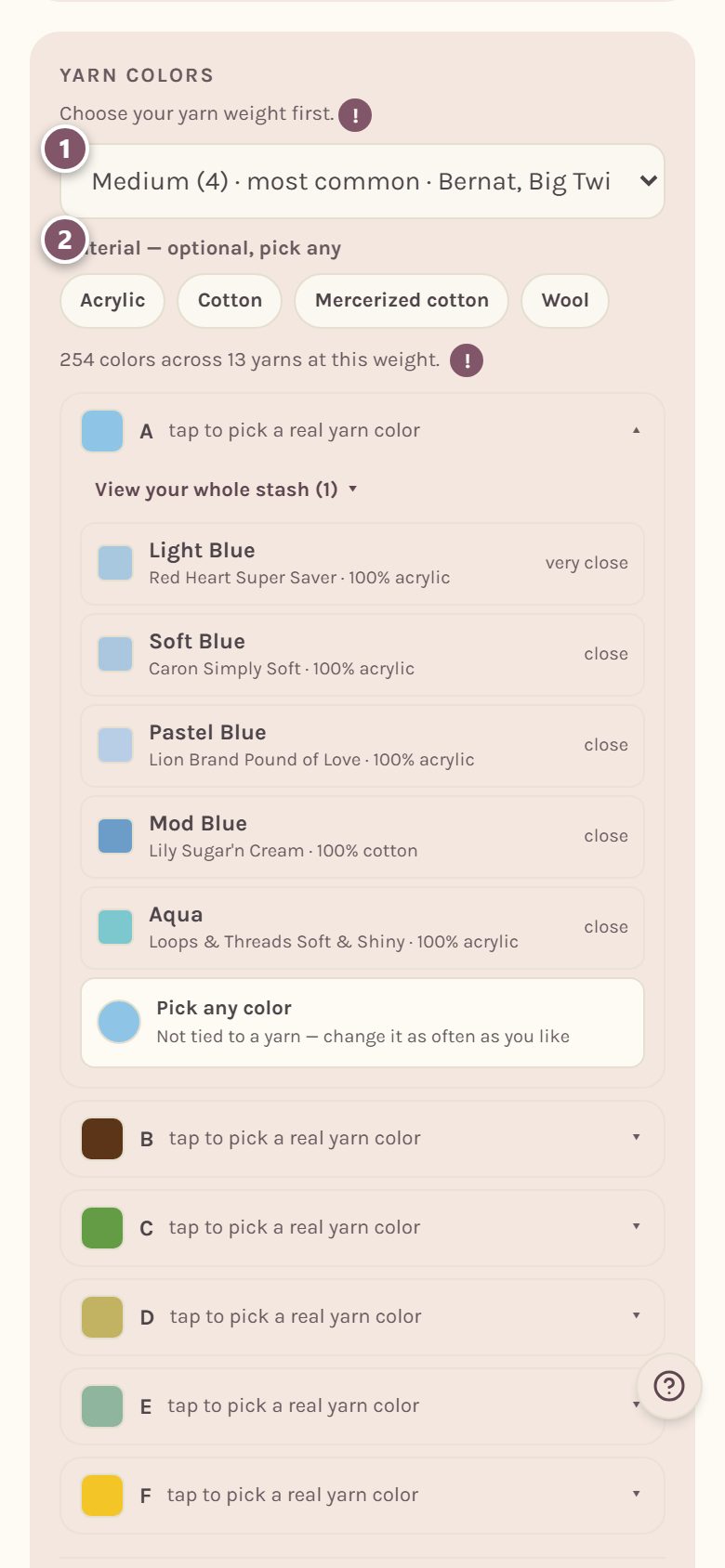
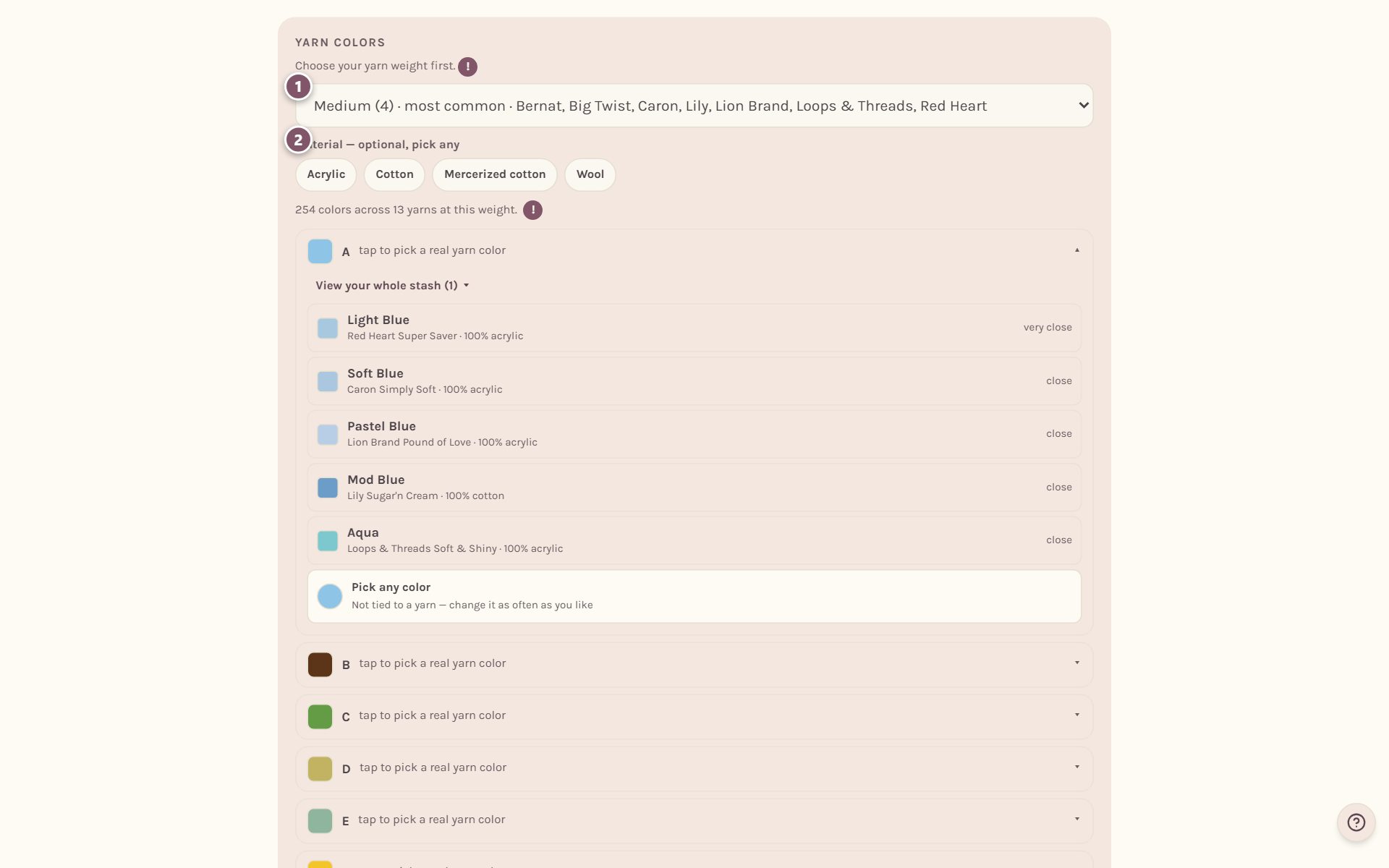
- Every color in one blanket should be the same weight, or it won't lie flat. You can still mix brands.
- Material is optional. Tap Acrylic, Cotton, Wool or any other to see only yarns made of it.
Match each color to a real yarn
Each color in your chart has its own row, with its letter. Tap a row to see yarns that match it.
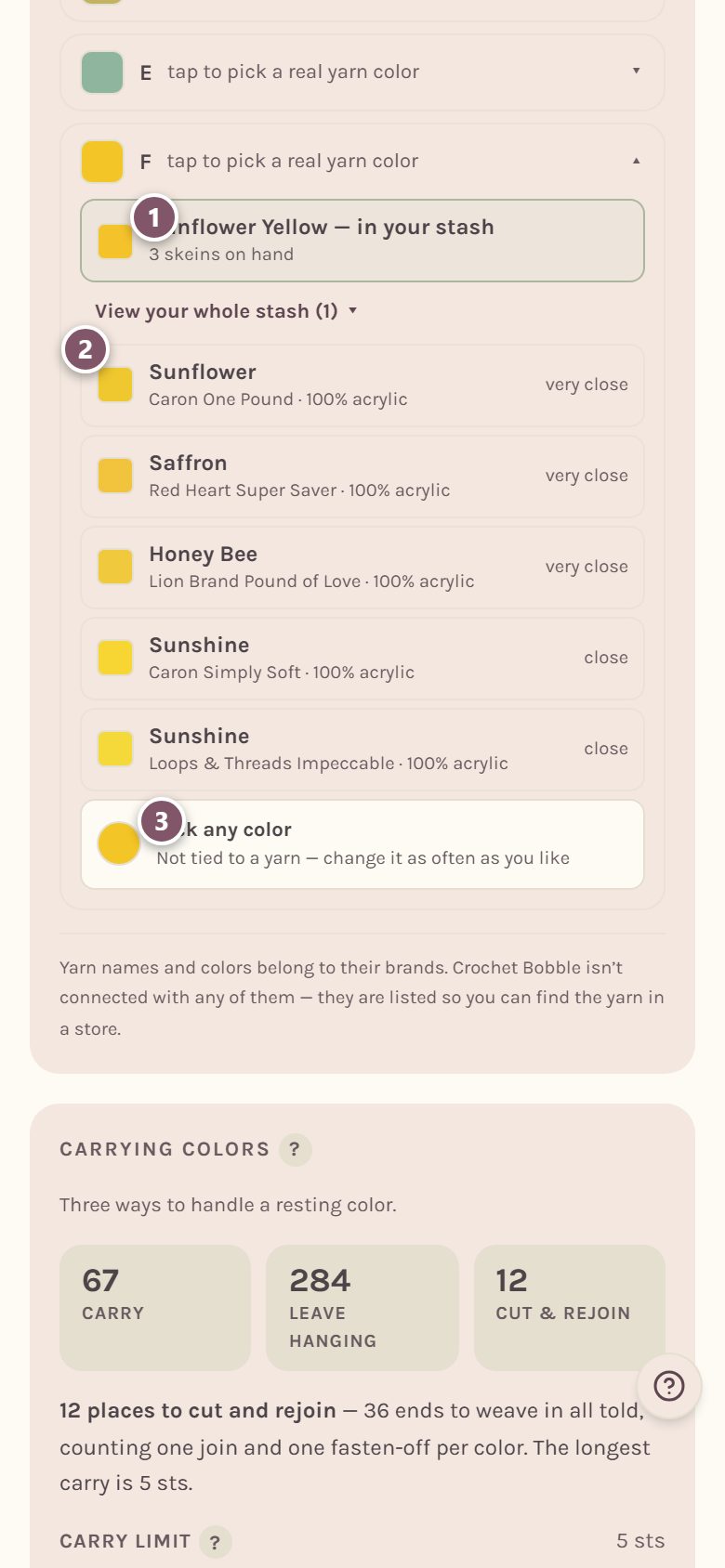
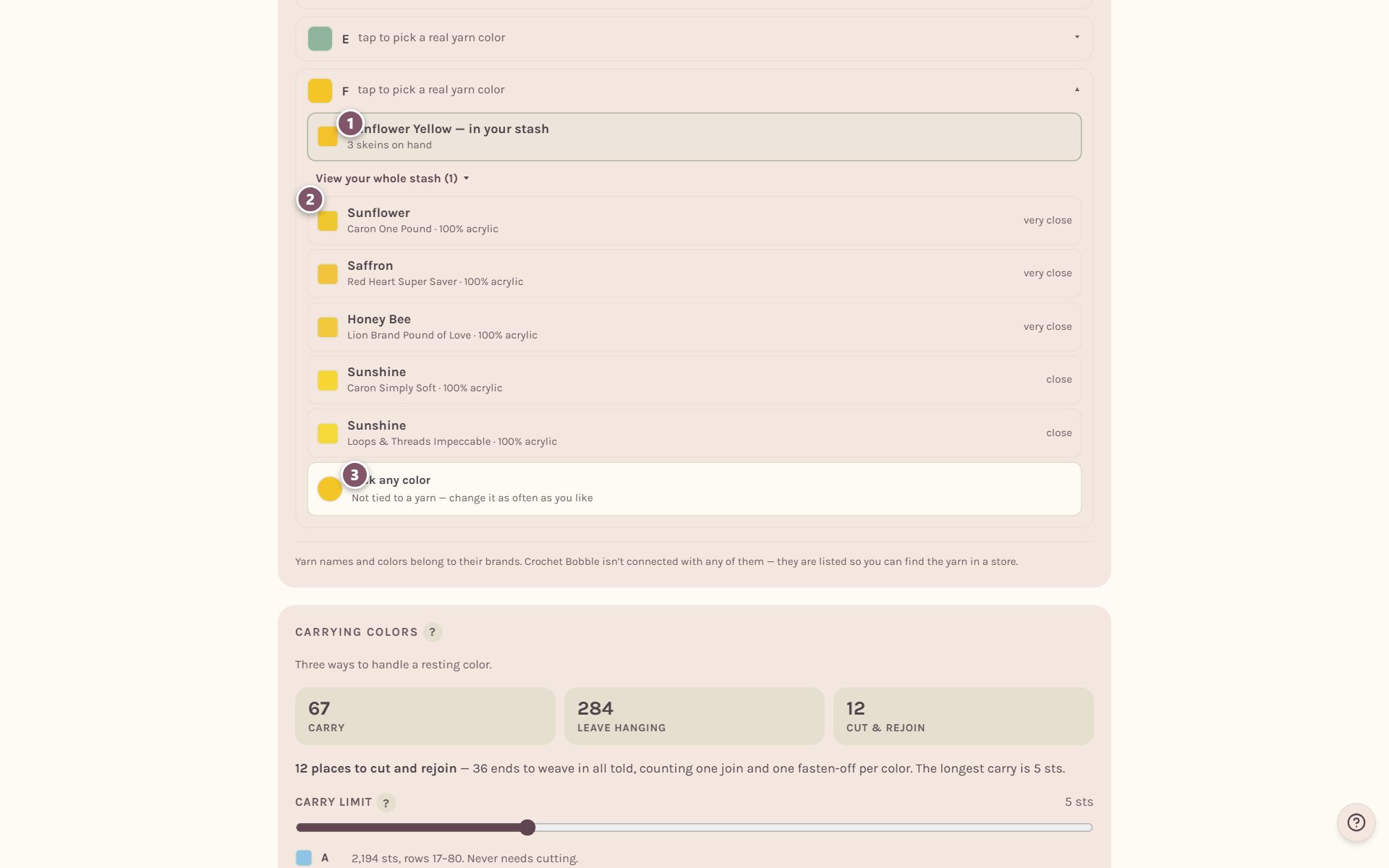
- Yarn you already own comes first, if something in your stash is a close match at this weight. View your whole stash lists all of it.
- Below that are real yarn colors from yarn you can buy, with how close each one is.
- Pick any color lets you choose any color at all, not tied to a yarn.
Tap a yarn to choose it. The chart changes to that yarn's color, so you see the blanket the way it will really look.
Tip: Yarn only shows up in the stash list once it has a color saved. If a skein is missing, open your yarn stash and give it a color.
See how many skeins and grams to buy
Once a color has a store yarn, its row shows how much to get.
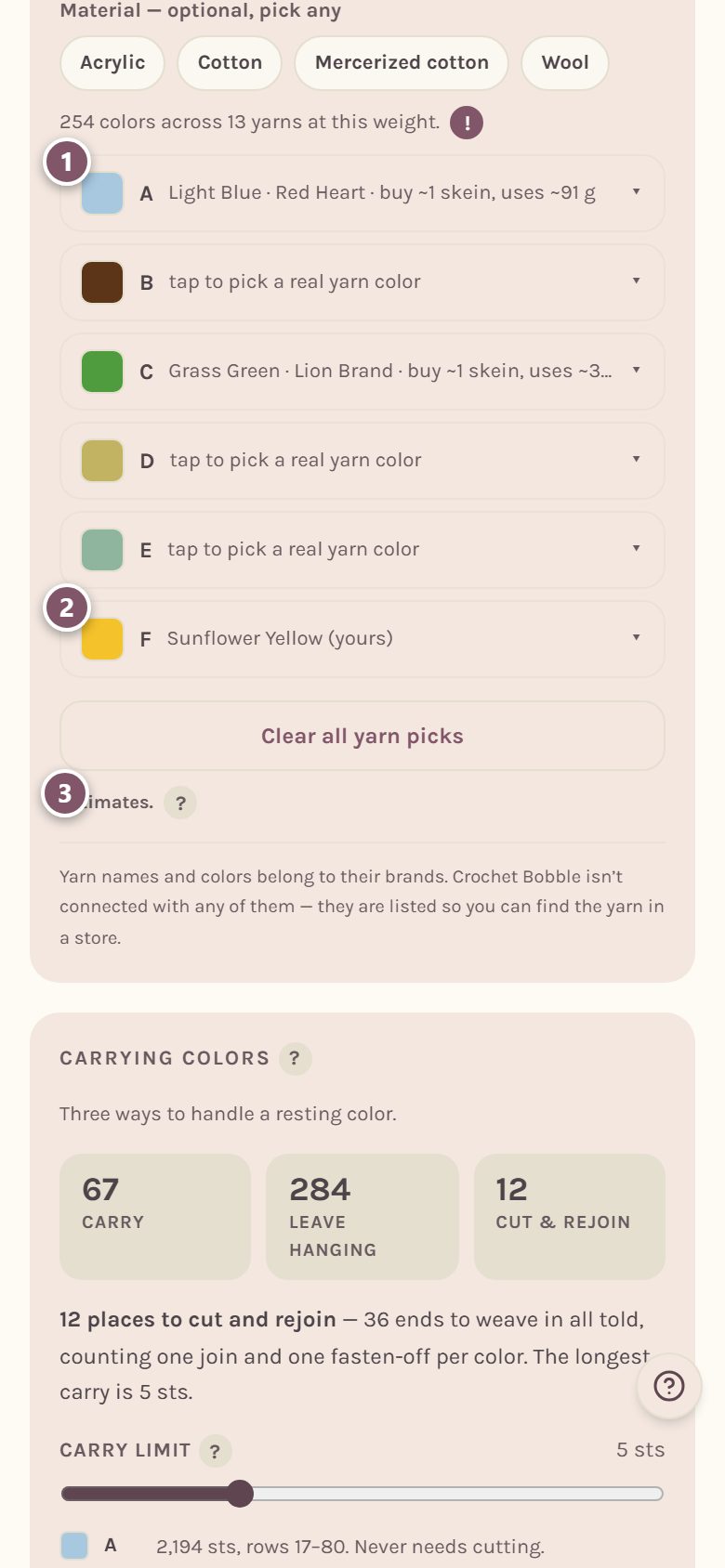
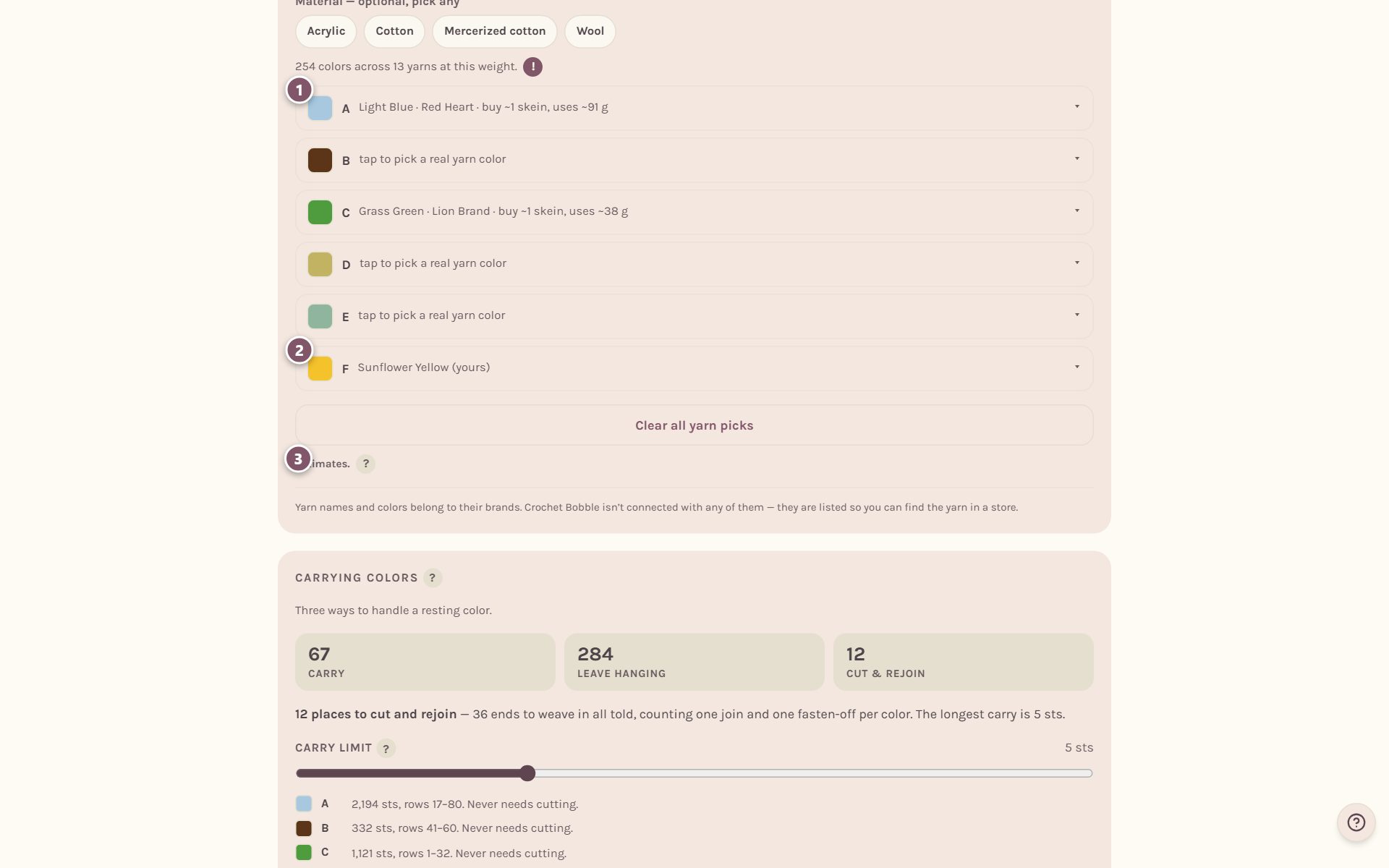
- Buy is how many whole skeins to put in your basket. It's rounded up with a 25% extra, so you don't run out halfway.
- A yarn from your stash says (yours).
- Uses is how much of that color the blanket will actually take, in grams. Tap the ? by Estimates. for the details. Both numbers come from that yarn's own label.
Changed your mind? Clear all yarn picks starts the matching over.
Add a border
A blanket isn't finished without a border. Scroll to Border.
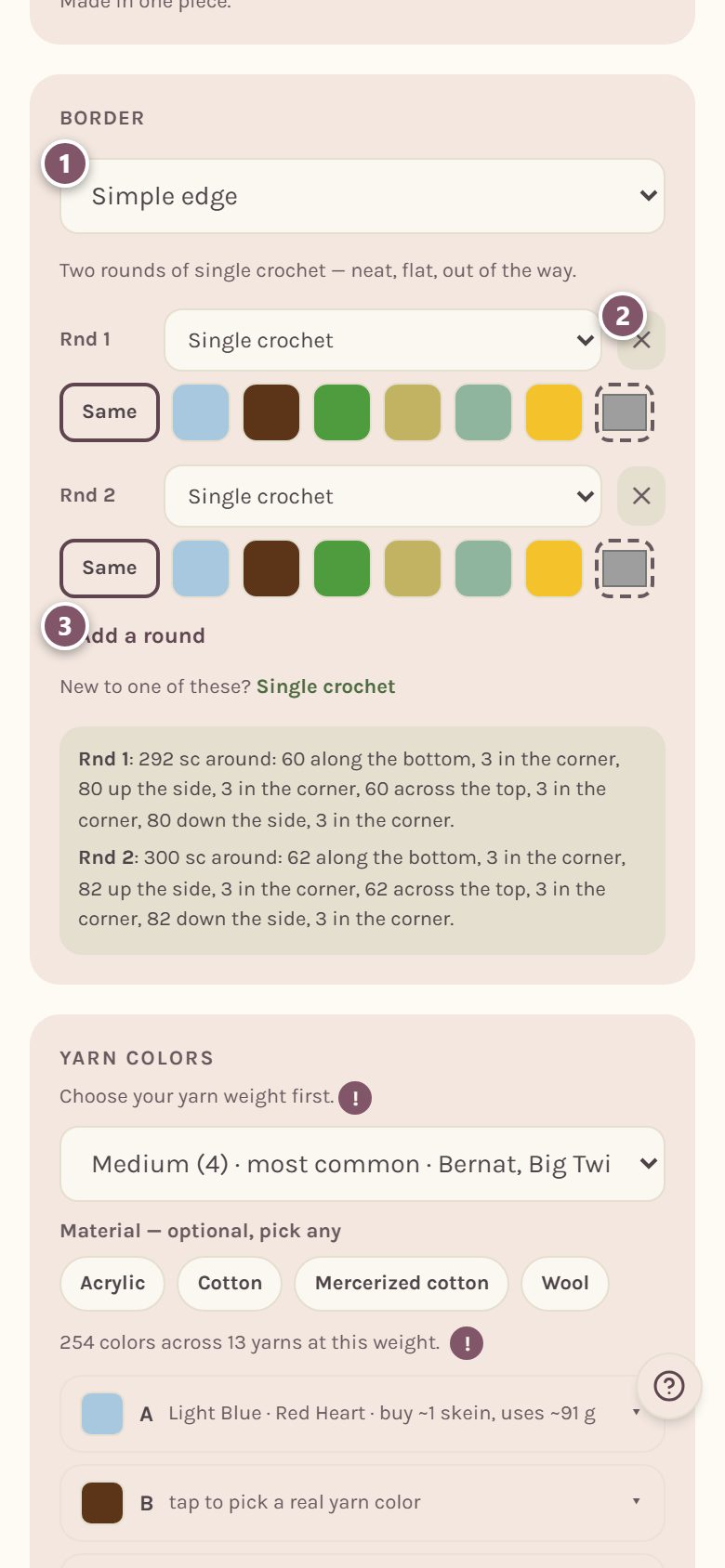
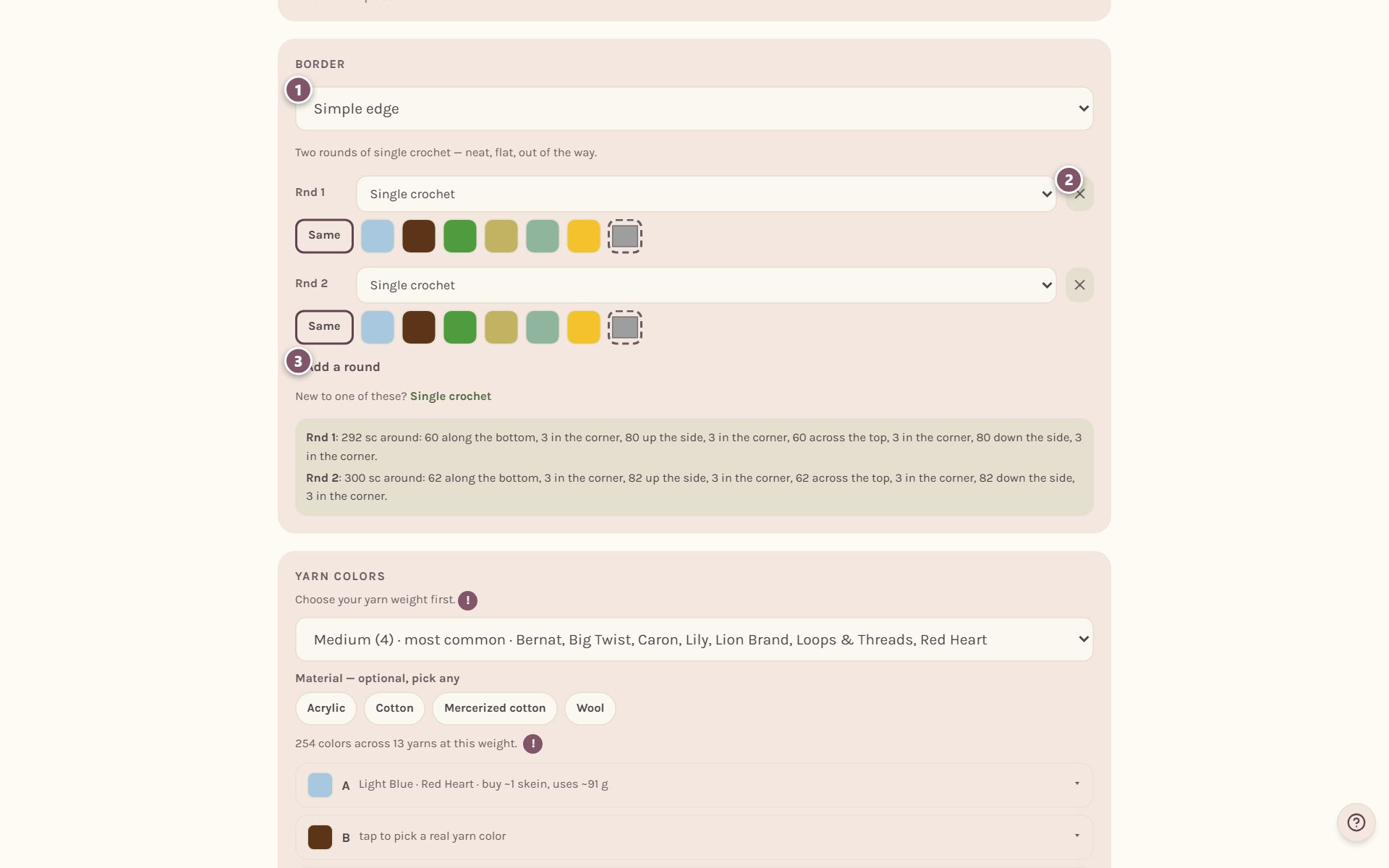
- Pick a style: Simple edge, Crab stitch trim, Shell edging, Picot edge, Granny stripe band or No border.
- Each round has its own stitch and color. ✕ removes a round.
- + Add a round adds another.
Under each round, tap a color from your chart, or Same to keep the last color used. The dashed square is for a color of your own: pick it, then tap Use this color. A new border color joins Yarn colors as its own letter, so you can match it to a real yarn there. The border plan underneath tells you exactly how many stitches go along each side and in each corner. After you save, the blanket's page has Edit border (or + Add a border) to change it.
The yarn plan on your saved blanket
After you save, your blanket's page keeps everything together. Yarn colors lists the yarn for each letter. Tap Edit yarns to change them.
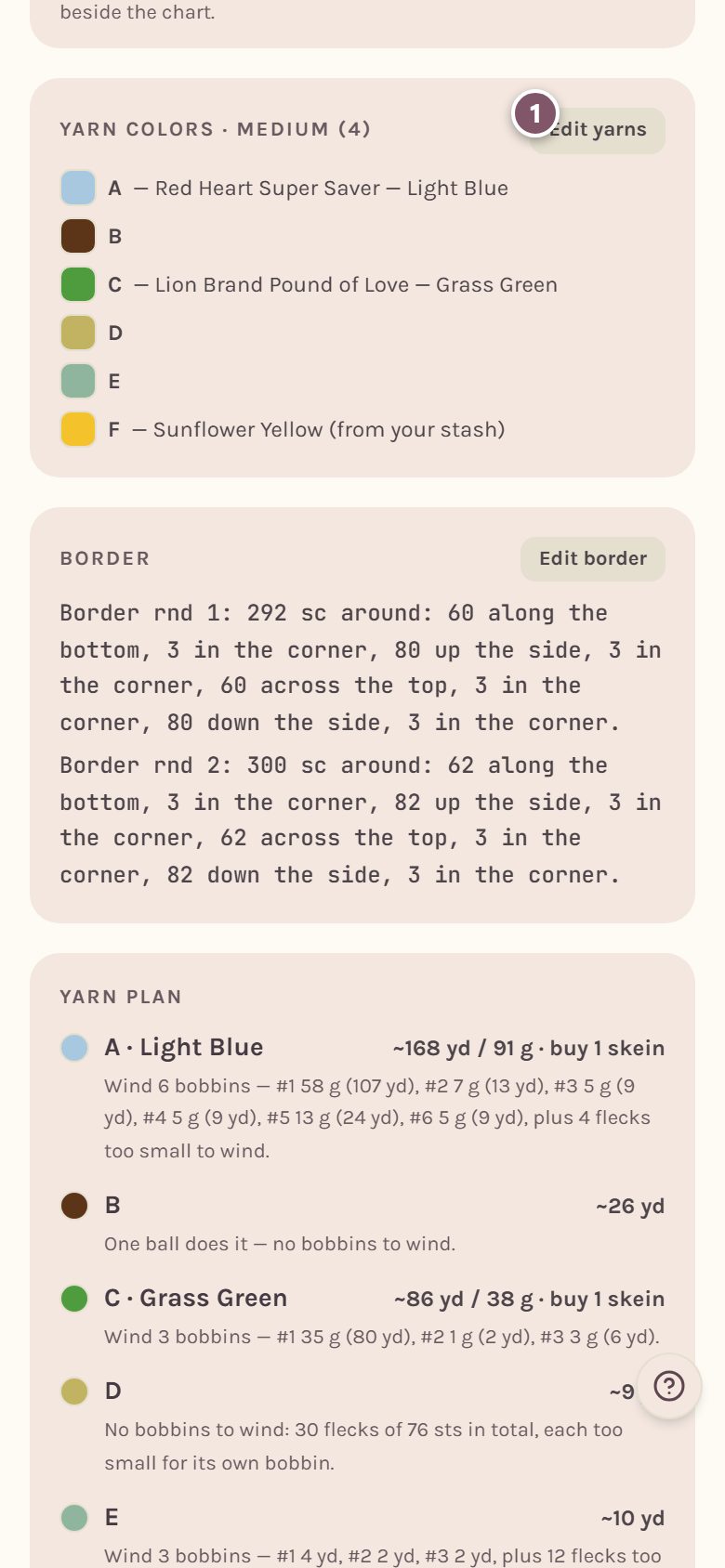
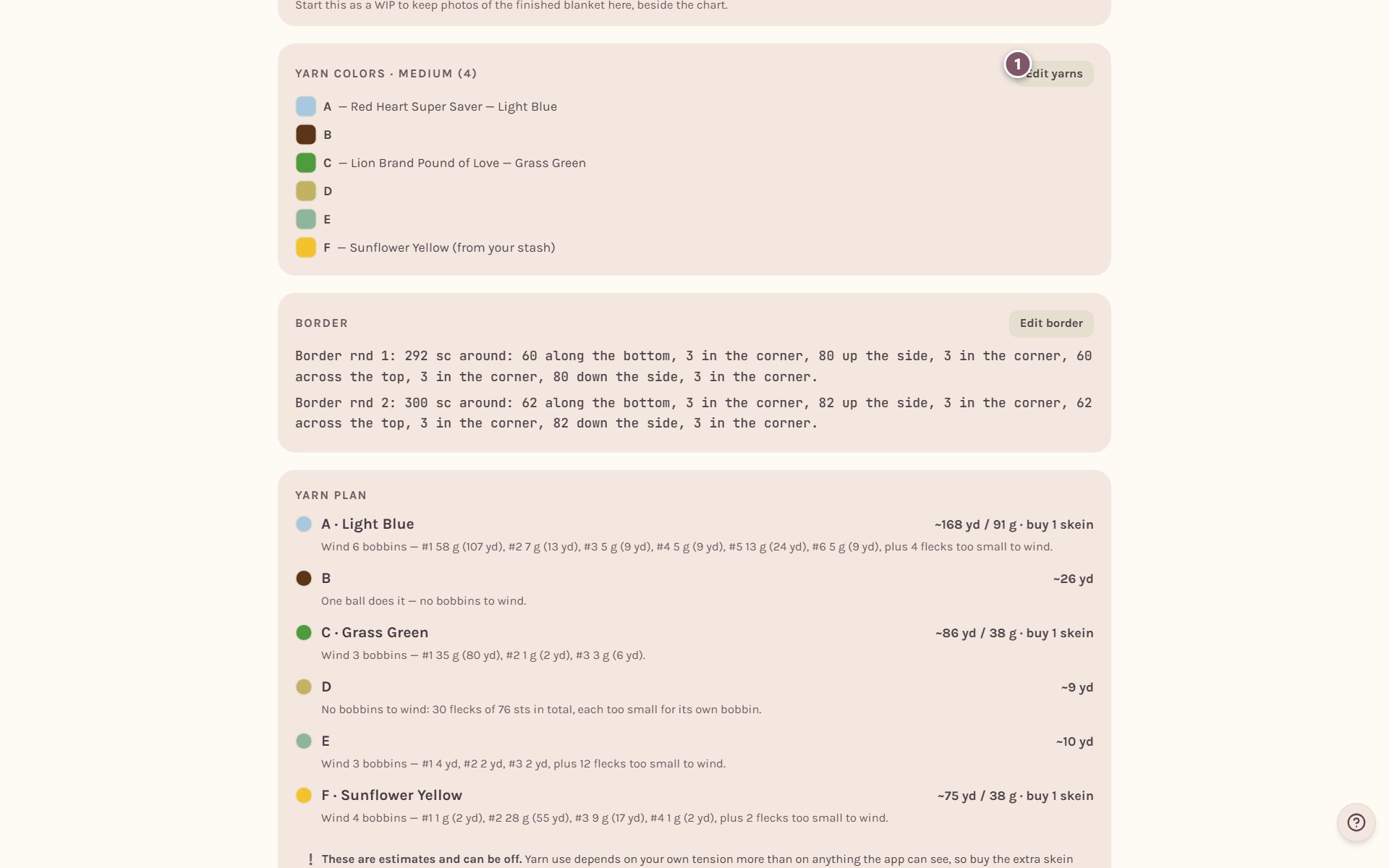
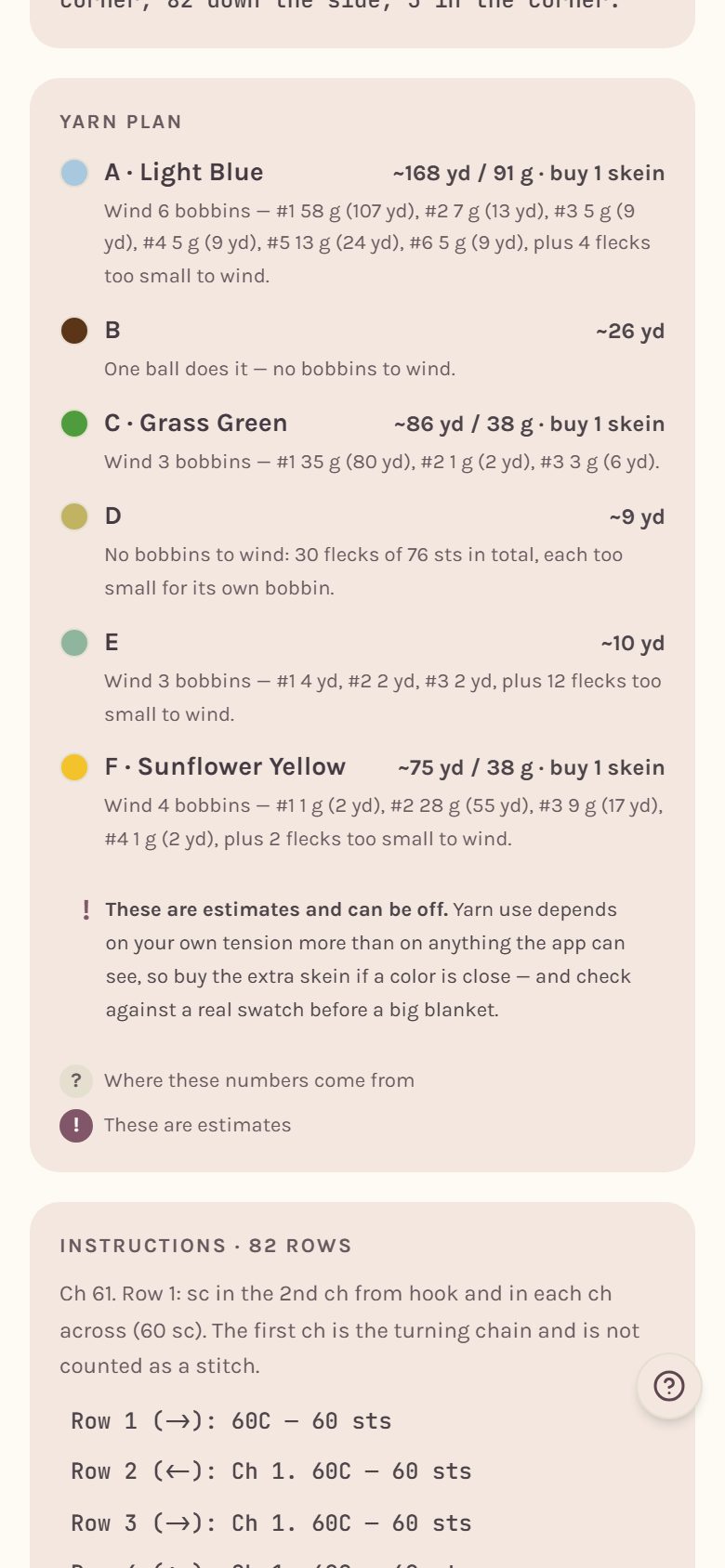
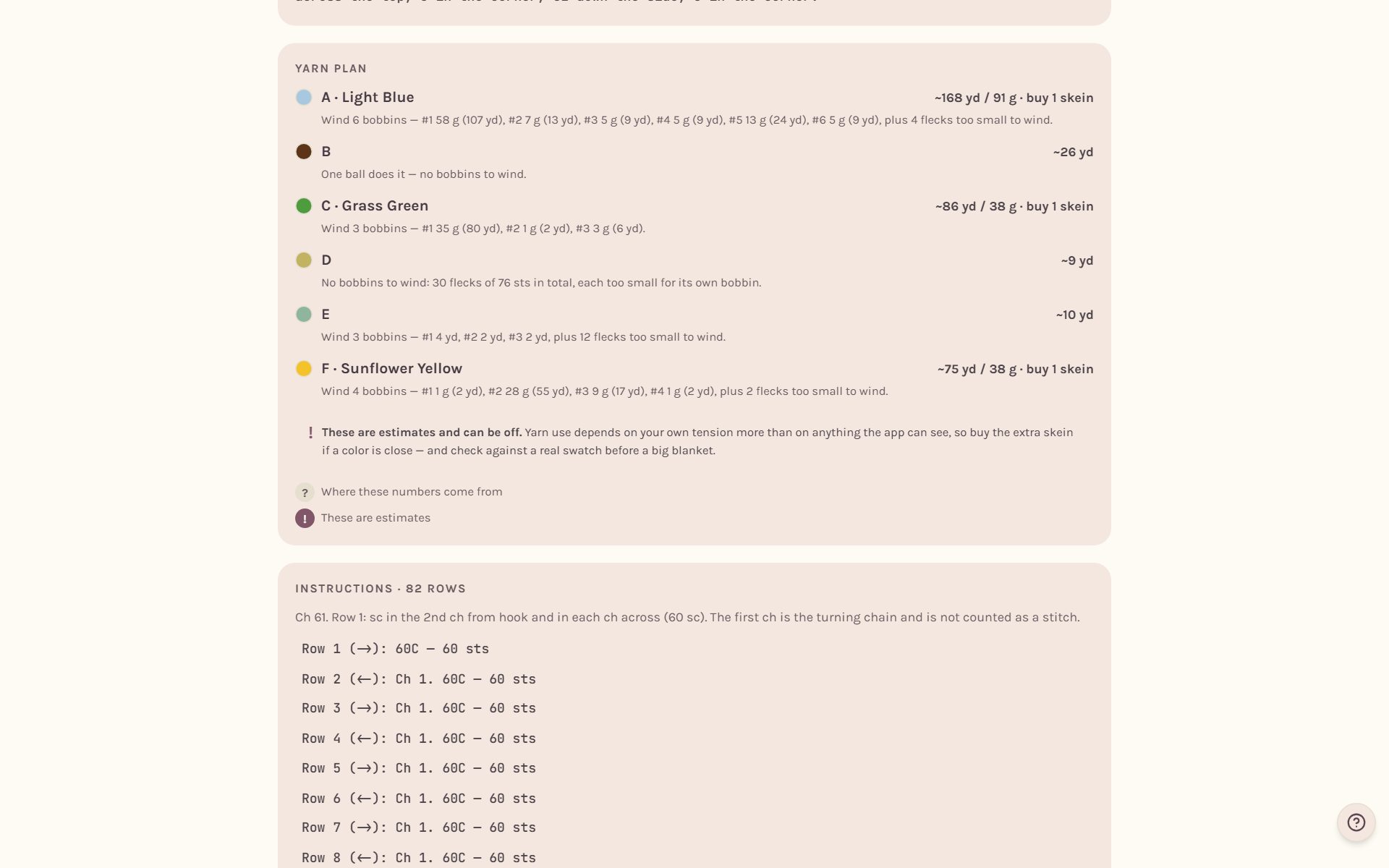
Further down, the Yarn plan shows each color's yards and grams and how many skeins to buy, border included, plus any bobbins to wind. See color changes and bobbins.
Add your yarn and hook to the shopping list
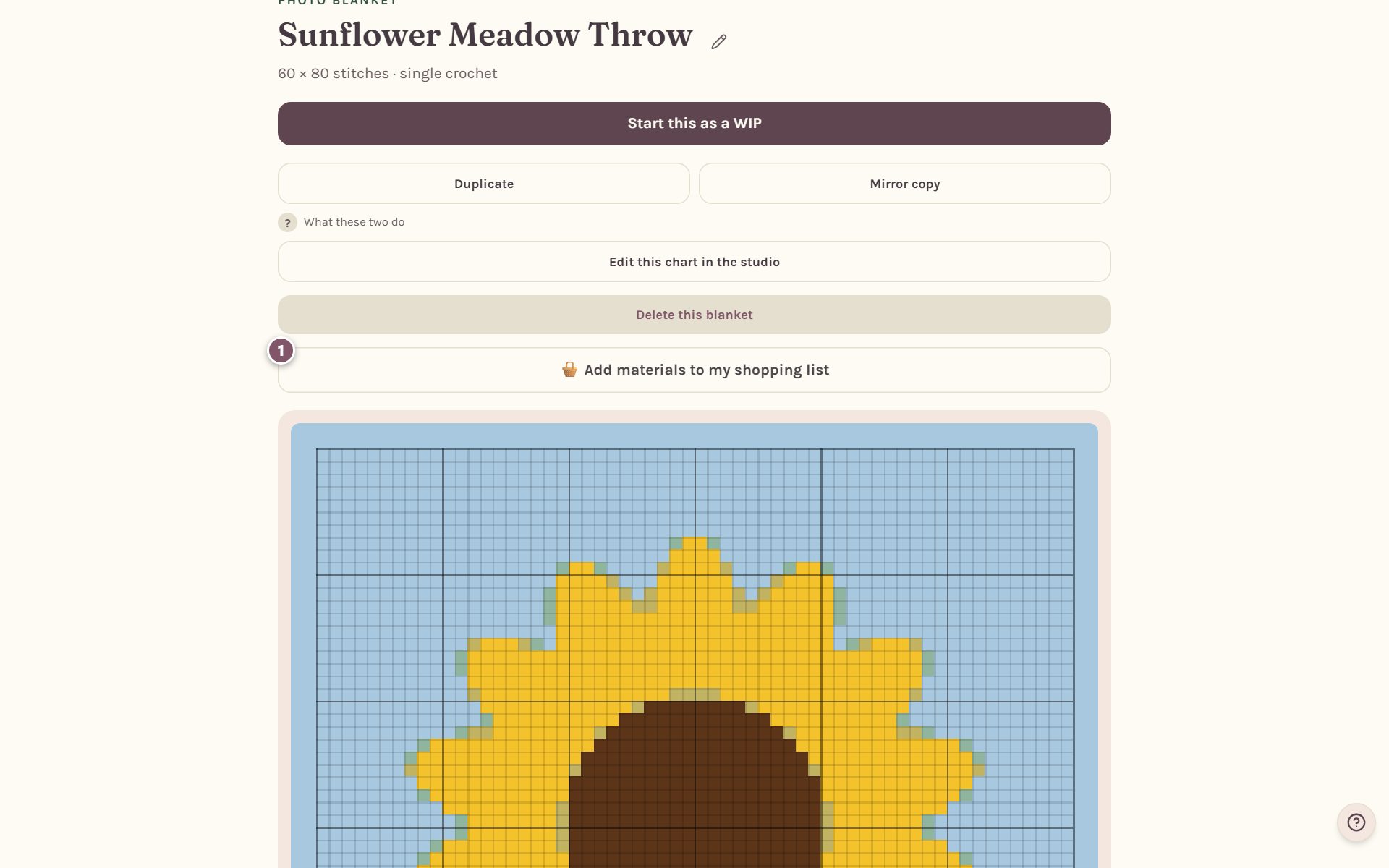
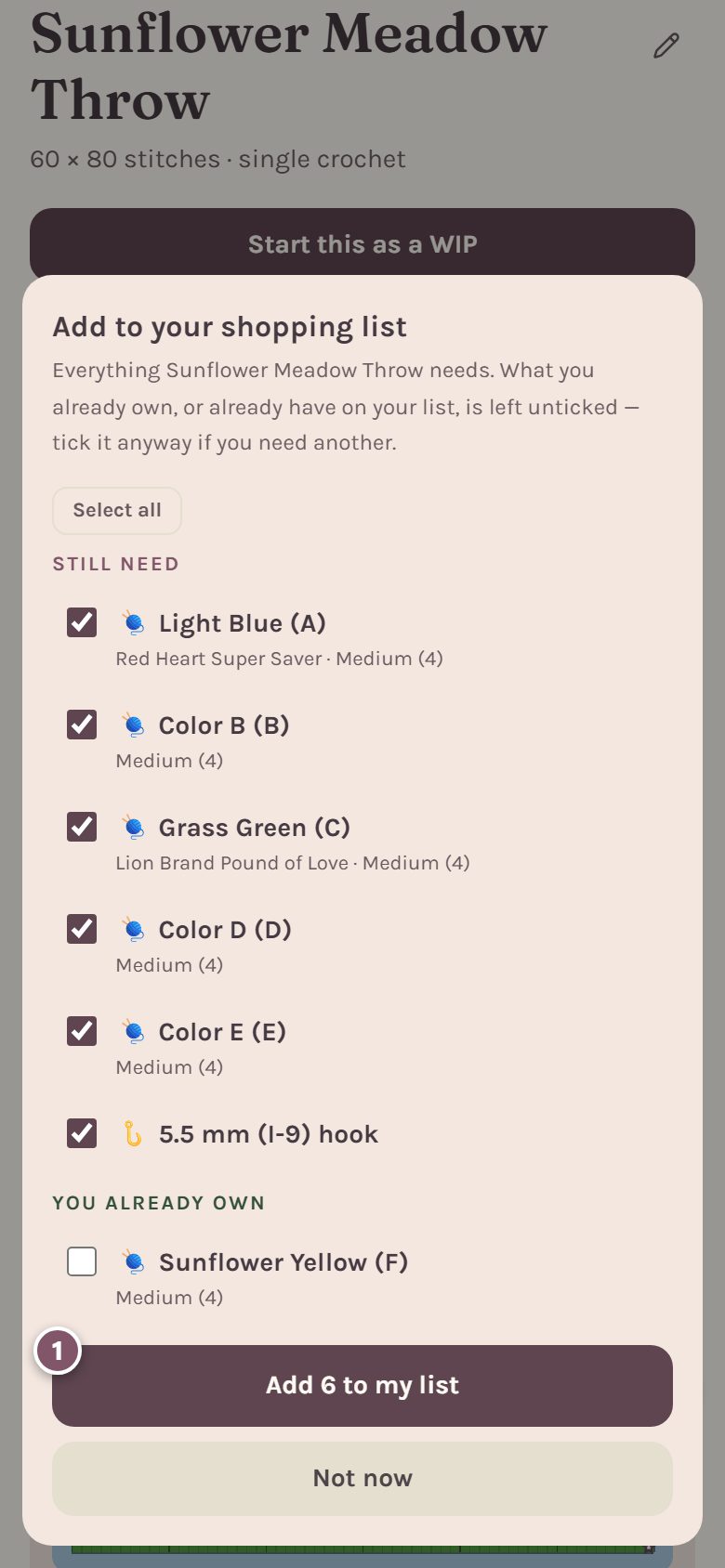
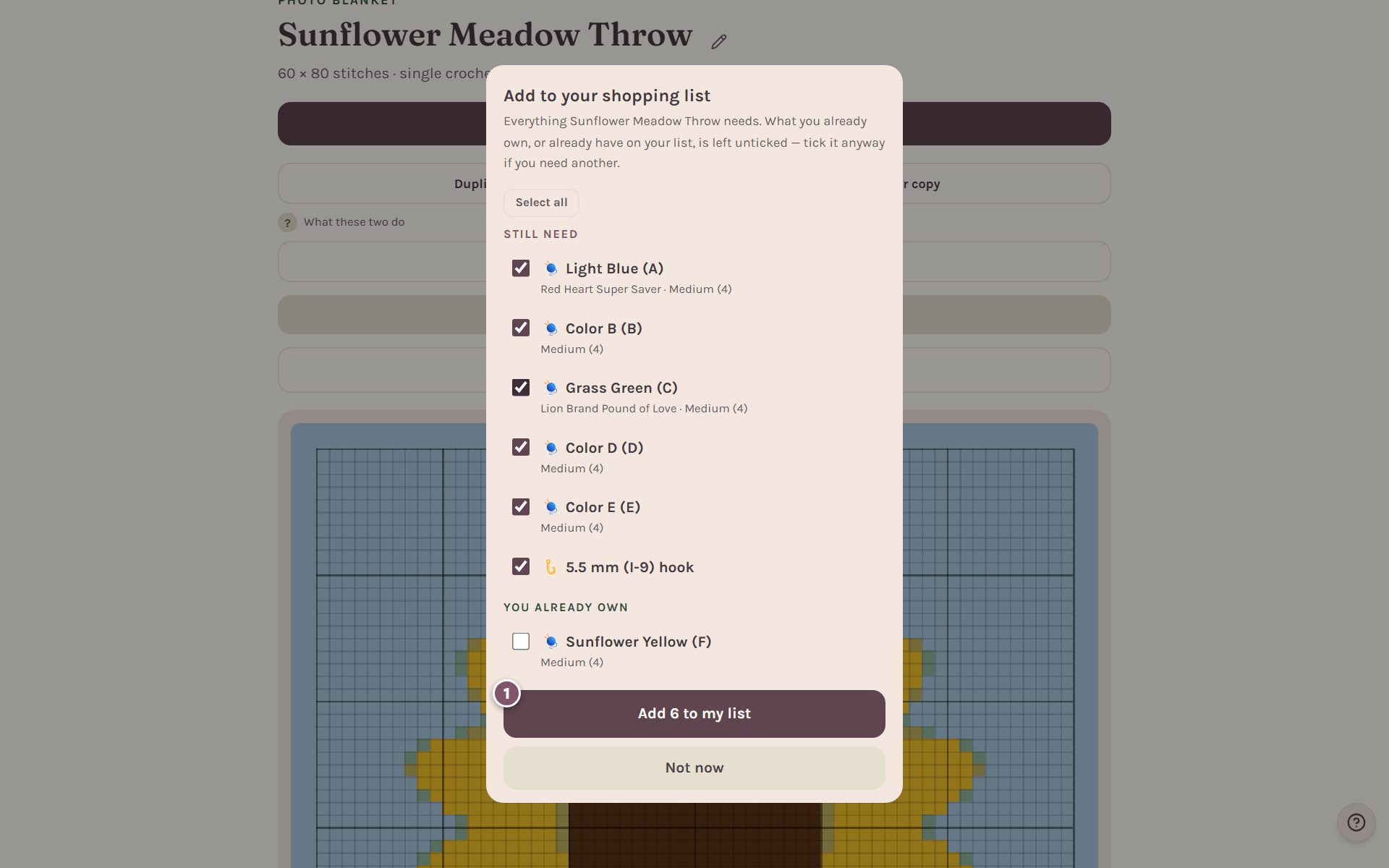
On your saved blanket's page, tap 🧺 Add materials to my shopping list.
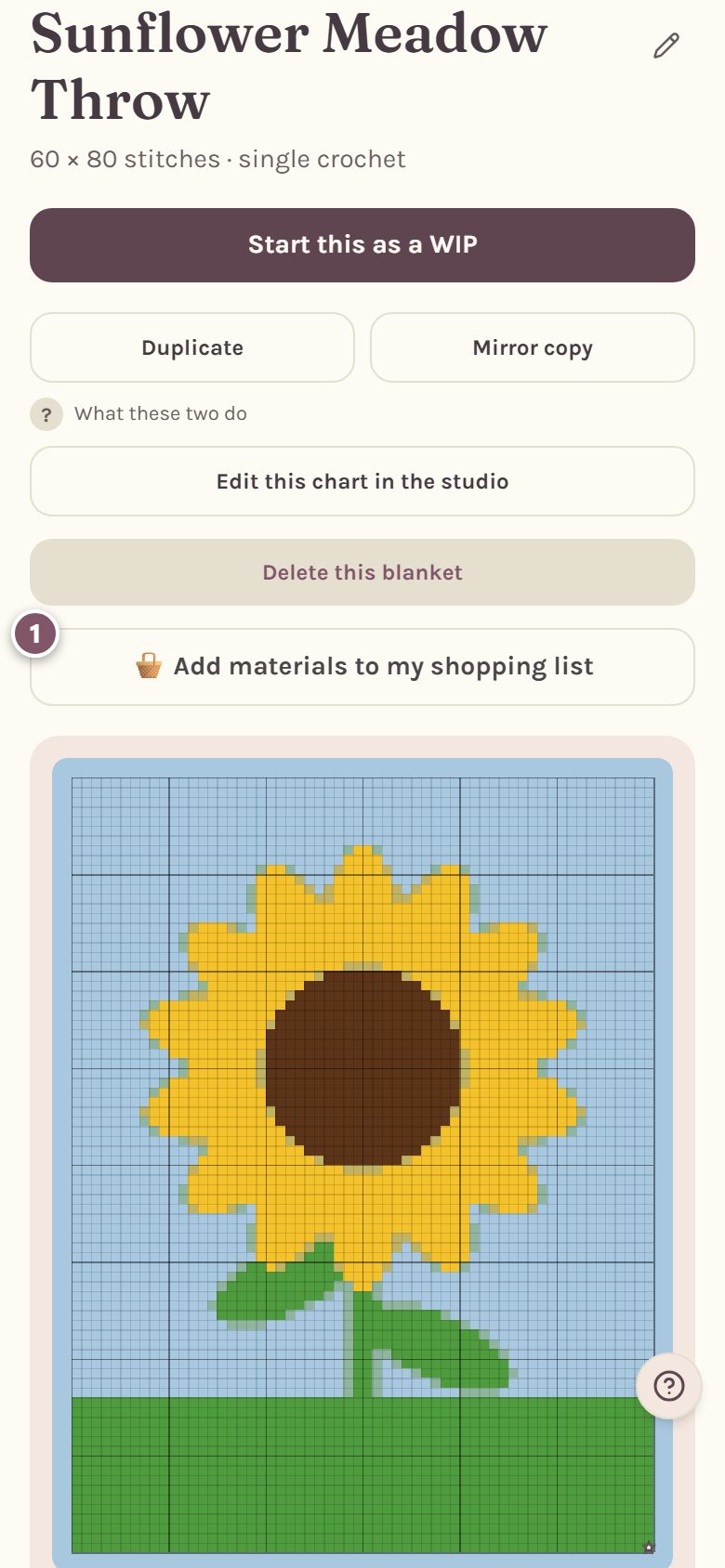
Everything the blanket needs is listed: each yarn and your hook. Anything you already own is left unticked. Tick or untick what you like, then tap the Add to my list button, which counts what you ticked, like Add 6 to my list.
Your list lives in the crochet shopping list.
A note on yarn names: Crochet Bobble names real yarns so you can find a match at the store. We aren't connected with, sponsored by or endorsed by any yarn company, and every brand name belongs to its owner.
Frequently asked questions
How accurate are the yarn amounts? They're honest estimates. How much yarn a stitch takes depends on your own tension more than anything, so if a color is close, buy the extra skein. Once you've logged gauge swatches in that stitch, the amounts are scaled to your own fabric.
Why isn't my yarn listed? The store list is made of popular yarn lines. If yours isn't there, use Pick any color to match its color, or add it to your stash with a color and it'll show up first.
Can I use different brands in one blanket? Yes, as long as they're all the same weight.
Where do I go next? Plan your color changes in color changes and bobbins, then print your pattern.
Ready to try it? Crochet Bobble opens right in your browser, on a phone or a computer.
Open Crochet Bobble