
Crochet Color Changes: When to Carry, Cut or Use Bobbins
See where to carry yarn, leave it hanging or cut it on a photo blanket, how many bobbins to wind for each color, and how much yarn each bobbin needs.
Every color change in a picture blanket is a small decision: carry the yarn along behind your stitches, leave the ball hanging until you need it again, or cut it and weave in the ends later. Big patches of color far apart want their own little ball, a bobbin. The photo blanket maker works all of this out from your chart, so you know before you start how many bobbins to wind and how many ends you'll weave in.
Carry, leave hanging, or cut
In the photo blanket maker, scroll down to Carrying colors. Your saved blanket's page has the same card.
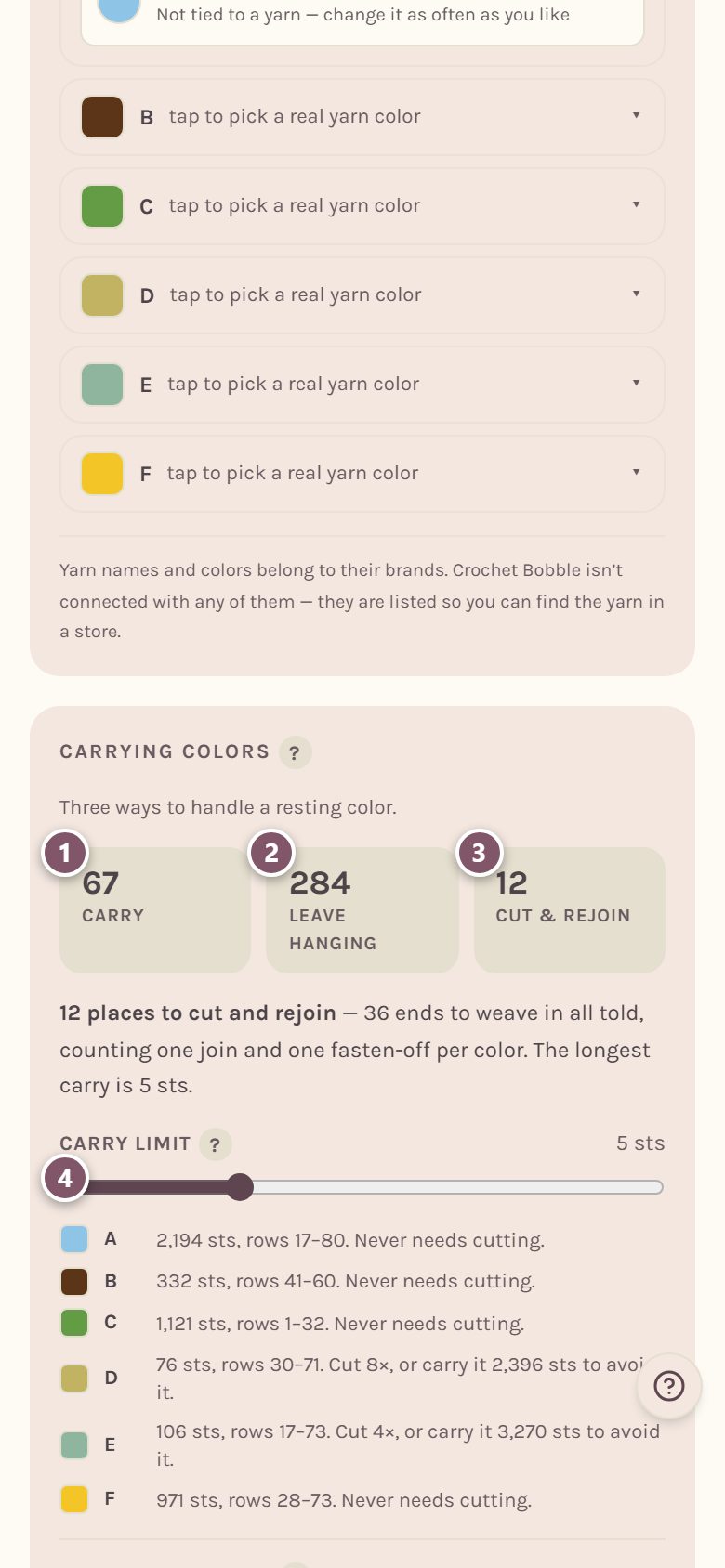
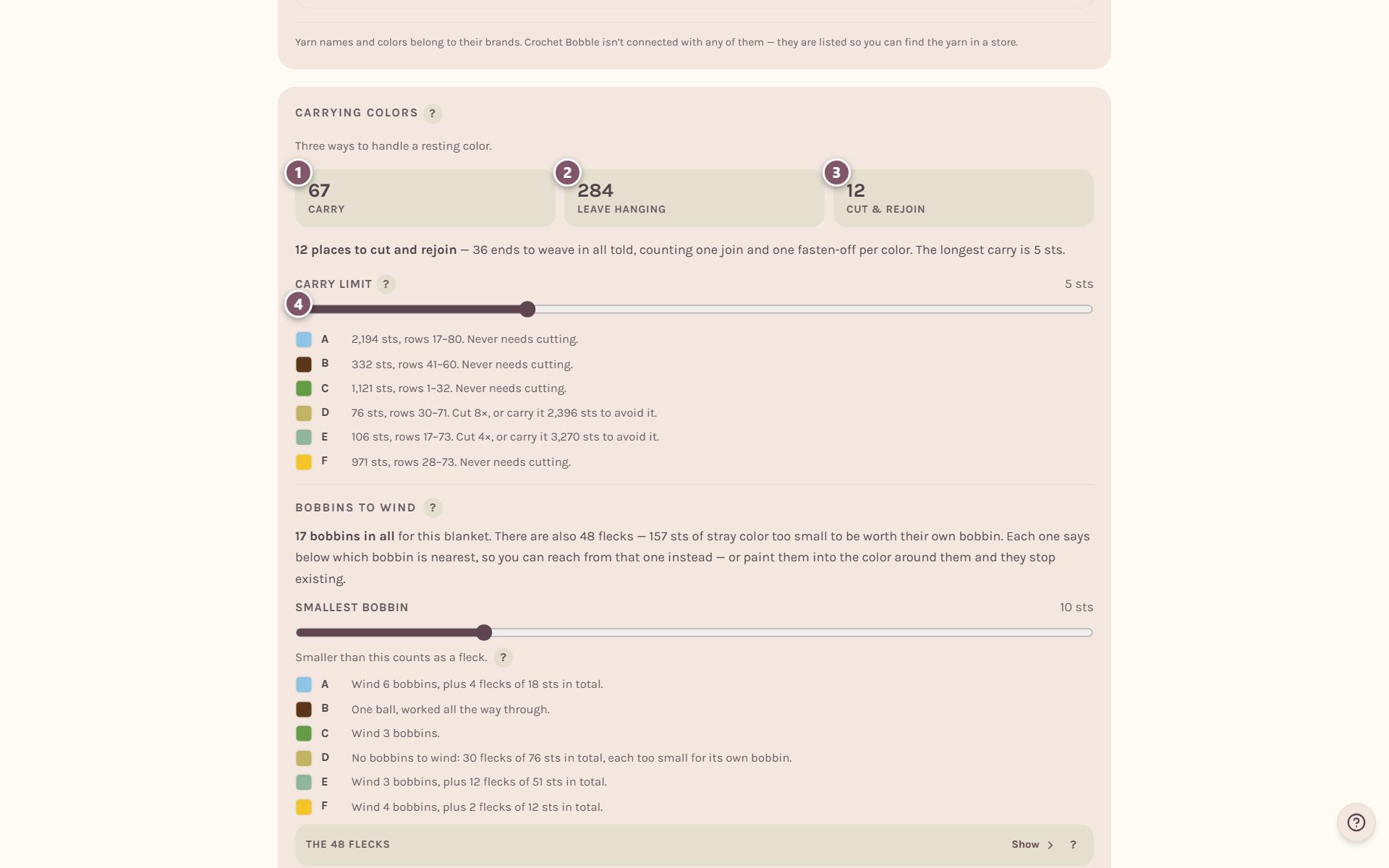
- Carry counts the places you can lay the resting color along the top of the row and crochet over it.
- Leave hanging counts the places you can simply drop the ball and pick it up when you come back past it.
- Cut & rejoin counts the places it's better to cut, which means two ends to weave in.
- Carry limit is how far a color may travel behind your work before the app stops suggesting you carry it. The usual limit keeps strands short enough not to snag. A chunky yarn, or two colors close in shade, can go further, so it's yours to set.
Under the counts, the card tells you how many ends you'll weave in, the longest carry, and a line for each color: which rows it's in, and how often it needs cutting.
How many bobbins to wind
Where one color turns up in two places too far apart to carry between, each place gets its own little bobbin instead of one ball dragged across the middle.
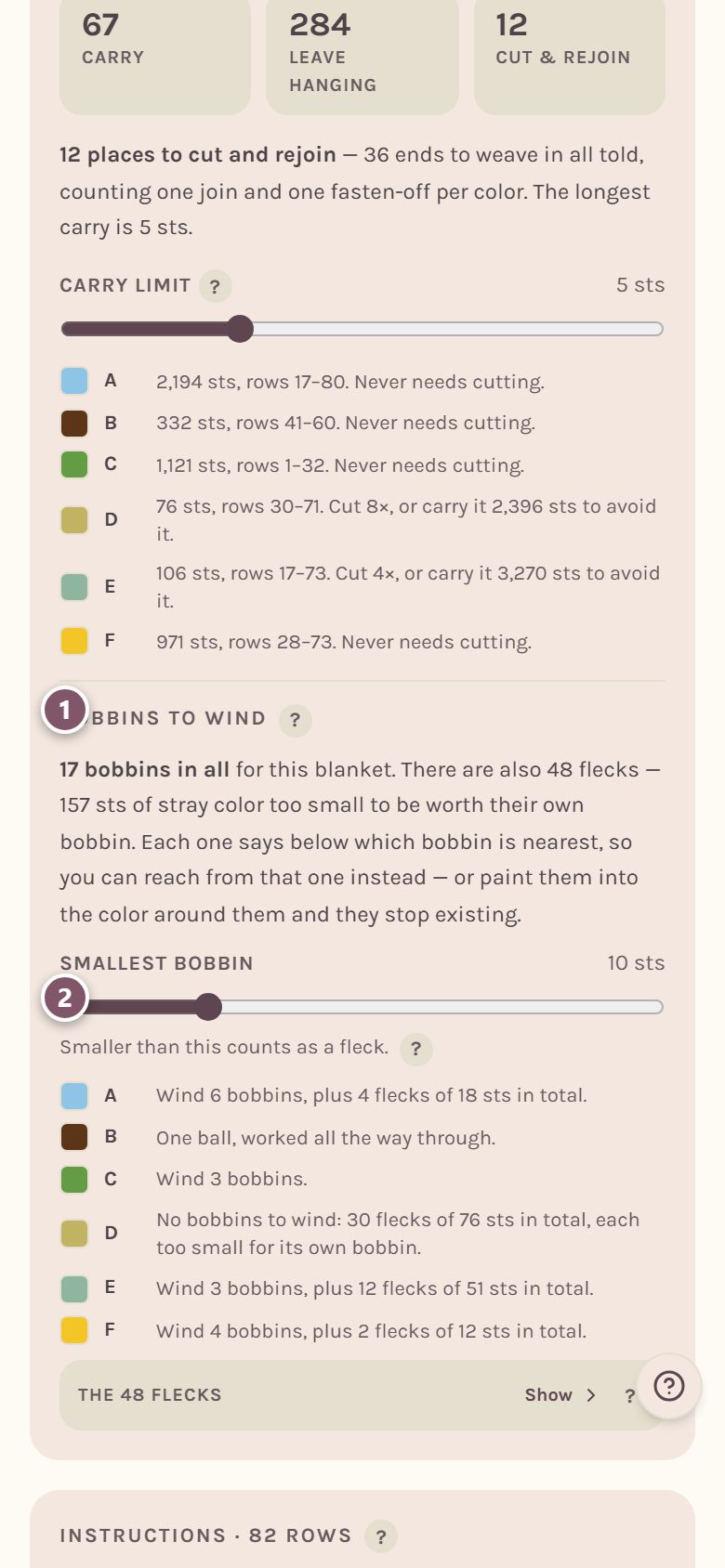
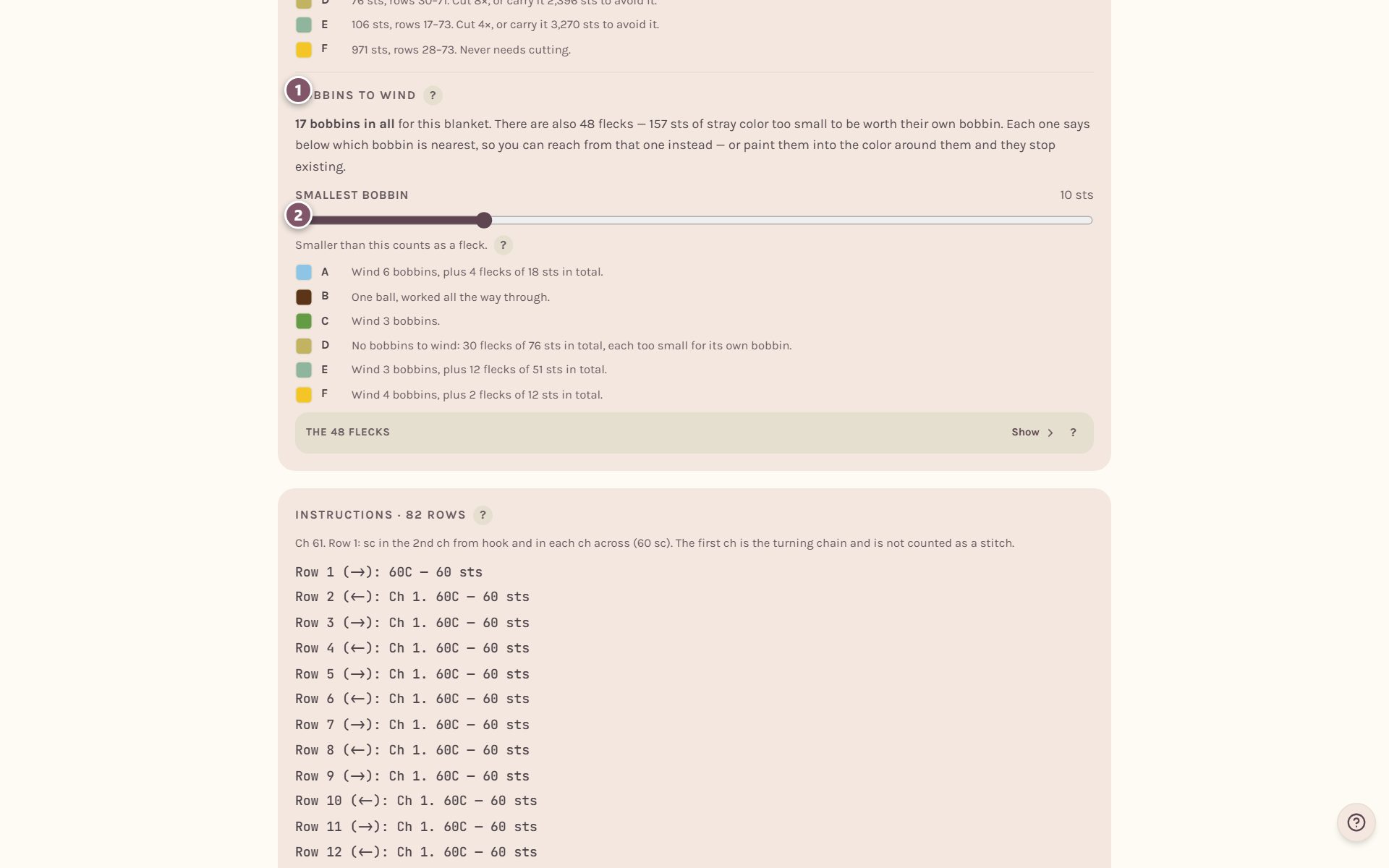
- Bobbins to wind says how many bobbins the blanket needs in all, and how many for each color.
- Smallest bobbin sets how big a patch has to be before it earns its own bobbin. Anything smaller counts as a fleck.
A tighter carry limit gives you more bobbins, a looser one fewer.
What to do about flecks
A fleck is a scrap of color too small to be worth its own bobbin: a few stray stitches a photo leaves behind. Tap the flecks line (it reads like The 12 flecks, with Show beside it) to see the list.
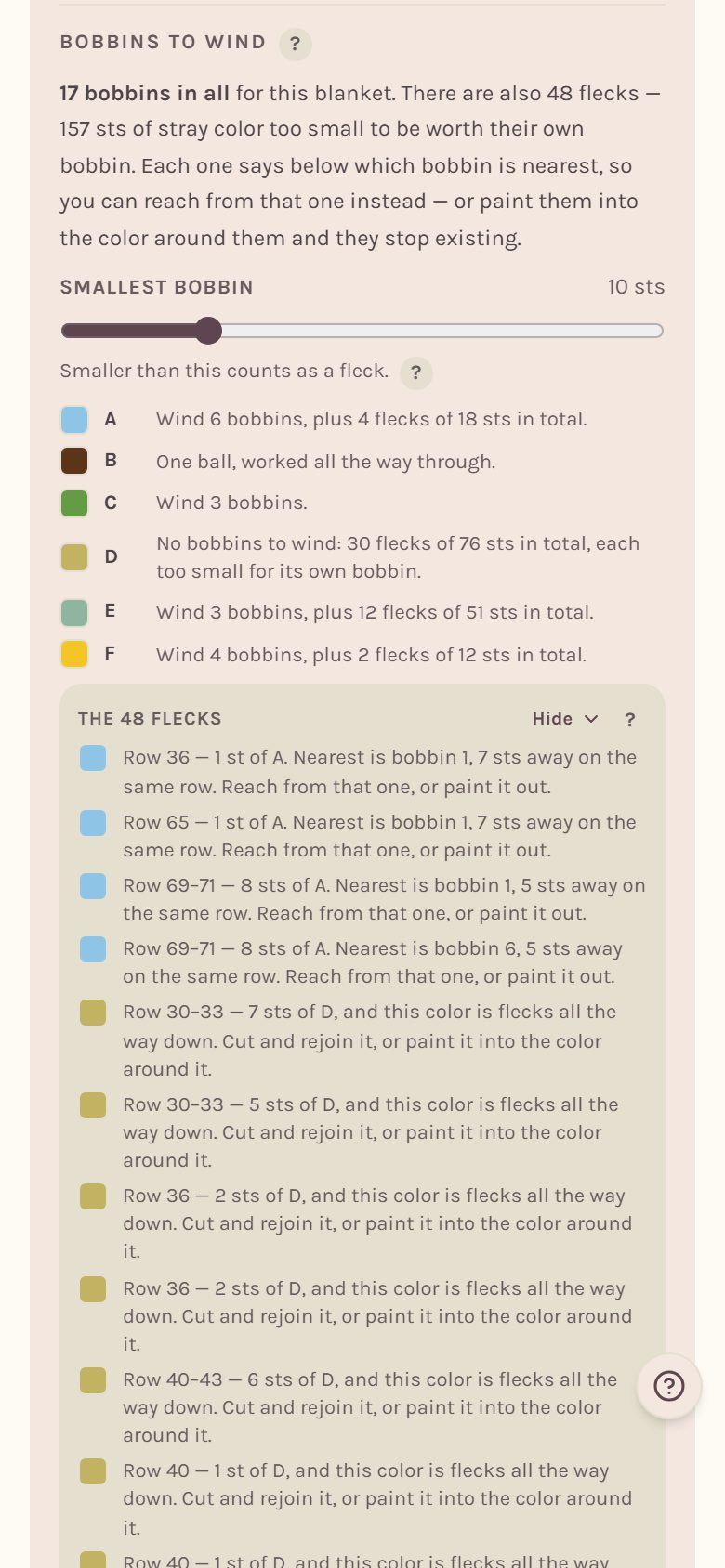
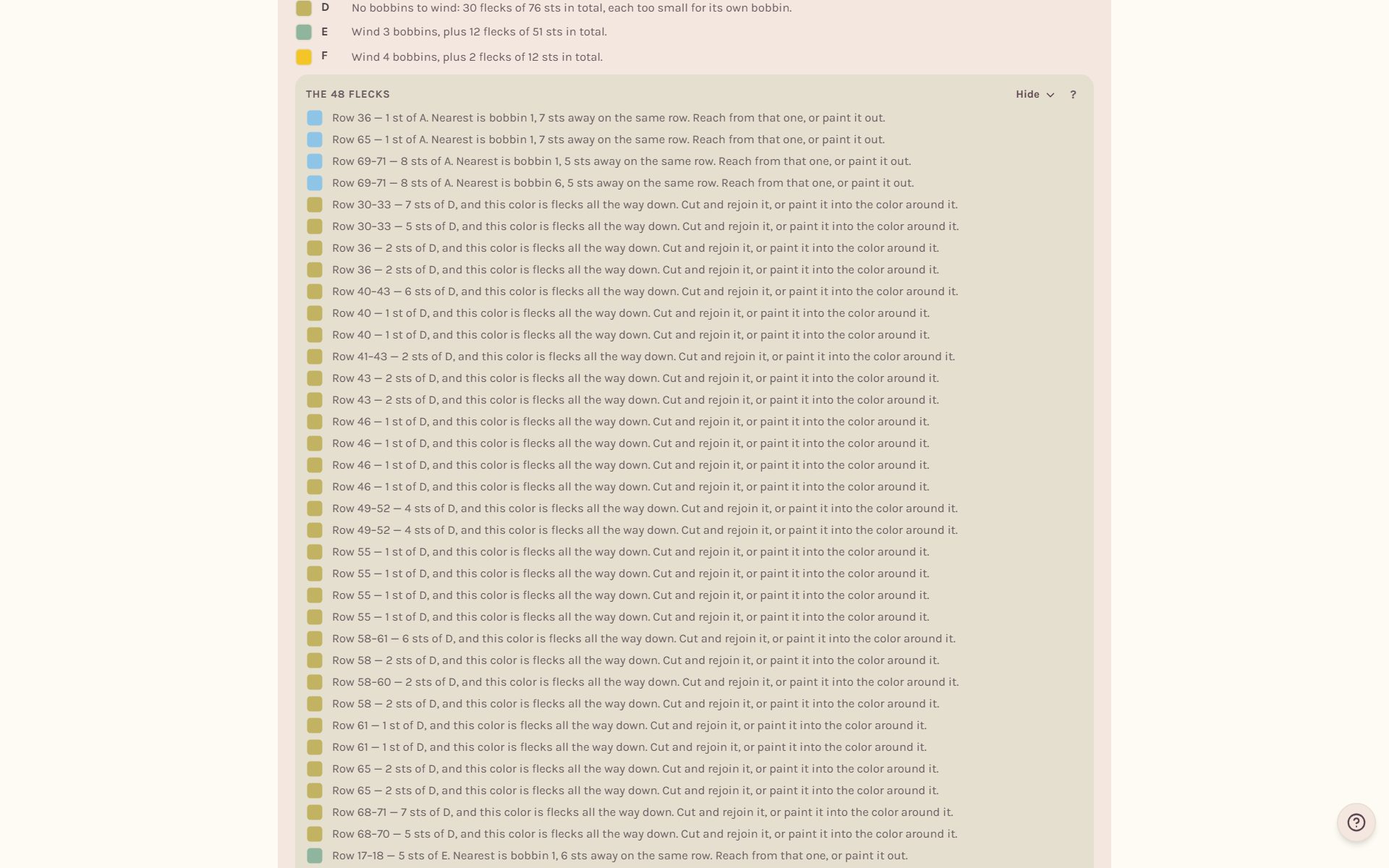
Each fleck says which row it's in and names the nearest bobbin, so you can reach across from that one. When a whole color is nothing but flecks, it says to cut and rejoin it instead. Or paint the flecks into the color around them and they disappear. See how to edit a crochet blanket chart.
Tip: Merging two nearly-matching colors is the quickest way to get rid of lots of flecks at once, and it's one less yarn to buy.
How much yarn each bobbin needs
Save your blanket and open its page. The Yarn plan lists every color with its yards and grams, how many skeins to buy, and how much to wind onto each bobbin.
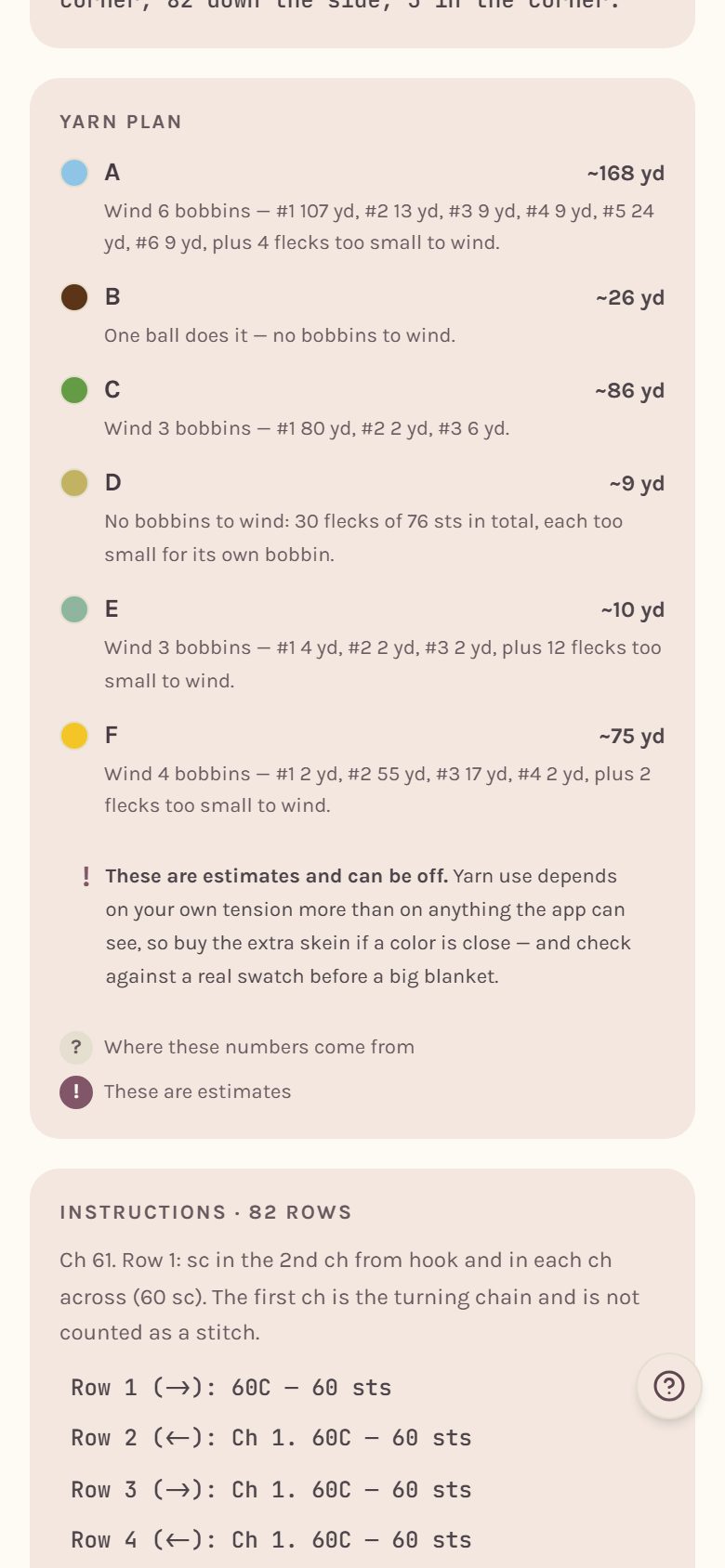
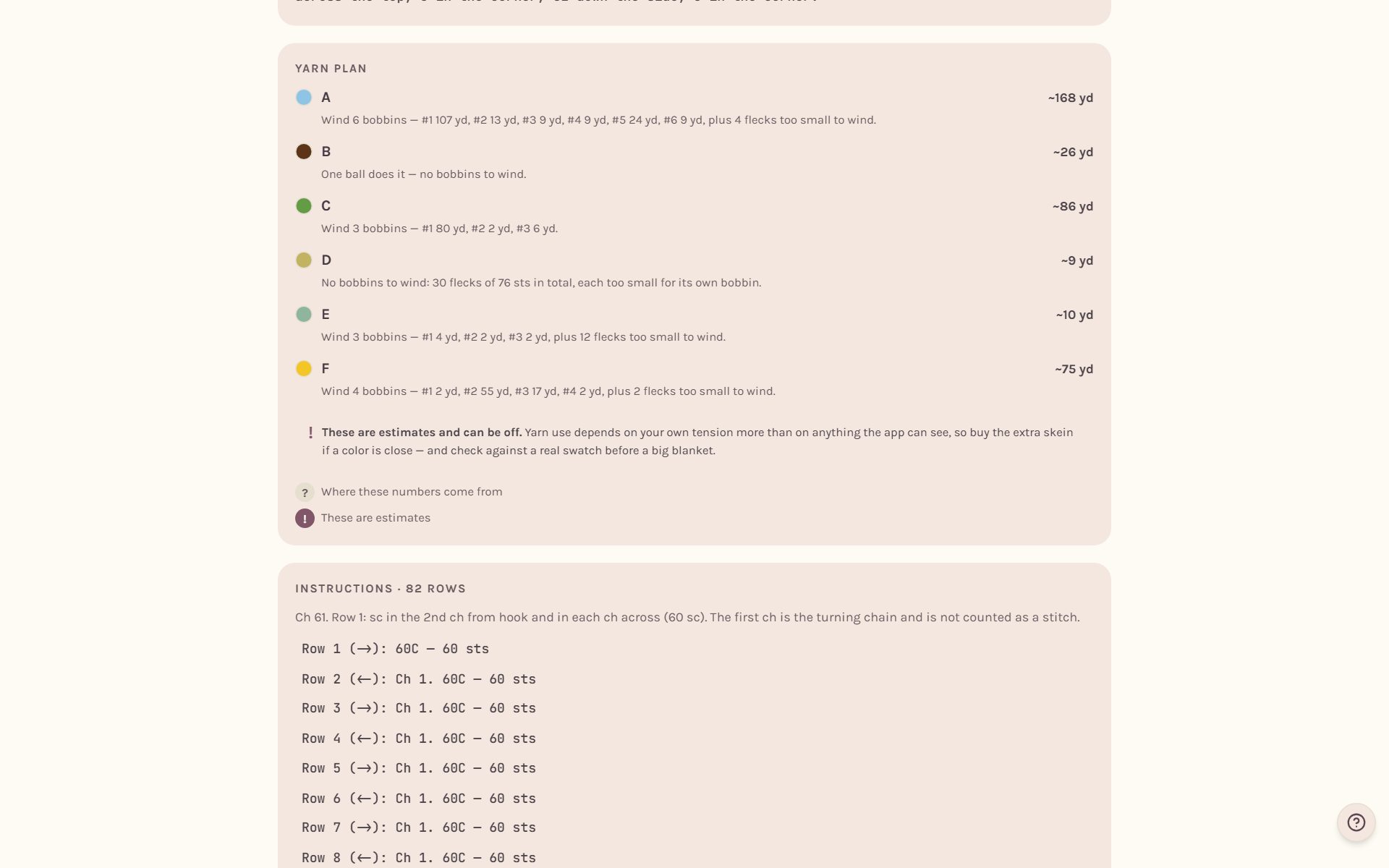
Grams show once a color is matched to a real yarn. See how much yarn for a crochet blanket.
Carrying colors while you crochet
When you track the blanket, the tracker shows the color decisions still ahead in the row you're on, nearest first, right under the buttons: carry this color across the next few stitches, leave it hanging, or cut it, and where you'll pick it up again. When a color has more than one bobbin, it tells you which bobbin number to pick up. See the crochet row counter for blankets.
Frequently asked questions
Does mosaic or filet need any of this? No. Mosaic uses one color per row and filet is one color throughout, so neither has colors to carry.
Why are there so many flecks on my chart? Photos have soft edges, and they turn into little stray stitches. Try fewer colors, more contrast, or tidy them up with the paint tools.
Where do I go next? Print your pattern in how to print a crochet blanket pattern.
Ready to try it? Crochet Bobble opens right in your browser, on a phone or a computer.
Open Crochet Bobble