
C2C Crochet Blanket Pattern Maker: Corner to Corner From a Photo
Turn a photo or your own drawing into a corner-to-corner (C2C) crochet blanket pattern. Choose standard, mini or micro C2C blocks, get every diagonal written out, and track it block by block.
Corner to corner, or C2C, is worked in little blocks, one diagonal at a time, starting at one corner and finishing at the opposite one. It's one of the most popular ways to crochet a picture blanket, and the photo blanket maker writes a C2C pattern for you: the chart, every diagonal in words, and a tracker that counts blocks.
Choose C2C as your blanket shape
Open Patterns, tap Photo blanket, and choose your picture (see how to turn a photo into a crochet blanket pattern for the basics). Then pick the shape and the block stitch.
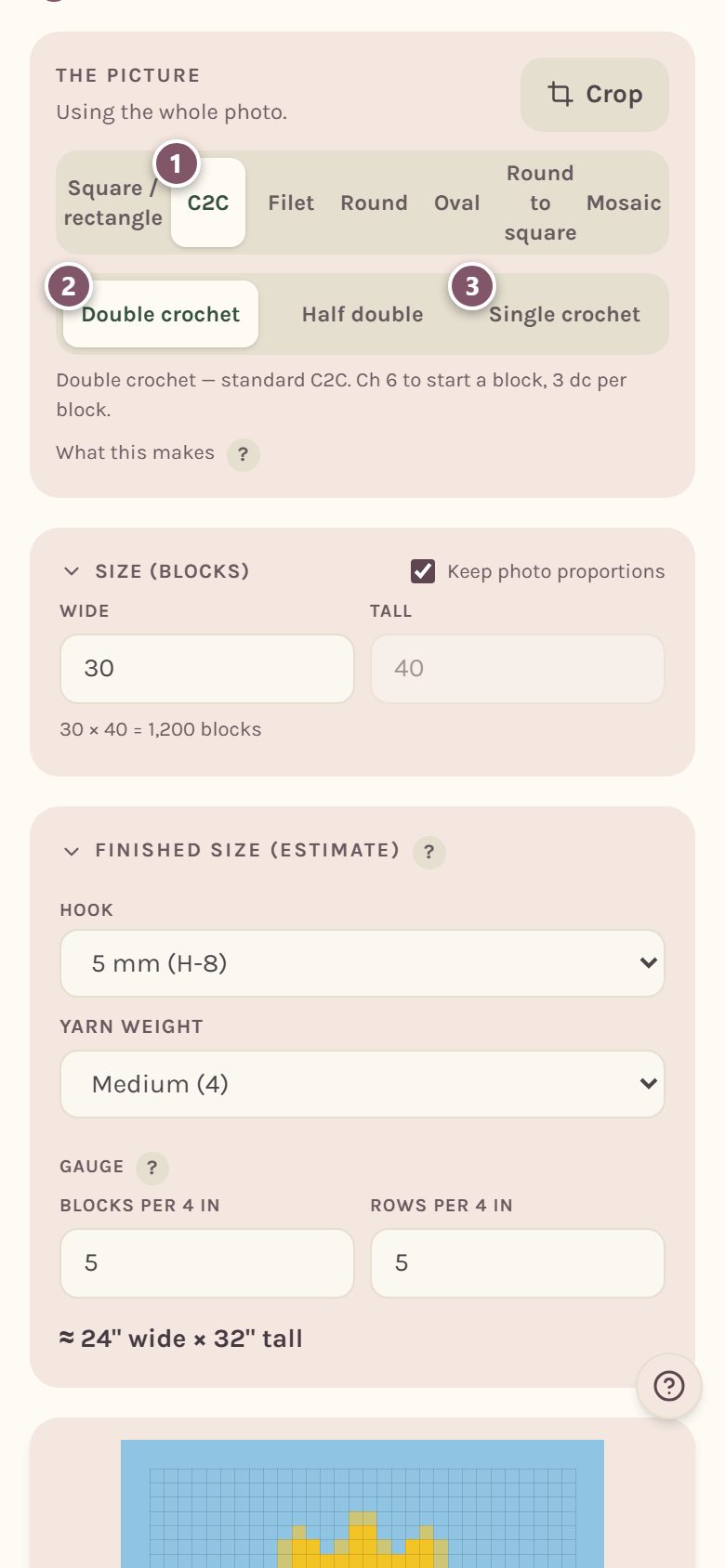
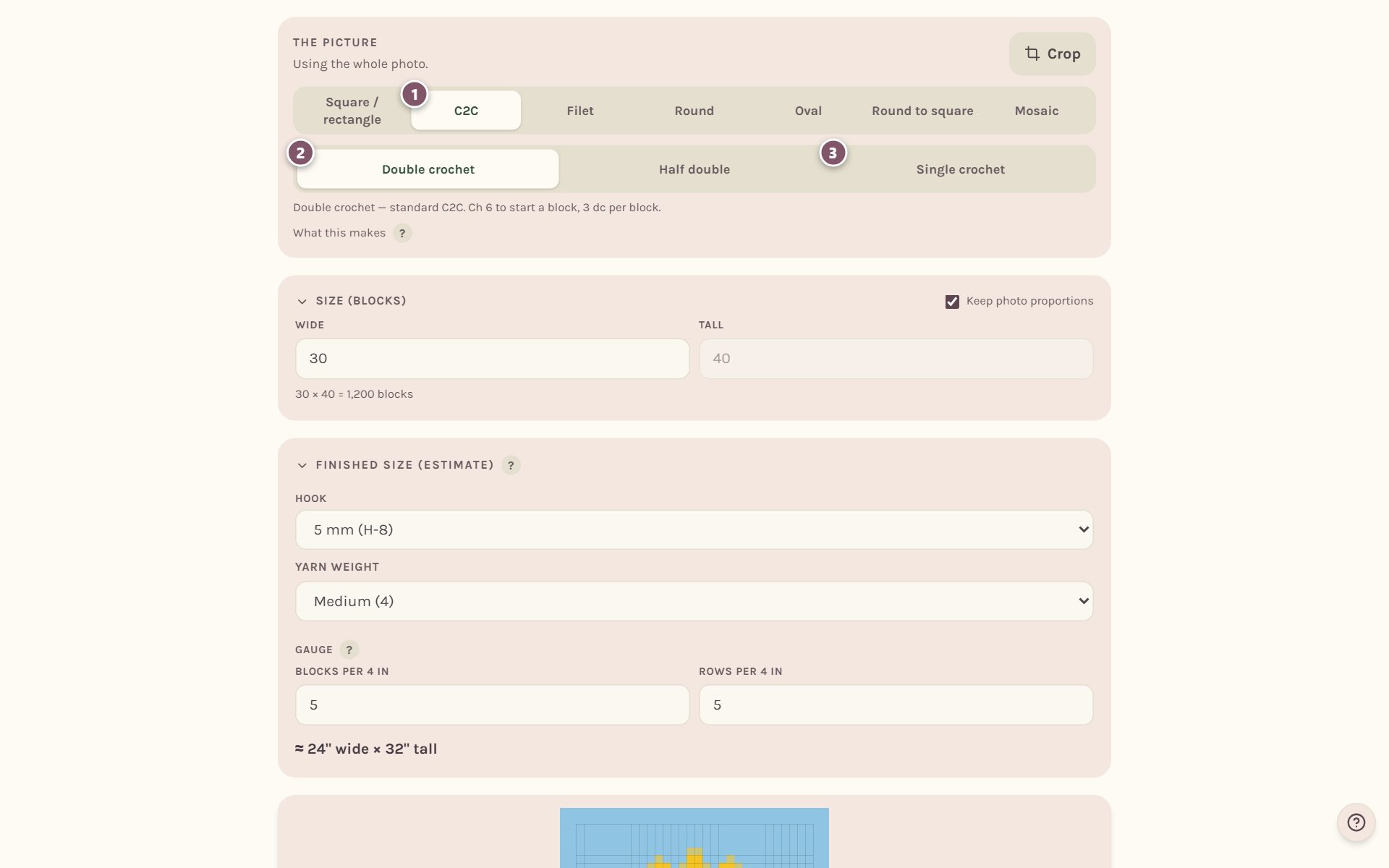
- Tap C2C.
- Double crochet makes standard C2C: ch 6 to start a block, 3 dc per block.
- Half double makes mini C2C, and Single crochet makes micro C2C. Smaller blocks mean more detail and a smaller blanket for the same number of blocks.
The line under the stitch choice spells out the block for the stitch you picked.
Set the size in blocks
For C2C, the size is counted in blocks, not stitches. Each square on the chart is one block.
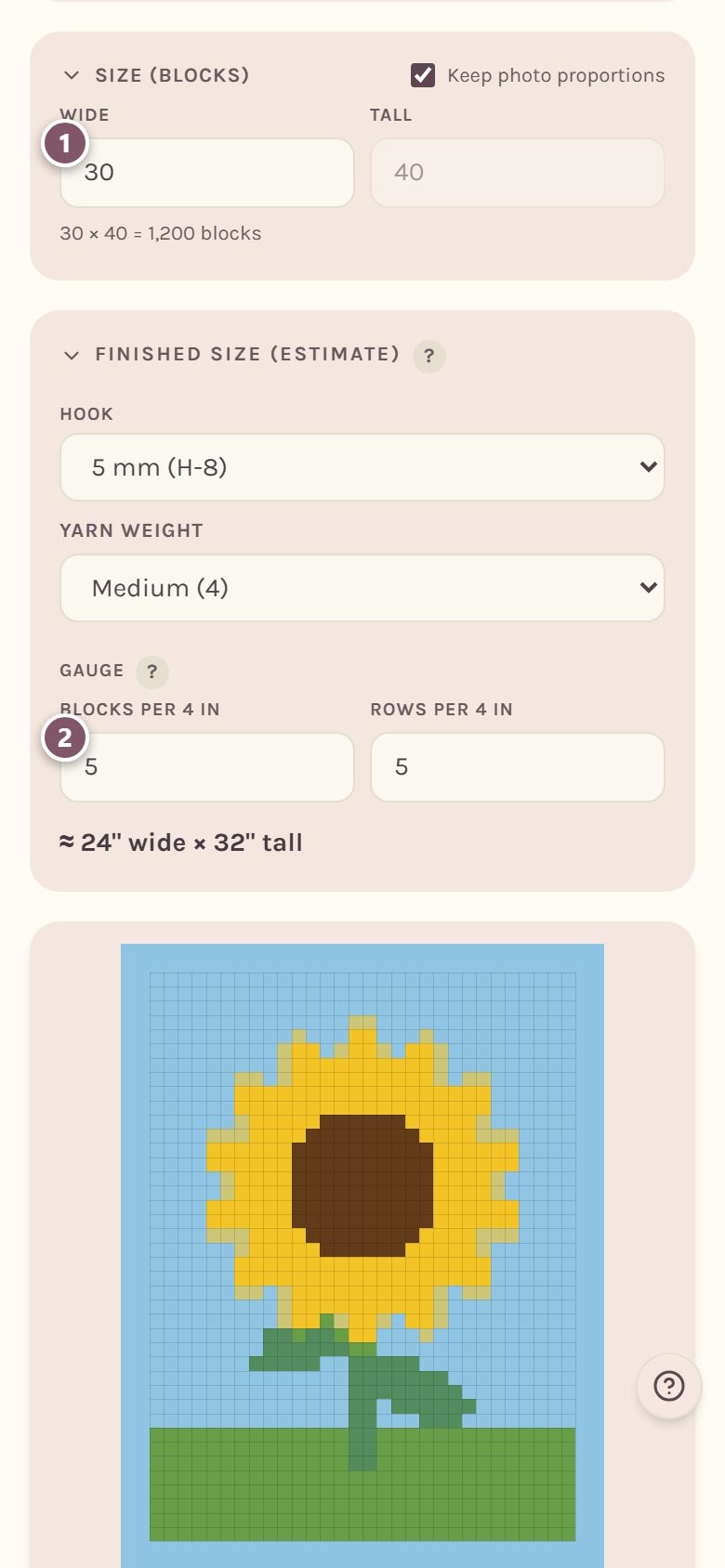
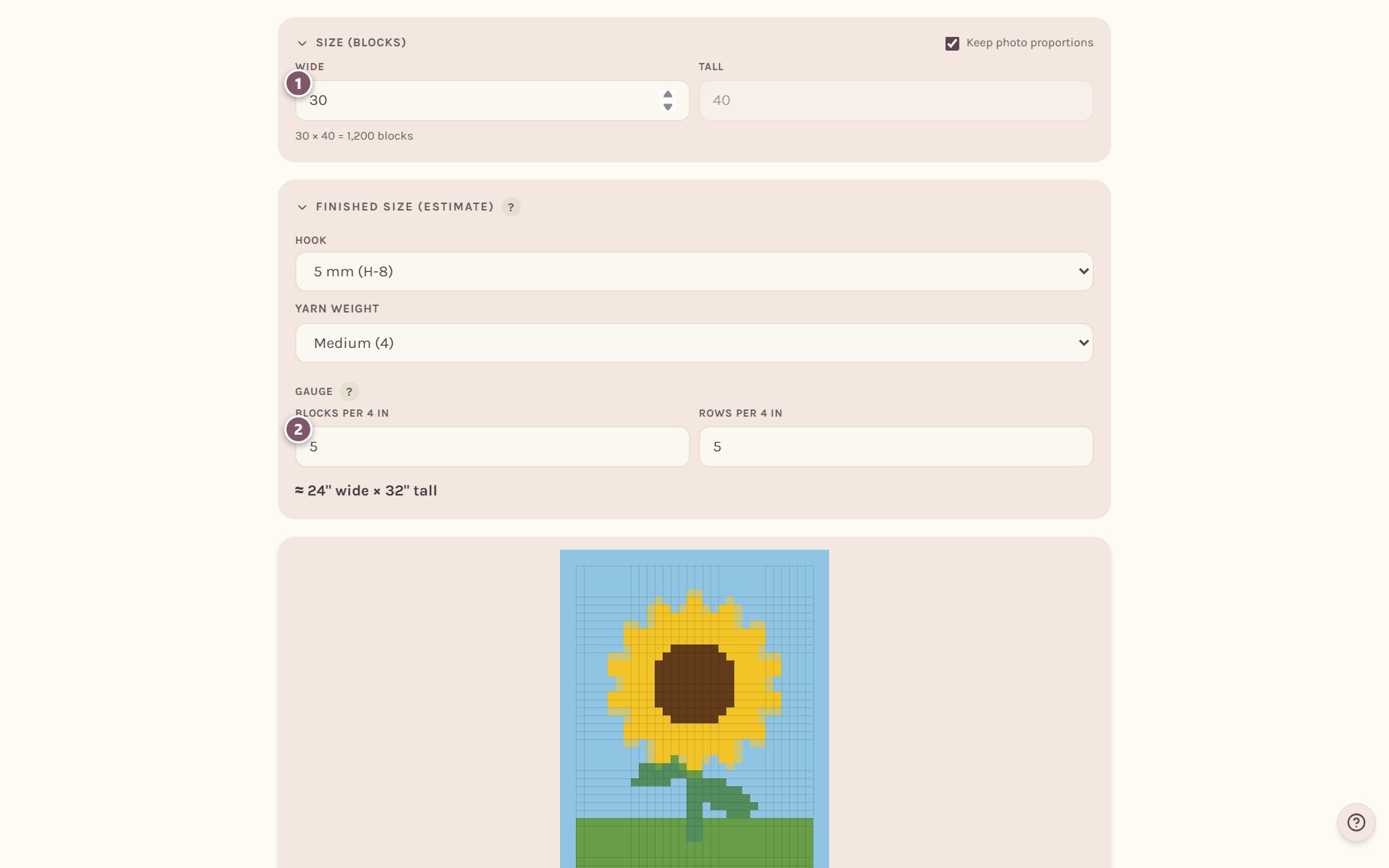
- Type how many blocks Wide you want. With Keep photo proportions ticked, the height follows.
- In Finished size (estimate), pick your hook and yarn weight. The gauge is shown in blocks per 4 in, and the finished size is worked out from your block stitch: about 5 double crochet blocks to 4 inches for standard C2C.
Read the diagonals
Scroll down to Instructions. Each line is one diagonal, numbered Row 1, Row 2 and so on, with the colors in the order you work them.
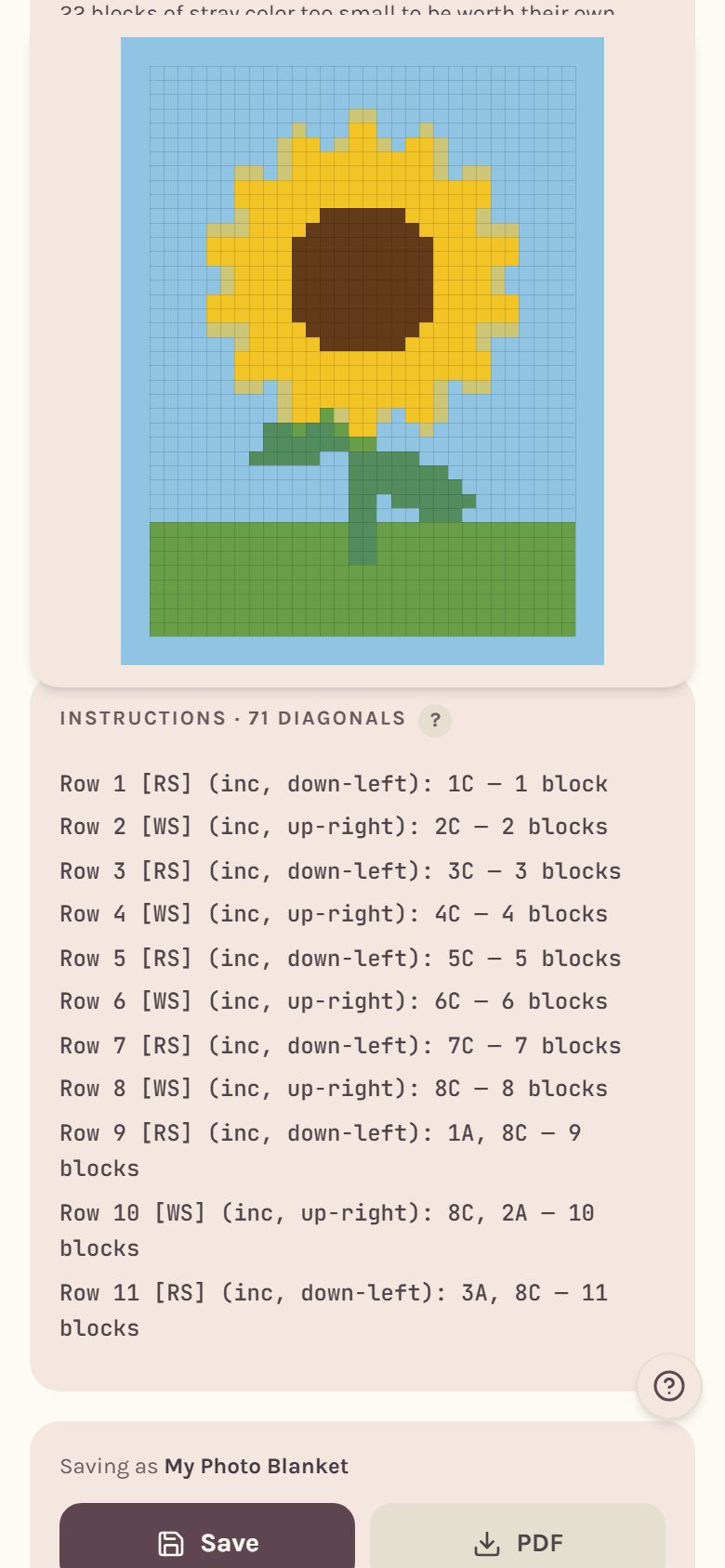
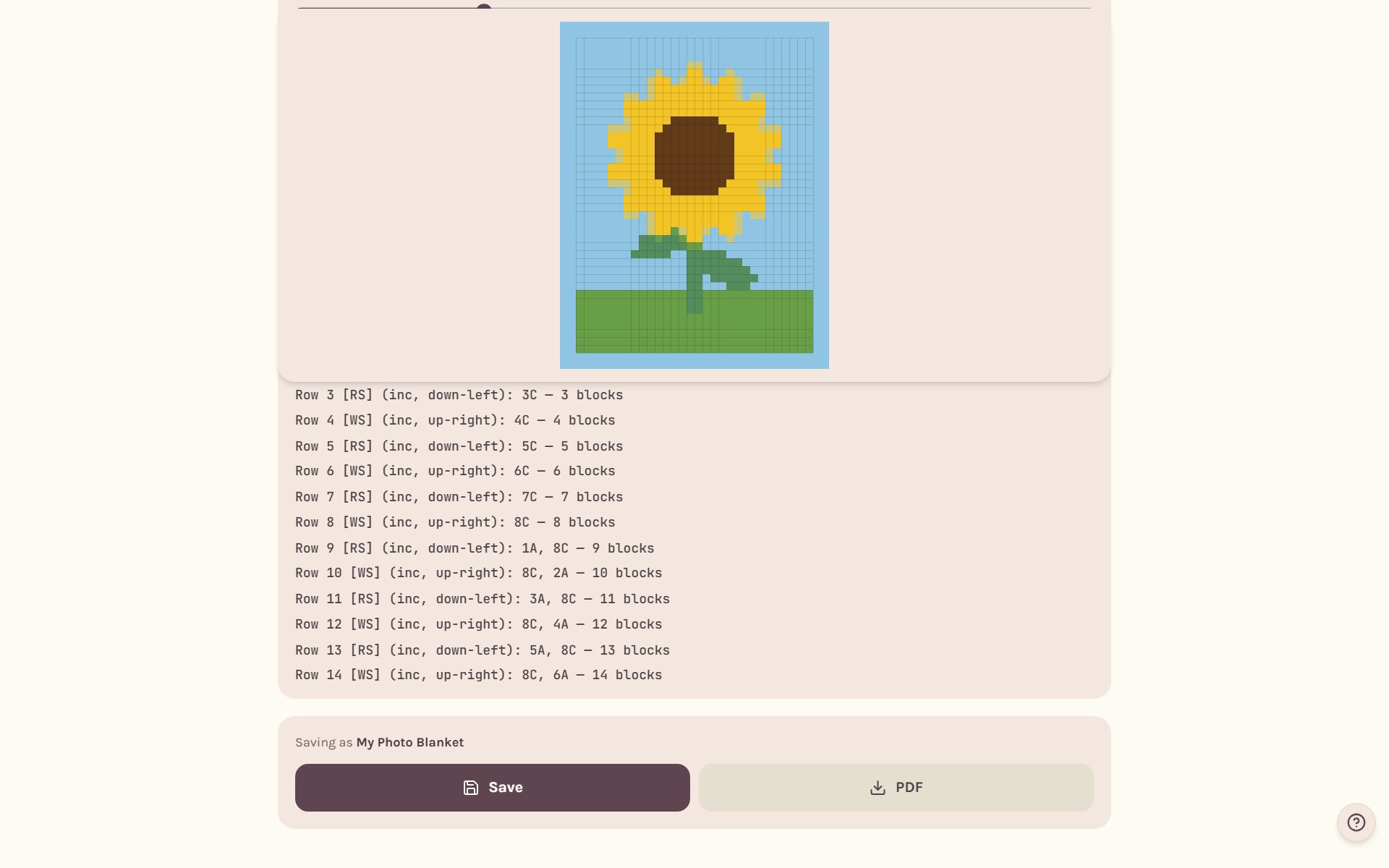
Every line says whether you're on the right side [RS] or wrong side [WS], which way the diagonal runs, and inc, dec or even: whether it adds a block, drops one, or holds the count. The pattern starts at the bottom-right corner and finishes at the top-left. Tap the ? beside the heading for how to read the lines. The letters match your yarn colors.
Tip: The C2C border has one extra choice, Even-out round. It works sc with ch 2 between each block, which turns the stepped C2C edge into a straight one before your other border rounds.
Track your C2C blanket block by block
Save your blanket, then tap Start this as a WIP on its page. The tracker counts in diagonals and blocks.
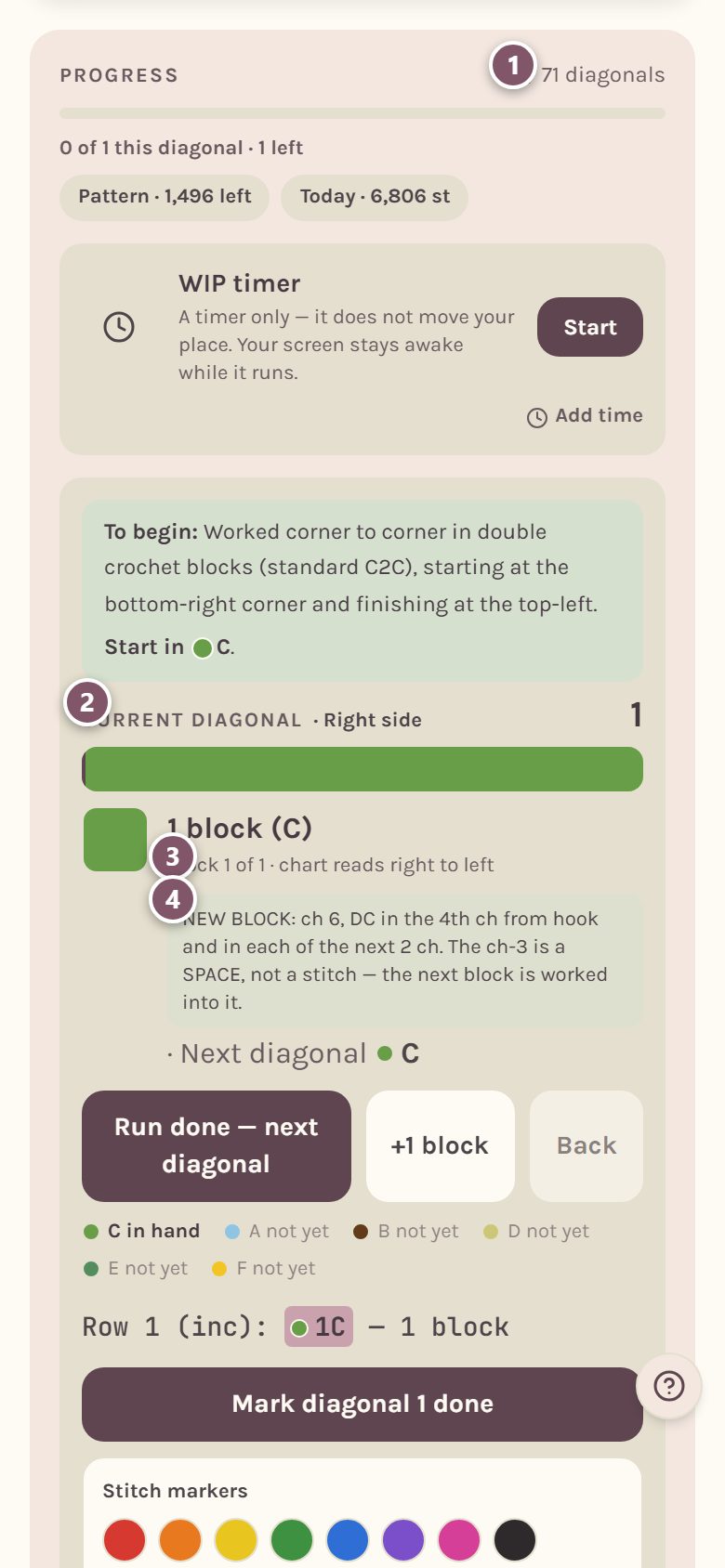
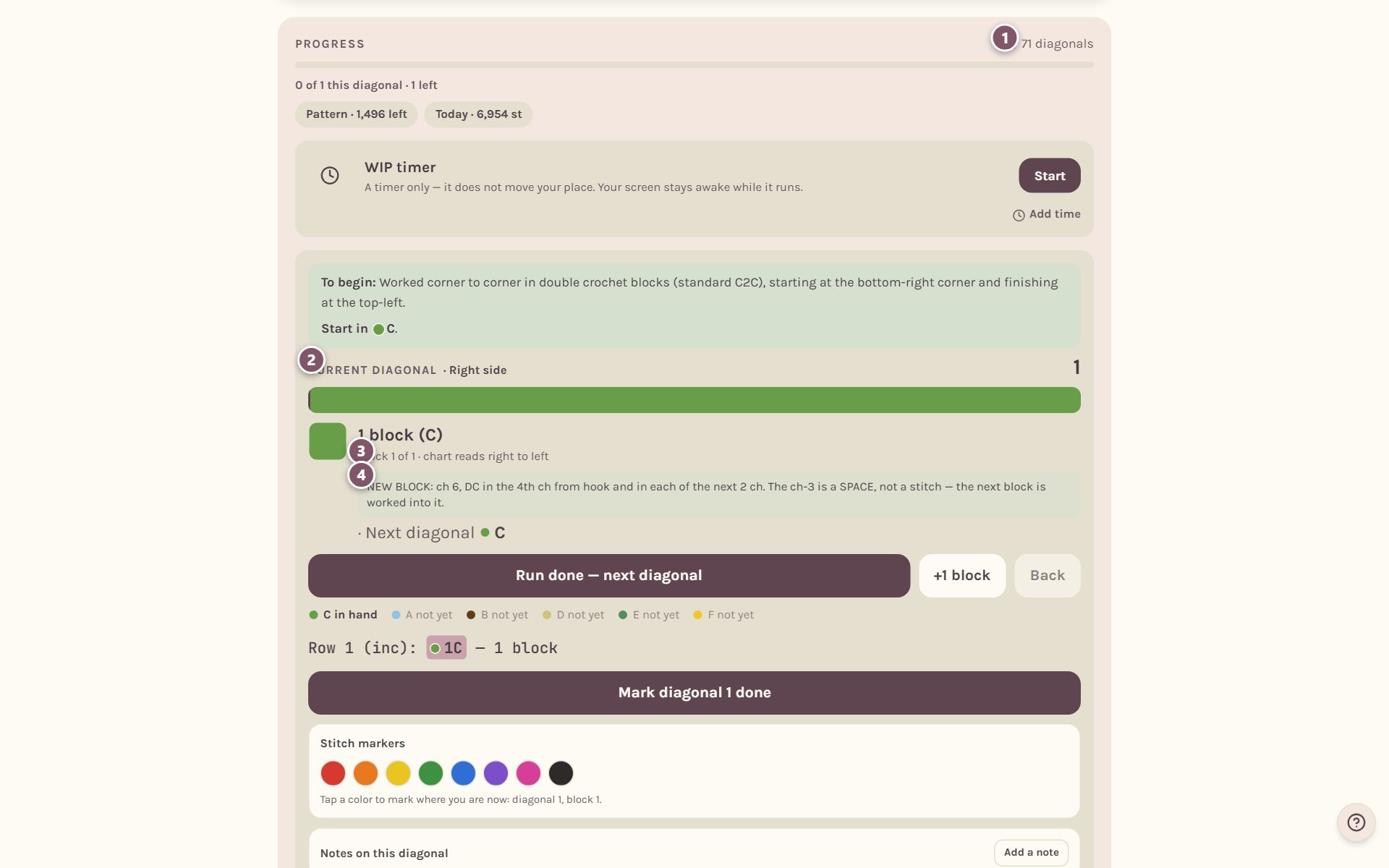
- Progress counts diagonals done out of the total. Border rounds are counted in it too.
- Current diagonal shows which one you're on, and whether it's the Right side or Wrong side facing you.
- The card tells you how many blocks to make in the current color, which block you're on, and which way to read the chart.
- The first time you meet each move, a short how-to appears right on the card: the first new block, the first block on a block, the first decrease and the first even row.
For everything else the tracker does, see the crochet row counter for blankets.
Frequently asked questions
How many diagonals does a C2C blanket have? One less than the width plus the height. A blanket 30 blocks wide and 40 tall has 69 diagonals, plus any border rounds.
Which C2C block should I use? Standard double crochet blocks are the most common and work up fastest. Mini (half double) and micro (single crochet) blocks are smaller, so the same picture comes out smaller and with more detail per inch.
Does the yarn estimate work for C2C? Yes. Once you save, the Yarn plan on your blanket's page shows yards and grams for every color. See how much yarn for a crochet blanket.
Where do I go next? Print it with hand-tracking sheets in how to print a crochet blanket pattern.
Ready to try it? Crochet Bobble opens right in your browser, on a phone or a computer.
Open Crochet Bobble